JonathanArias
Legend
October 3, 2024
Answered

shape effect help

  • October 3, 2024
  • 2 replies
  • 1419 views

Hello folks,
Happy Thursday. I need some help, please.

Please take look at the shapes below. Pay attention to the effect the edges have. I would like to apply an effect to shapes that i can cut and merge any way i want to make new shapes; with all of them keeping that look to the edges. 


thank you

This topic has been closed for replies.
Correct answer Doug A Roberts

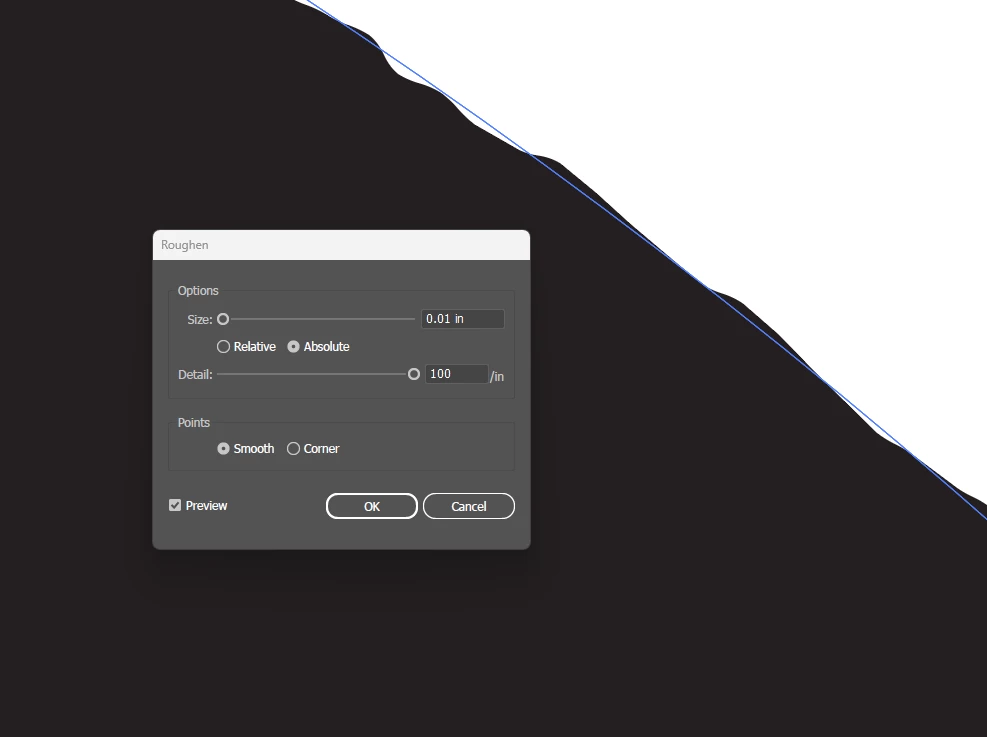
hi, I did. thats the lowest value: 0.01, you type anything less and it goes to zero. thank you


quote

hi, I did. thats the lowest value: 0.01, you type anything less and it goes to zero. thank you


By @JonathanArias


The field rounds values visually, but the actual value you type is still used. This is 0.005:

Type in other values and you will see a difference, even if the value doesn't display.

2 replies

Monika Gause
Community Expert
Community Expert
October 3, 2024

What do you mean with cut and merge any way you want?

JonathanArias
Legend
October 3, 2024


Hello,


@Jacob Bugge  i did tried the roughen effect, i could not make as much and little as i need to match.. it over does it. see screenshot attached


I want to be able to use the pathfinder tool and make other shapes at ouf this shape and keep the effect.. @Monika Gause  

Doug A Roberts
Community Expert
Community Expert
October 3, 2024

Type in the Size field to enter lower values.

Jacob Bugge
Community Expert
Community Expert
October 3, 2024

Jonathan,


Have you tried to make it with (suitable settings if any of) the Roughen effect?


Edit: Long time no see.