ShakeN93
Inspiring
December 12, 2017
Answered

Shape from selecting artboards

  • December 12, 2017
  • 2 replies
  • 455 views

Hello everyone ! first of all i'm not so good to english (writing) so i hope to be ok...

I use Adobe Illustrator CC 21.1.0 version on Windows 7 Enterprise 64-bit and i have a problem...

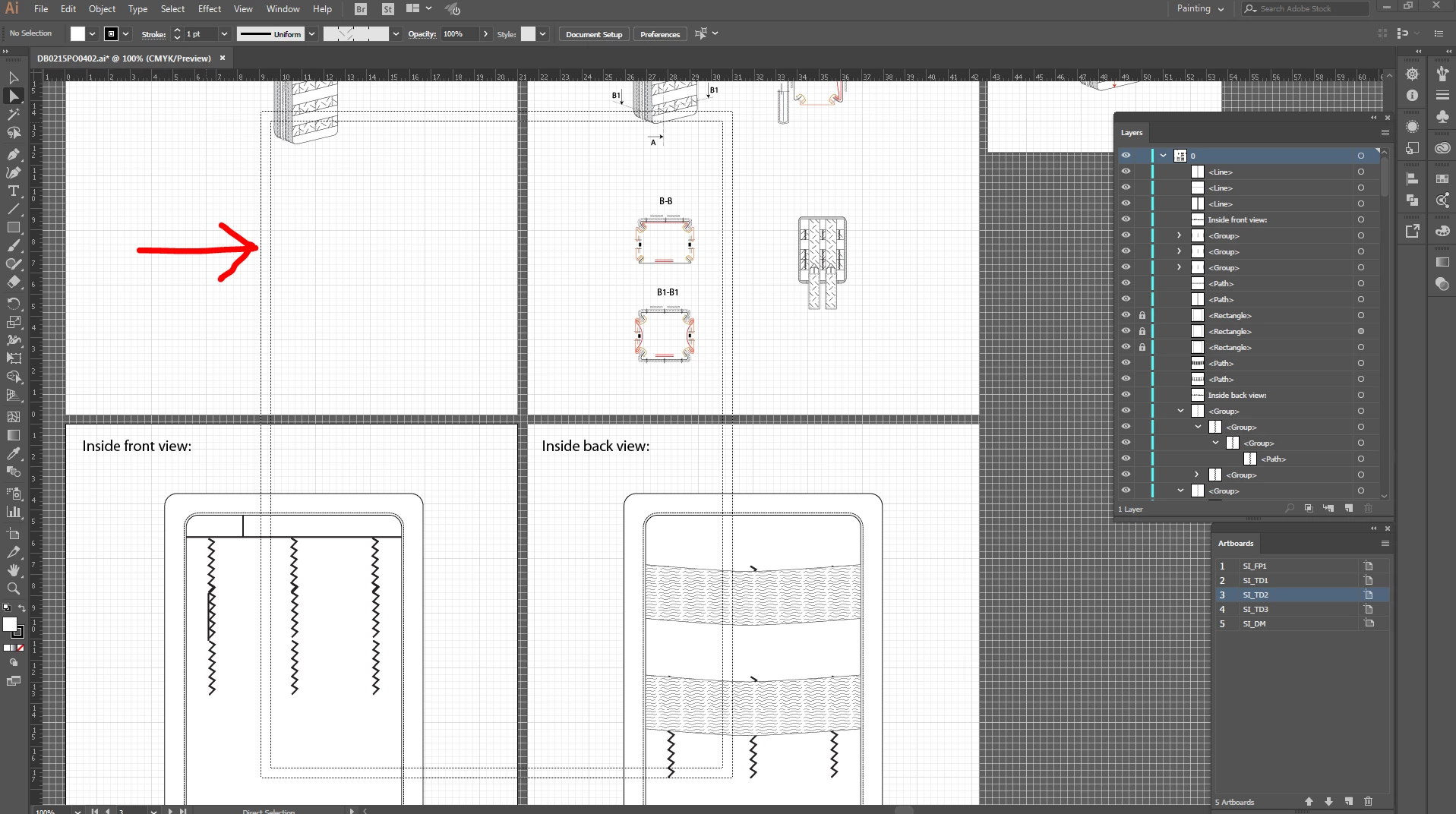
When i use an artboard to work, a shape like square with dahsed lines appear on it, i make a screenshot. Also i didn't make any settings, i was working on my work and my hotkeys from keyboard stopping to work, so i save my work with mouse/cursor, restart the PC and when i open the Illustrator the keyboard was working but this shape is starting to appear...
    This topic has been closed for replies.
    Correct answer hammer0909

    That shape is your print tiling. It shows what area of your document will get printed when you print the document. Choose View > Hide Print Tiling to get rid of it. It won't actually print, but it shows you the area that will be printed.

    2 replies

    Known Participant
    December 12, 2017

    The double edged box is the Print Tiling feature. It shows the area which will print when printing.

    To turn it off. Drop down the VIEW column and click on HIDE PRINT TILING.

    It should then disappear.

    ShakeN93
    ShakeN93Author
    Inspiring
    December 12, 2017

    Thanks !

    hammer0909
    Community Expert
    hammer0909Community ExpertCorrect answer
    Community Expert
    December 12, 2017

    That shape is your print tiling. It shows what area of your document will get printed when you print the document. Choose View > Hide Print Tiling to get rid of it. It won't actually print, but it shows you the area that will be printed.

    ShakeN93
    ShakeN93Author
    Inspiring
    December 12, 2017

    Thanks !