Participant
July 18, 2020
Answered

Shape Overlapping

  • July 18, 2020
  • 3 replies
  • 611 views

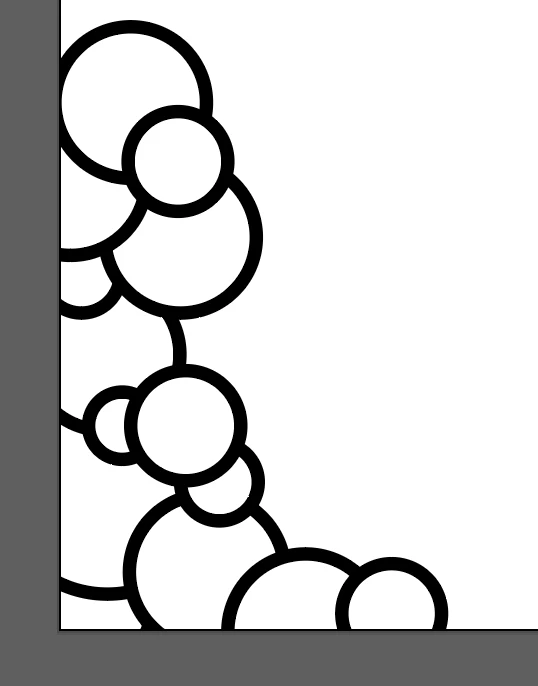
I'm trying to draw a kind of background image, with bubbles overlapping, and I want the final product to be a vector with a transparent background.  I can draw it with a solid white background, like I started below, and I know that I can take each individual bubble, and cut the excess off, but I was wondering if anyone knows of an easier way to do it, where I can just remove the white for the whole piece at once, but not see the overlapping lines underneath, like I would see if I just make the background of the bubbles transparent? 


This topic has been closed for replies.
Correct answer Ton Frederiks

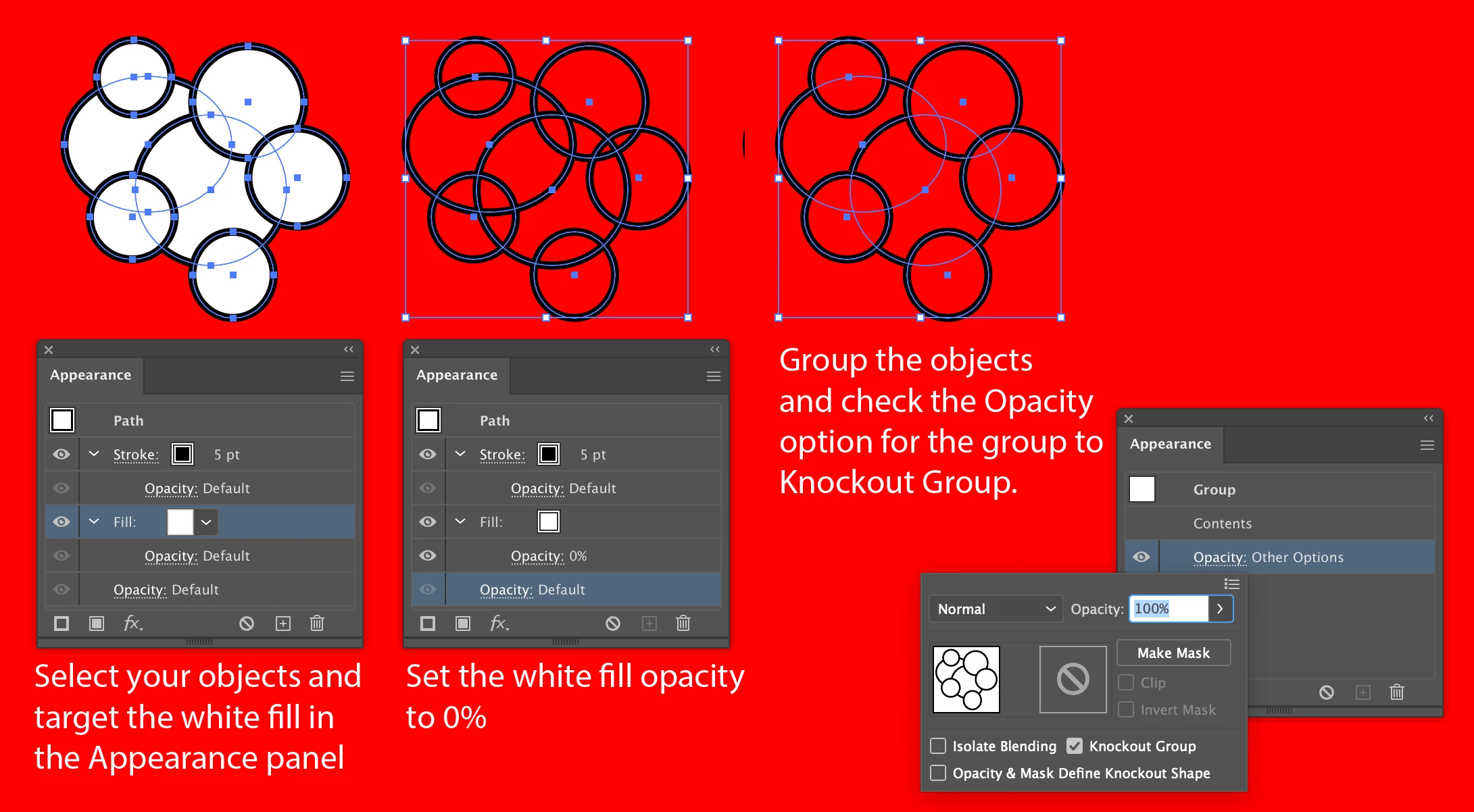
Or you can use a Knockout Group which will still let you rearrange the circles.

3 replies

Ton Frederiks
Community Expert
Ton FrederiksCommunity ExpertCorrect answer
Community Expert
July 18, 2020

Or you can use a Knockout Group which will still let you rearrange the circles.

Participant
July 18, 2020

Oh interesting, I'll have to look into this too! 

Kurt Gold
Community Expert
Community Expert
July 18, 2020

You can use the Shape Builder tool in Delete mode (Alt key modifier) to delete the unwanted bits. Or you can make a Live Paint Group and remove them with the Live Paint Selection tool.


You can also use the Pathfinder palette or the Shaper tool, but you will then get slightly different results.

Participant
July 18, 2020

The live paint group worked! Thanks so much! 

Kurt Gold
Community Expert
Community Expert
July 18, 2020

There are a couple of possible approaches, depending on which version of Illustrator you are using.


Which version is it?

Participant
July 18, 2020

CC 2020.