
Participant
September 20, 2018
Answered

Shape suddenly not visible

  • September 20, 2018
  • 1 reply
  • 982 views

I have created a shape previously.  I was modifying it for another project, when it disappeared from the screen.  I can still select it, but nothing I do makes it re-appear.  I am not an AI expert, so hopefully it's a simple "do this" type of fix.  Please let me know, the file can be found here:
Shared Files - Acrobat.com

    This topic has been closed for replies.
    Correct answer Mario Arizmendi

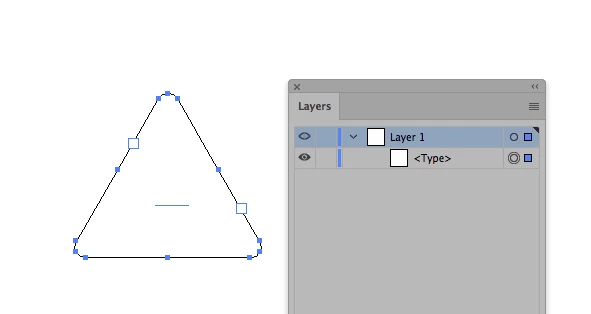
    Looks like you accidentaly click on the shape with the text tool. so it was converted to text container.

    you must to recreat it or select the shape with the withe arrow (group selection tool), copy paste and fill with a color

    1 reply

    Mario Arizmendi
    Mario ArizmendiCorrect answer
    Legend
    September 20, 2018

    Looks like you accidentaly click on the shape with the text tool. so it was converted to text container.

    you must to recreat it or select the shape with the withe arrow (group selection tool), copy paste and fill with a color