
Question
Shapes become jagged when Divided
I have a variety of objects I've created and overlaid to create an image.
I am now ready to expand and combine these items.
I have Expanded, Expanded Appearance, Flattened etc.
but whenever I choose "Divide" from the pathfinder palette, the smooth corners become jagged.
I've checked view options such as - snap to grid, snap to point, etc. and they are all off. So now 'snapping' is on.
Why are my smooth objects becoming jagged?
Example:
pre- Divide:
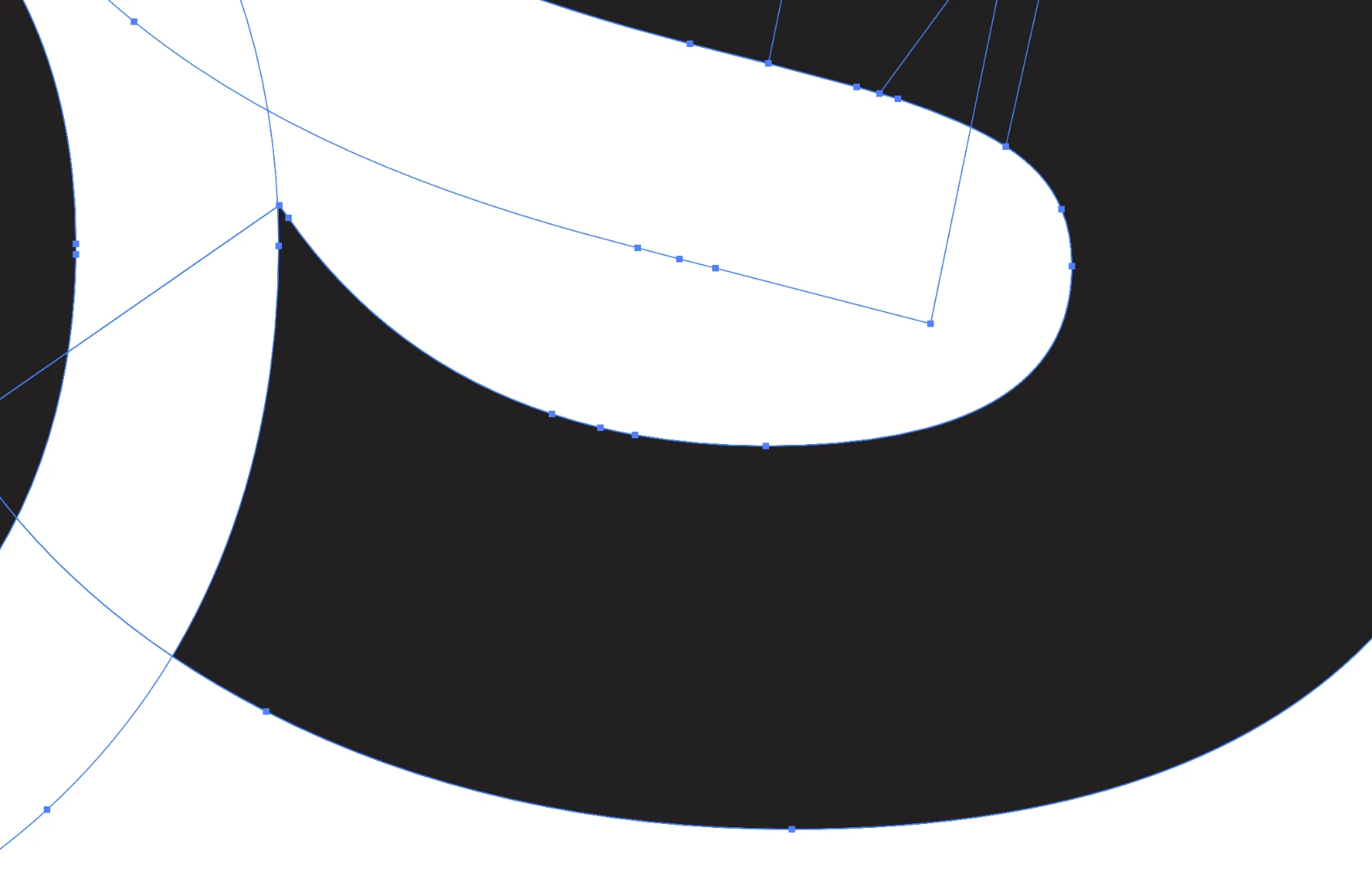
after Divide option is clicked:
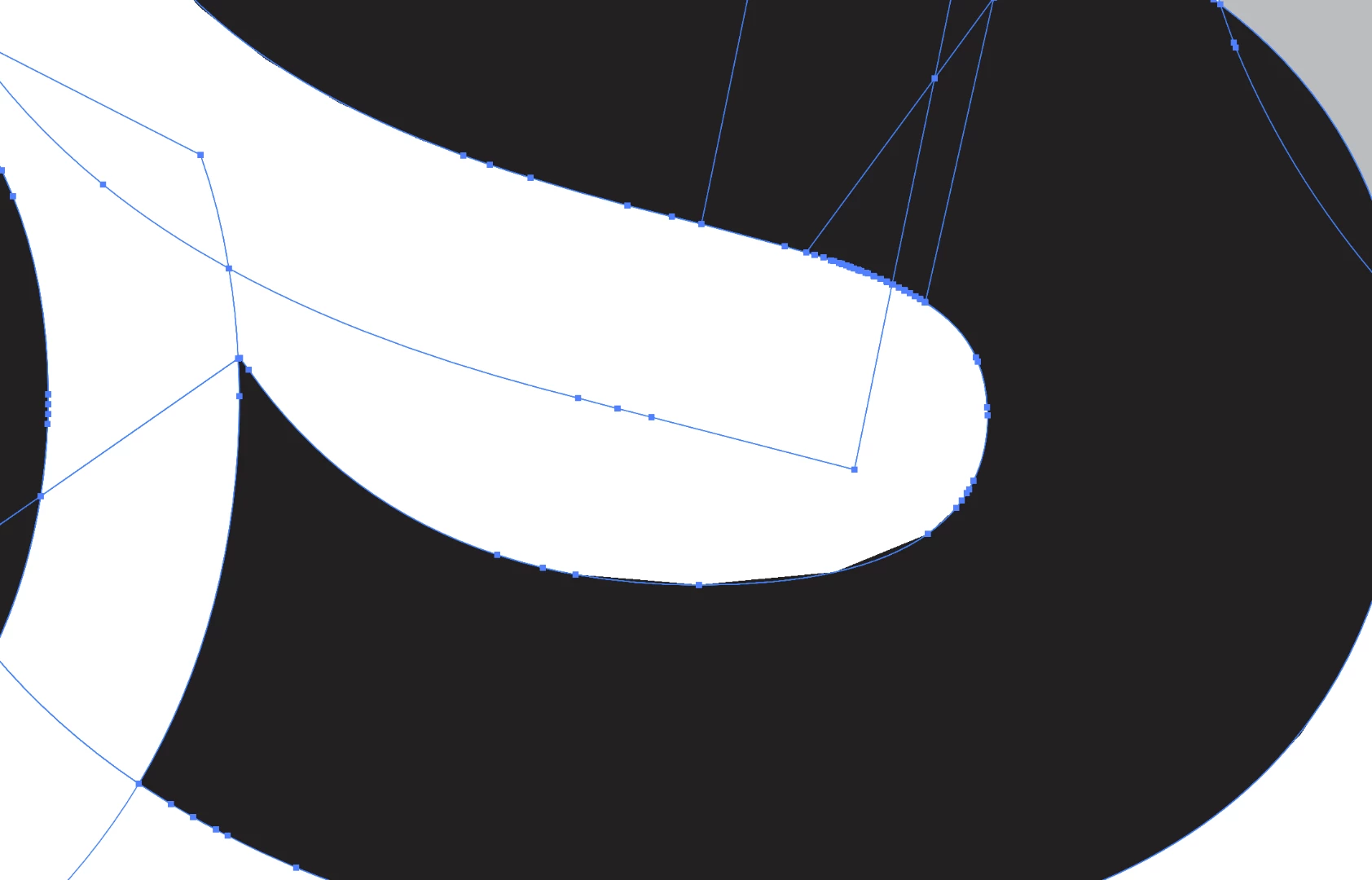
(notice the inner bottom curve inside the S is now jagged)


 AdChoices