
Shortcut for an object with parts not distorting after resizing, and perfectly aligns with its edges
I have this object here made up of different parts. It has some parts that I can stretch horizontally, and some parts whose shape must not distort. I have a ton of this objects that I use all the time, and trying to individually manipulate each part is time consuming. So I was trying things out to improve the speed of my work flow.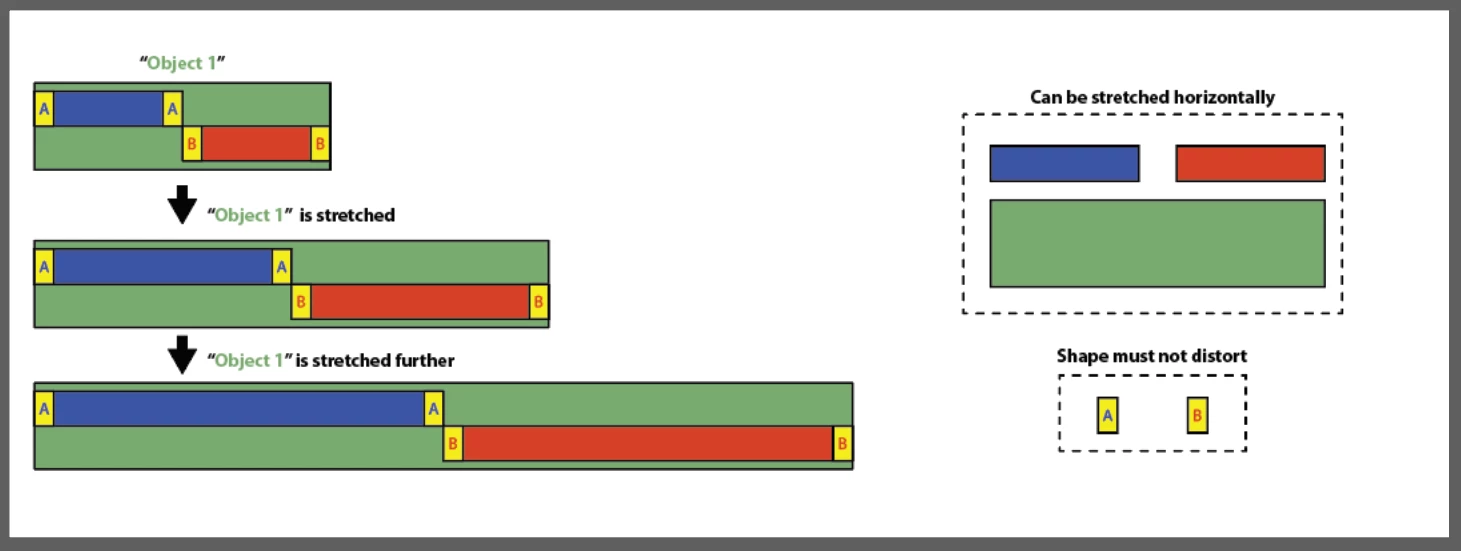
So I tried converting some of its parts into "Symbols", using the "Enable Guides for 9-Slice Scaling. I even tried converting some of its parts into "Art Brushes", using the "Stretch Between Guides" in its "Brush Scale Options."
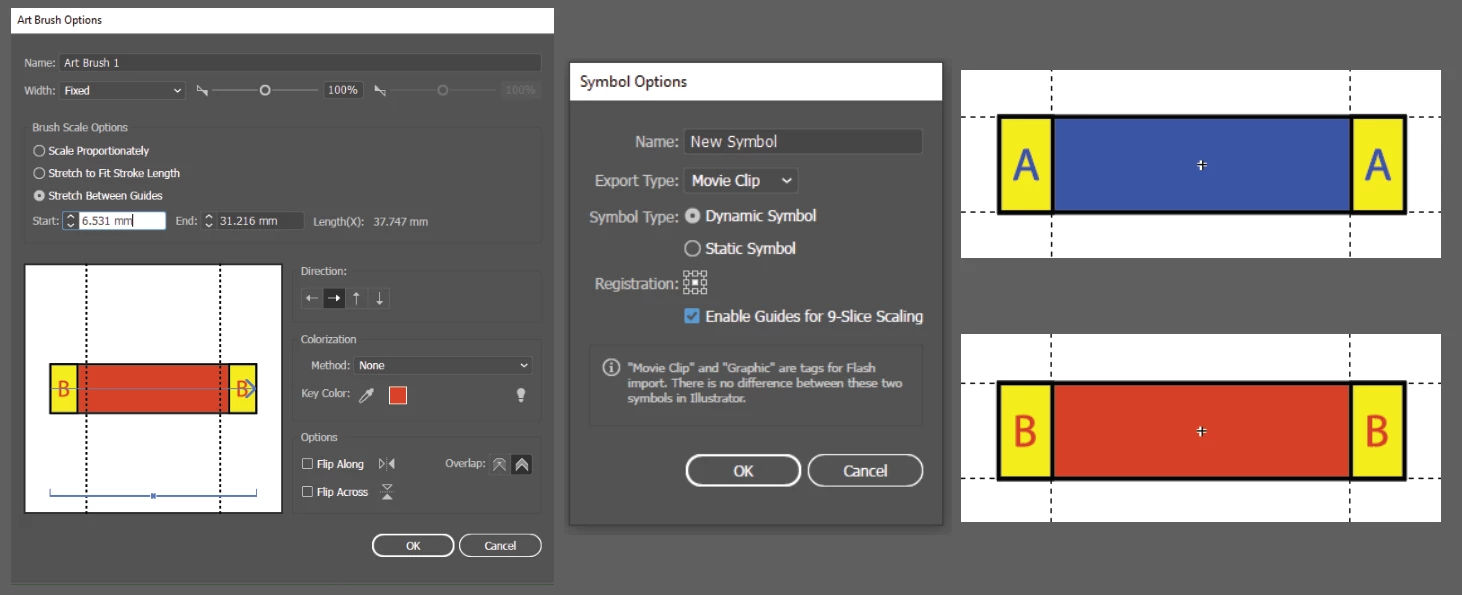 But the outcome results in some problems. When I finally have the object with its converted parts, when I tried stretching the object, the edges of the converted parts don't perfectly align with the edges of the green rectangle and its center. I did this with the "Symbols" and its "9-Slice Scaling", and also tried it with converting it into an "Art Brush" and its "Stretch Between Guides." It's not resulting into what I want.
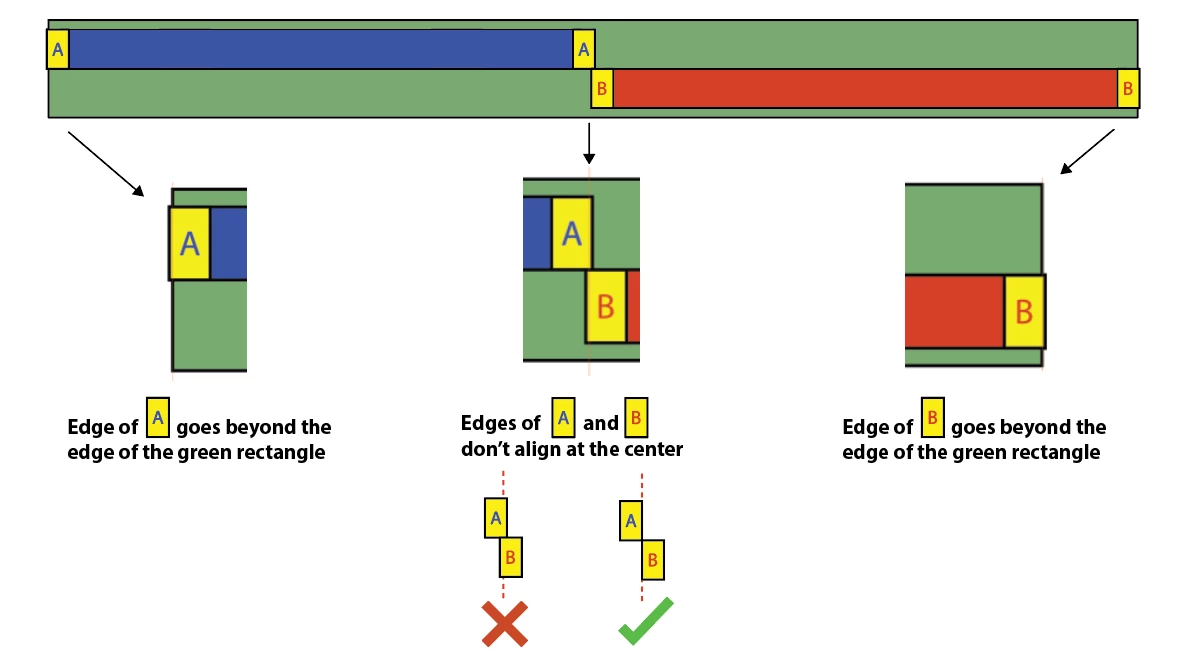
I tried many stuff in order to make the edges of the converted parts align with the edges and the center of the green rectangle, like converting the green rectangle into a "Symbol" or an "Art Brush" itself, but it's not working. Now I'm stuck. Another problem is, I also have other objects like the first one that I also need to create a shortcut with
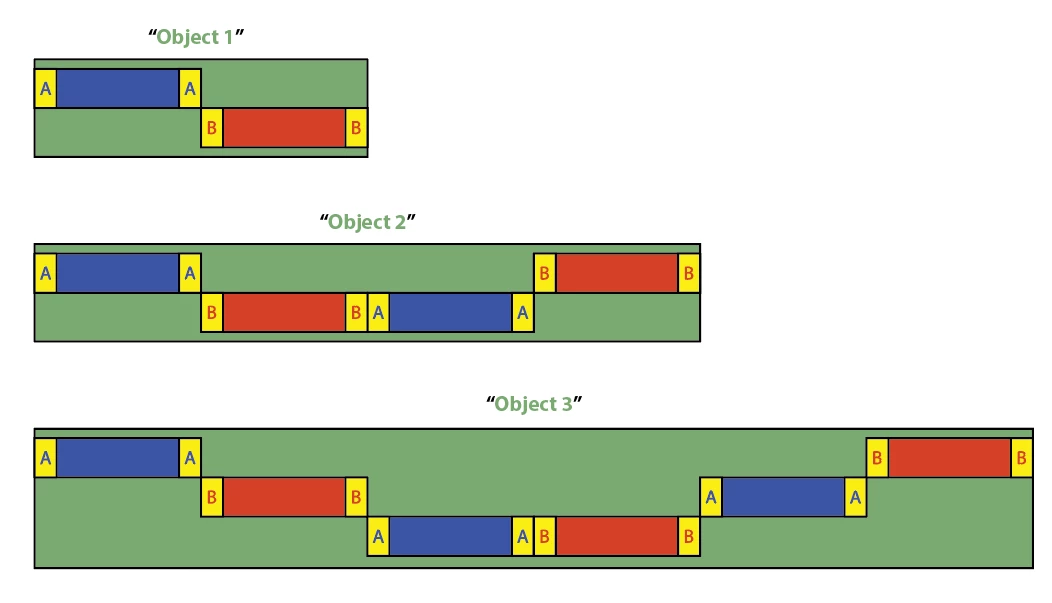
I need help, can anybody point me to a tool or a feature I don't know of that will help me in this situation?
 AdChoices