Participant
September 8, 2023
Answered

Simple color inversion

  • September 8, 2023
  • 3 replies
  • 388 views

I have an image from adobe stock where all I am trying to do is create a white filled outline on a transparent background. I first applied an image trace to the image to get a black filled outline with a white background. All I want to do from this point is to make the black part of the image white and the white part of the image transparent and export it as a JPEG. How do I do this? I'm trying to use the recolor wheel to map the black color to white and white to transparent, but the black remap to white doesn't do anything and there isn't a way to specify transparent as part of the mapping. .ai file link provided: https://assets.adobe.com/id/urn:aaid:sc:US:bcfff467-2680-4c42-95f2-c0485b9c693d?view=difile
This topic has been closed for replies.
Correct answer Ares Hovhannesyan

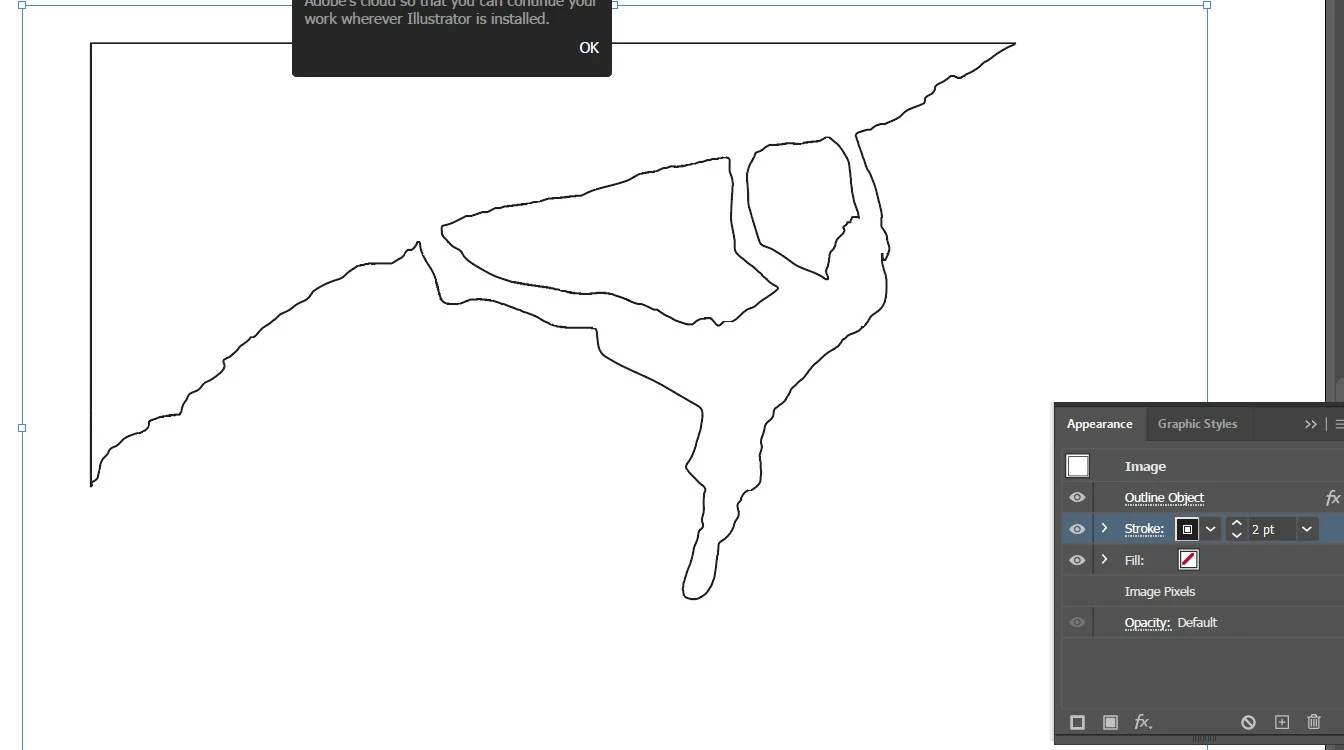
In Illustrator you can outline any bitmap image if it have transparency background by "Outline Object" from Effects->Path->Outline Object. Then you need to add strokes in Appearance. If you want white stroke you can add another stroke above black one and make white and thicker. Before this warkflow I made you image transparent in  Ps. 


3 replies

Ares Hovhannesyan
Community Expert
Ares HovhannesyanCommunity ExpertCorrect answer
Community Expert
September 8, 2023

In Illustrator you can outline any bitmap image if it have transparency background by "Outline Object" from Effects->Path->Outline Object. Then you need to add strokes in Appearance. If you want white stroke you can add another stroke above black one and make white and thicker. Before this warkflow I made you image transparent in  Ps. 


Monika Gause
Community Expert
Community Expert
September 8, 2023

Recolor artwork is set up to not recolor black by default.

You have to adjust that.

https://www.youtube.com/watch?v=4TPXQK7hdmM&t=3s 

Ton Frederiks
Community Expert
Community Expert
September 8, 2023

In the expanded Image Trace panel select by Method: the left one: Abutting

Click Ignore Color

Select Object > Image Trace > Expand

Fill with white