Participant
July 18, 2023
Answered

Simple script, is it possible?

  • July 18, 2023
  • 2 replies
  • 884 views

I have absolutely no experience with scripting but i'm hoping to steamline my workflow.


Is it possible to run a script that will take the swatches from the document and output them as a line of text, each swatch name needs to be coloured with the swatch, i'll attach an exmaple below.


Ideally 8pt Arial Bold


This topic has been closed for replies.
Correct answer Sergey Osokin

For lot of swatches, the coloring of text characters has poor performance. That's why I find the second version of the script more interesting. It creates a separate text for each name and places it sequentially on the artboard.
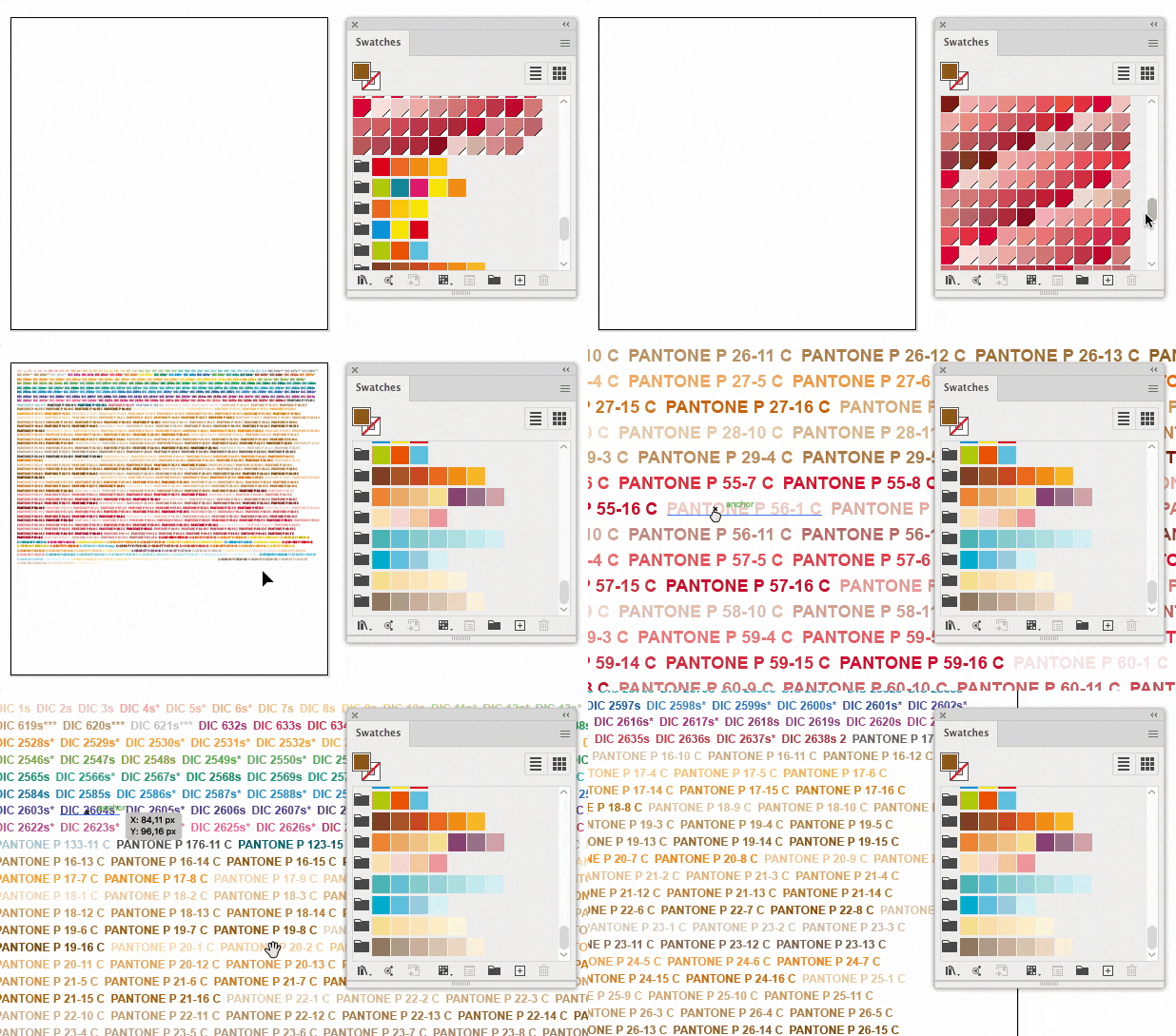


/*
  Output swatches as a group of text objects, with each name colored with the swatch
  Discussion: https://community.adobe.com/t5/illustrator-discussions/simple-script-is-it-possible/td-p/13944314
  Author: Sergey Osokin, email: hi@sergosokin.ru
  Check my other scripts: https://github.com/creold
*/

//@target illustrator
app.preferences.setBooleanPreference('ShowExternalJSXWarning', false); // Fix drag and drop a .jsx file

// Main function
function main() {
  var isOnlySpot = false; // true - output spot colors, false - all swatches
  var fontSize = 8; // Pt
  var typeface = 'Arial-BoldMT';
  var isUseUppercase = true; // Convert name to uppercase
  var pads = 20; // Artboard paddings
  var distX = 4; // Horizontal distance between text
  var distY = 2; // Vertical distance between text

  if (!documents.length) {
    alert('No documents\nOpen a document and try again', 'Script error');
    return;
  }

  var doc = app.activeDocument;

  var swNames = getSwatchNames(doc, isOnlySpot);
  if (!swNames.length) {
    var msg = isOnlySpot? 'No spot colors found' : 'No process or spot colors found';
    alert(msg, 'Script error');
    return;
  }

  var allTfs = [];
  var lay = getEditableLayer(doc);
  var idx = doc.artboards.getActiveArtboardIndex();
  var abRect = doc.artboards[idx].artboardRect;
  var totalW = abRect[2] - abRect[0] - 2 * pads;
  var x = abRect[0] + pads;
  var y = abRect[1] - pads;
  var curW = 0;

  for (var i = 0, len = swNames.length; i < len; i++) {
    try {
      var tf = addText(doc, lay, swNames[i], isUseUppercase, fontSize, typeface);
      // Start a new row if total width exceeds given value
      if (curW + tf.width > totalW) {
          x = abRect[0] + pads;
          y -= tf.height + distY;
          curW = 0;
      }
      tf.position = [x, y];
      x += tf.width + distX;
      curW += tf.width + distX;
      allTfs.push(tf);
    } catch (err) {}
  }

  if (allTfs.length) groupItems(allTfs, 'Swatches Legend');
}

// Get document swatch names
function getSwatchNames(doc, isOnlySpot) {
  var arr = [];
  var swatches = doc.swatches.getSelected();
  if (!swatches.length) swatches = doc.swatches;
  for (var i = 0; i < swatches.length; i++) {
    var sw = swatches[i];
    var swColor = sw.color;
    if (/nocolor|gradient|pattern/i.test(swColor)) continue;
    if (swColor == '[SpotColor]' && swColor.spot.colorType == ColorModel.REGISTRATION) continue;
    if ((isOnlySpot && swColor == '[SpotColor]') || !isOnlySpot) arr.push(sw.name);
  }
  return arr;
}

// Get layer to create object
function getEditableLayer(doc) {
  var aLay = doc.activeLayer;
  if (aLay.visible && !aLay.locked) return aLay;
  for (var i = 0, len = doc.layers.length; i < len; i++) {
    var curLay = doc.layers[i];
    if (curLay.visible && !curLay.locked) {
      doc.activeLayer = curLay;
      return curLay;
    }
  }
  doc.layers[0].visible = true
  doc.layers[0].locked = false;
  doc.activeLayer = doc.layers[0];
  return doc.layers[0];
}

// Add colored text object with swatch name
function addText(doc, lay, str, isUseUppercase, size, typeface) {
  var tf = lay.textFrames.add();
  tf.contents = isUseUppercase ? str.toUpperCase() : str;
  tf.textRange.characterAttributes.size = size;
  try {
    tf.textRange.characterAttributes.textFont = app.textFonts.getByName(typeface);
  } catch (err) {}
  var sw = doc.swatches.getByName(str);
  tf.textRange.characterAttributes.fillColor = sw.color;
  return tf;
}

// Move items to single group
function groupItems(arr, str) {
  var grp = arr[0].layer.groupItems.add();
  grp.name = str;
  for (var i = 0, len = arr.length; i < len; i++) {
    arr[i].move(grp, ElementPlacement.INSIDE);
  }
}

// Run script
try {
  main();
} catch (err) {}


Upd 20-07-2023: You can now create a legend for selected swatches in the Swatches panel.

2 replies

Sergey Osokin
Inspiring
July 18, 2023


/*
  Output swatches as a line of text, with each name colored with the swatch
  Discussion: https://community.adobe.com/t5/illustrator-discussions/simple-script-is-it-possible/td-p/13944314
  Author: Sergey Osokin, email: hi@sergosokin.ru
  Check my other scripts: https://github.com/creold
*/

//@target illustrator
app.preferences.setBooleanPreference('ShowExternalJSXWarning', false); // Fix drag and drop a .jsx file

// Main function
function main() {
  var isOnlySpot = true; // true - output spot colors, false - all swatches
  var fontSize = 8; // Pt
  var typeface = 'Arial-BoldMT';
  var offset = 20; // Artboard paddings

  if (!documents.length) {
    alert('No documents\nOpen a document and try again', 'Script error');
    return;
  }

  var doc = app.activeDocument;

  var swNames = getSwatchNames(doc, isOnlySpot);
  if (!swNames.length) {
    var msg = isOnlySpot? 'No spot colors found' : 'No process or spot colors found';
    alert(msg, 'Script error');
    return;
  }

  // Prepare text zone
  var lay = getEditableLayer(doc);
  var idx = doc.artboards.getActiveArtboardIndex();
  var abRect = doc.artboards[idx].artboardRect;
  var tfW = abRect[2] - abRect[0] - 2 * offset;
  var tfH = abRect[1] - abRect[3] - 2 * offset;
  var tfPath = lay.pathItems.rectangle(abRect[1] - offset, abRect[0] + offset, tfW, tfH);
  var tf = lay.textFrames.areaText(tfPath);

  // Text properties
  tf.textRange.characterAttributes.size = fontSize;
  try {
    tf.textRange.characterAttributes.textFont = app.textFonts.getByName(typeface);
  } catch (e) {}
  tf.contents = swNames.join(' ');

  recolorSubstr(doc, tf, swNames);

  tf.convertAreaObjectToPointObject();
  app.redraw();
}

// Get layer to create object
function getEditableLayer(doc) {
  var aLay = doc.activeLayer;
  if (aLay.visible && !aLay.locked) return aLay;
  for (var i = 0, len = doc.layers.length; i < len; i++) {
    var curLay = doc.layers[i];
    if (curLay.visible && !curLay.locked) {
      doc.activeLayer = curLay;
      return curLay;
    }
  }
  doc.layers[0].visible = true
  doc.layers[0].locked = false;
  doc.activeLayer = doc.layers[0];
  return doc.layers[0];
}

// Get document swatch names
function getSwatchNames(doc, isOnlySpot) {
  var arr = [];
  for (var i = 0; i < doc.swatches.length; i++) {
    var sw = doc.swatches[i];
    var swColor = sw.color;
    if (/nocolor|gradient|pattern/i.test(swColor)) continue;
    if (swColor == '[SpotColor]' && swColor.spot.colorType == ColorModel.REGISTRATION) continue;
    if ((isOnlySpot && swColor == '[SpotColor]') || !isOnlySpot) arr.push(sw.name);
  }
  return arr;
}

// Color substring in its swatch
function recolorSubstr(doc, tf, names) {
  var start = 0;
  for (var i = 0; i < names.length; i++) {
    var len = names[i].length;
    var end = start + len;
    var sw = doc.swatches.getByName(names[i]);
    for (var j = start; j < end; j++) {
      var curChar = tf.textRange.characters[j];
      if (curChar.contents === ' ') continue;
      curChar.characterAttributes.fillColor = sw.color;
    }
    start += len + 1;
  }
}

// Run script
try {
  main();
} catch (e) {}


If many swatches, the script may run slowly.

Upd 19-07-2023: Added boolean flag isOnlySpot to output all swatches or only global / spot colors.

Sergey Osokin
Sergey OsokinCorrect answer
Inspiring
July 19, 2023

For lot of swatches, the coloring of text characters has poor performance. That's why I find the second version of the script more interesting. It creates a separate text for each name and places it sequentially on the artboard.


/*
  Output swatches as a group of text objects, with each name colored with the swatch
  Discussion: https://community.adobe.com/t5/illustrator-discussions/simple-script-is-it-possible/td-p/13944314
  Author: Sergey Osokin, email: hi@sergosokin.ru
  Check my other scripts: https://github.com/creold
*/

//@target illustrator
app.preferences.setBooleanPreference('ShowExternalJSXWarning', false); // Fix drag and drop a .jsx file

// Main function
function main() {
  var isOnlySpot = false; // true - output spot colors, false - all swatches
  var fontSize = 8; // Pt
  var typeface = 'Arial-BoldMT';
  var isUseUppercase = true; // Convert name to uppercase
  var pads = 20; // Artboard paddings
  var distX = 4; // Horizontal distance between text
  var distY = 2; // Vertical distance between text

  if (!documents.length) {
    alert('No documents\nOpen a document and try again', 'Script error');
    return;
  }

  var doc = app.activeDocument;

  var swNames = getSwatchNames(doc, isOnlySpot);
  if (!swNames.length) {
    var msg = isOnlySpot? 'No spot colors found' : 'No process or spot colors found';
    alert(msg, 'Script error');
    return;
  }

  var allTfs = [];
  var lay = getEditableLayer(doc);
  var idx = doc.artboards.getActiveArtboardIndex();
  var abRect = doc.artboards[idx].artboardRect;
  var totalW = abRect[2] - abRect[0] - 2 * pads;
  var x = abRect[0] + pads;
  var y = abRect[1] - pads;
  var curW = 0;

  for (var i = 0, len = swNames.length; i < len; i++) {
    try {
      var tf = addText(doc, lay, swNames[i], isUseUppercase, fontSize, typeface);
      // Start a new row if total width exceeds given value
      if (curW + tf.width > totalW) {
          x = abRect[0] + pads;
          y -= tf.height + distY;
          curW = 0;
      }
      tf.position = [x, y];
      x += tf.width + distX;
      curW += tf.width + distX;
      allTfs.push(tf);
    } catch (err) {}
  }

  if (allTfs.length) groupItems(allTfs, 'Swatches Legend');
}

// Get document swatch names
function getSwatchNames(doc, isOnlySpot) {
  var arr = [];
  var swatches = doc.swatches.getSelected();
  if (!swatches.length) swatches = doc.swatches;
  for (var i = 0; i < swatches.length; i++) {
    var sw = swatches[i];
    var swColor = sw.color;
    if (/nocolor|gradient|pattern/i.test(swColor)) continue;
    if (swColor == '[SpotColor]' && swColor.spot.colorType == ColorModel.REGISTRATION) continue;
    if ((isOnlySpot && swColor == '[SpotColor]') || !isOnlySpot) arr.push(sw.name);
  }
  return arr;
}

// Get layer to create object
function getEditableLayer(doc) {
  var aLay = doc.activeLayer;
  if (aLay.visible && !aLay.locked) return aLay;
  for (var i = 0, len = doc.layers.length; i < len; i++) {
    var curLay = doc.layers[i];
    if (curLay.visible && !curLay.locked) {
      doc.activeLayer = curLay;
      return curLay;
    }
  }
  doc.layers[0].visible = true
  doc.layers[0].locked = false;
  doc.activeLayer = doc.layers[0];
  return doc.layers[0];
}

// Add colored text object with swatch name
function addText(doc, lay, str, isUseUppercase, size, typeface) {
  var tf = lay.textFrames.add();
  tf.contents = isUseUppercase ? str.toUpperCase() : str;
  tf.textRange.characterAttributes.size = size;
  try {
    tf.textRange.characterAttributes.textFont = app.textFonts.getByName(typeface);
  } catch (err) {}
  var sw = doc.swatches.getByName(str);
  tf.textRange.characterAttributes.fillColor = sw.color;
  return tf;
}

// Move items to single group
function groupItems(arr, str) {
  var grp = arr[0].layer.groupItems.add();
  grp.name = str;
  for (var i = 0, len = arr.length; i < len; i++) {
    arr[i].move(grp, ElementPlacement.INSIDE);
  }
}

// Run script
try {
  main();
} catch (err) {}


Upd 20-07-2023: You can now create a legend for selected swatches in the Swatches panel.

Participant
July 19, 2023

Sergey,


This is amazing, thank you so much. Do you have a tip jar? I will happily send over a few beer tokens for you.


Monika Gause
Community Expert
Community Expert
July 18, 2023

Wundes.com has a script called Render Swatches Legend.

It works similar, but not exactly like this.