

Danny51
Inspiring
September 16, 2024
Question

Simplify Tool not working as expected

  • September 16, 2024
  • 3 replies
  • 512 views

I saw another post on this, about how the old simplify tool worked great, but the new one somehow is a step backwards. That post was over a year old and just today I ran into a situation that illustrates it well, so I'm asking again to work on the simplify tool: I wanted to delete excess points on a straight path on a 60 degree hexagon - but it doesn't delete nealy all the extra points before it deletes everything above 59 degrees, see GIF. Is it something with my settings? Or just the functionality of the tool?
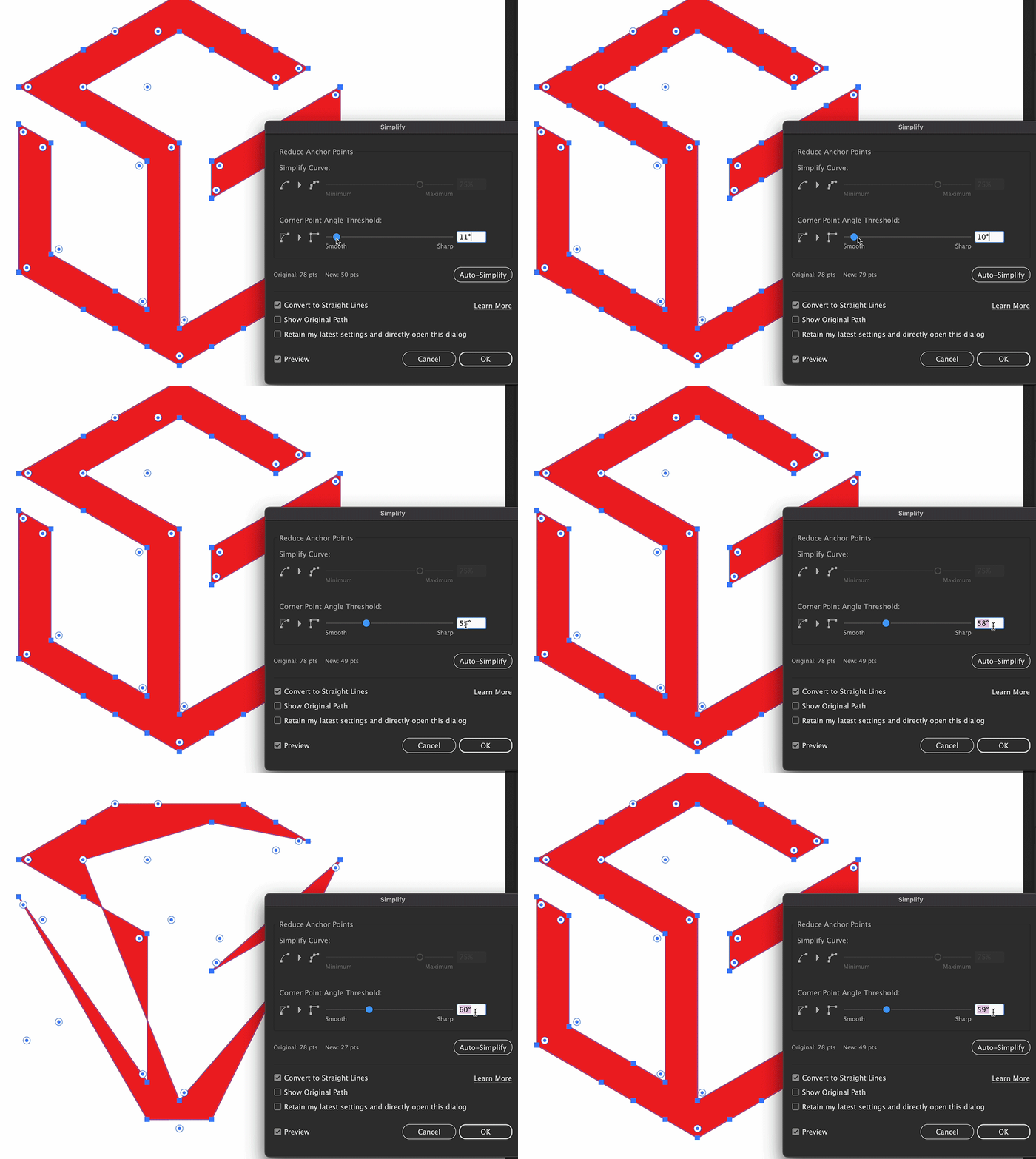


This topic has been closed for replies.

3 replies

Anubhav M
Community Manager
Community Manager
September 26, 2024

Hello @Danny51,

Thanks for your patience. Would you mind unchecking the option for Convert to Straight Lines to see if it helps?

Looking forward to hearing from you.


Thanks,

Anubhav

Danny51
Danny51Author
Inspiring
October 23, 2024

I have now tried it again(with a different shape that has the same issues) and if I don't use the straight lines options, the shape will get curves before the extra points are deleted. I've tried every combination I could think of and I know for a fact this used to work just fine in the past.

Anubhav M
Community Manager
Community Manager
October 23, 2024

Hello @Danny51,

Thanks for confirming. Kindly allow me some time to check this with the team.

Anubhav

Kurt Gold
Community Expert
Community Expert
September 16, 2024

You can optimise / perfect it by applying a sequence of the Simplify command, possibly concentrated in an action.

Anubhav M
Community Manager
Community Manager
September 16, 2024

Hello @Danny51,

Thanks for reaching out. Kindly allow me some time to check this with the team.

Anubhav