Participant
October 9, 2018
Question

Slash and spread pattern method in Illustrator

  • October 9, 2018
  • 2 replies
  • 1162 views

Hello,

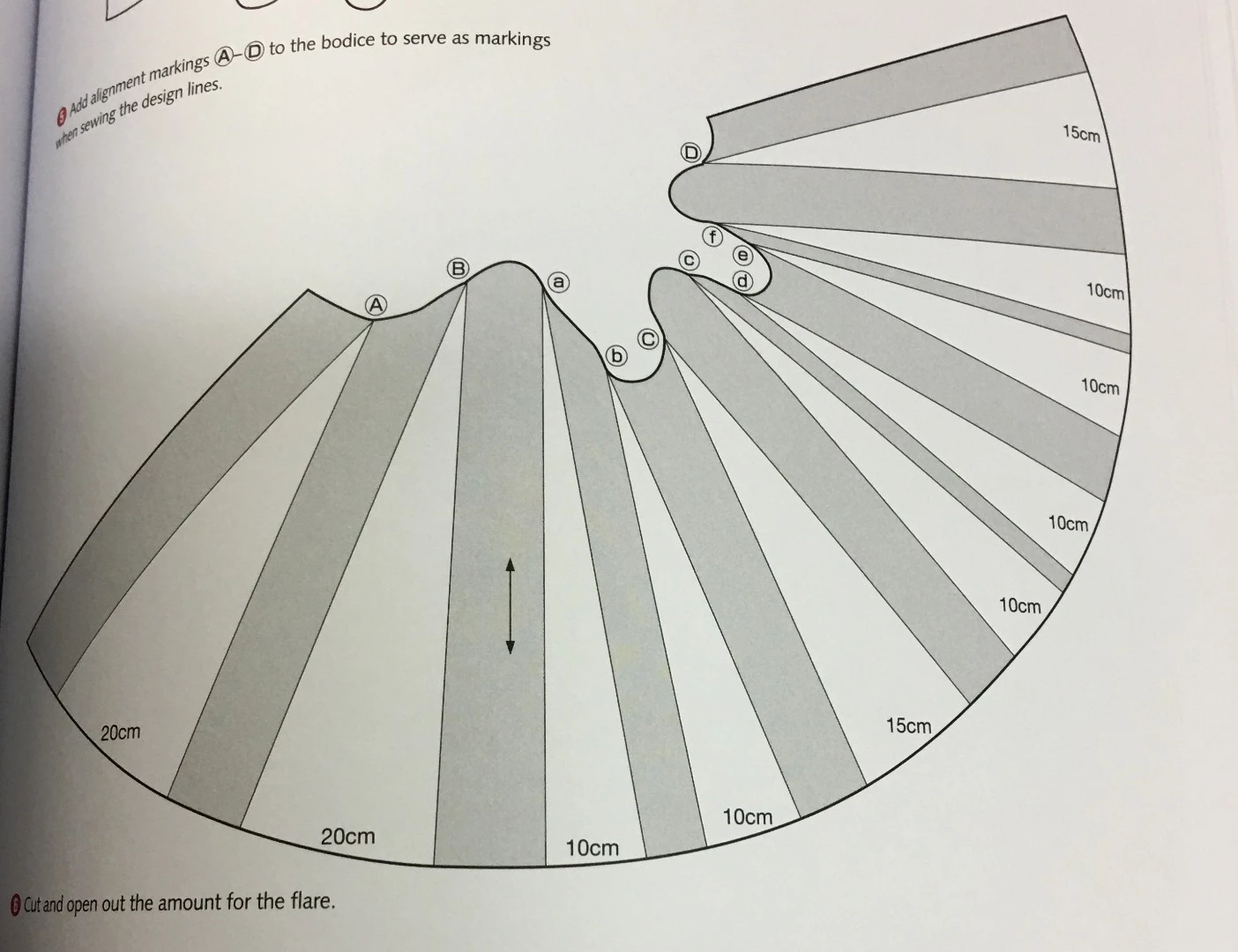
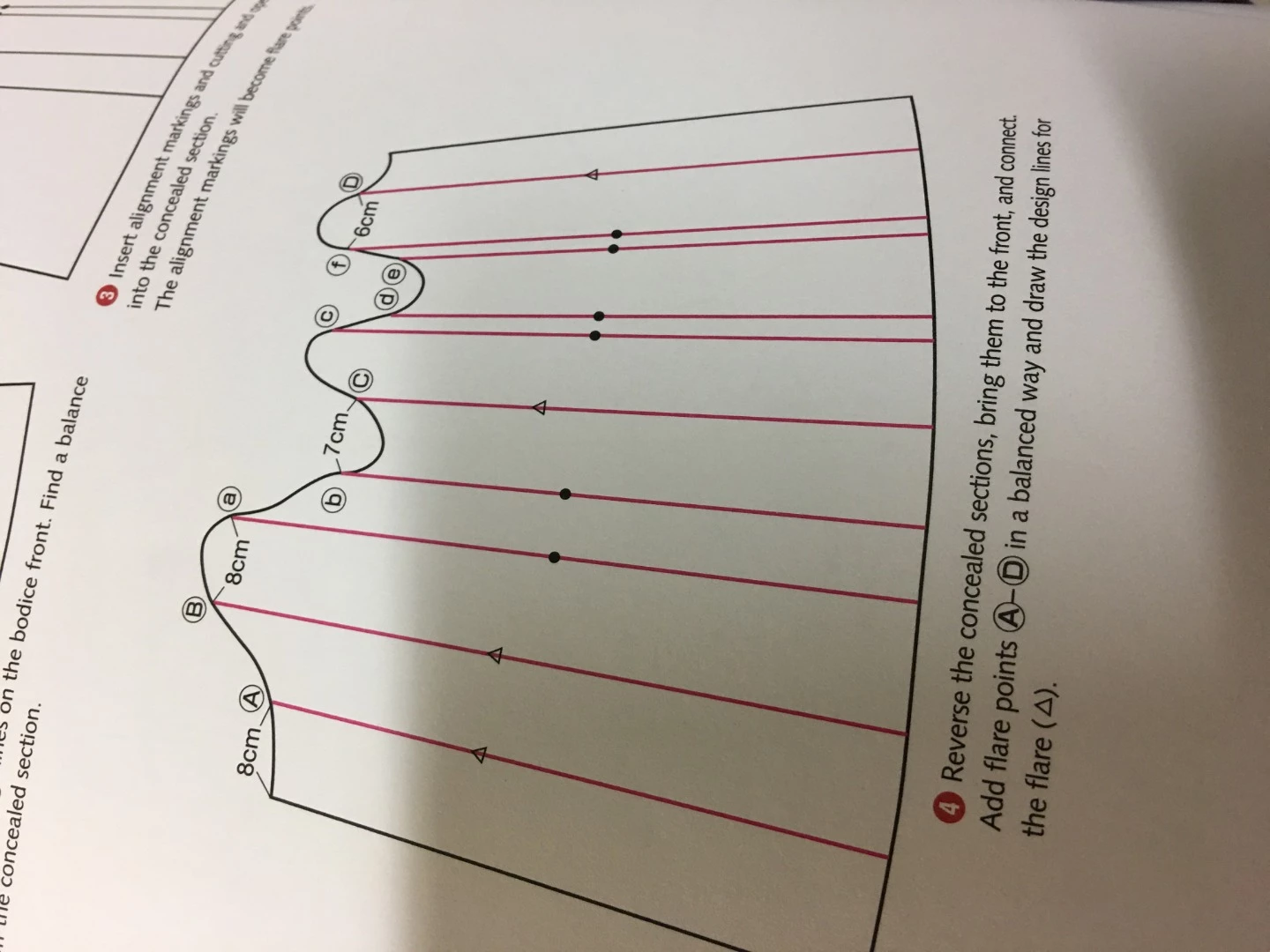
Does anyone know how I can do this method quickly? Going from 1st picture to 2nd. The lines split the object and spread at on end by a specific amount.

Is there a plugin in Astute Graphics that could help with this? Thank you!
    This topic has been closed for replies.

    2 replies

    Participant
    October 4, 2021

    I tried different methods, the simplest of my explorations seems to be to create guiding circles which are double the width of the disance yo want between each parts of the pattern. rotate each single piece with the ancor point selected on top and alrign the bottom anchor point with the circle outline.


    The other option I found is using a calculator and calculate the degree between each segment and then rotate the segment buy that degree. but to do so, you need to measure the distance between each top point and the bottom point (this being a radius of an imaginary circle.  α = (b/r)/(π/180)  b is the bottom distance between two neighbooring sections..... 


    I also found an illustrator script which helps deviding a path into a desied amount of equal parts. 


    But I myself am still searching for a quick fix

    Monika Gause
    Community Expert
    Community Expert
    October 9, 2018

    There are plugins that can draw a path perpendicular to another path

    There are plugins that can measure along a (curved) path.

    But I'm not aware of a plugin that can rotate a shape in order to create a certain distance between itself and another shape.

    Participant
    October 4, 2021

    There is also an option to move several objects away from a focus object and all with the same distance to the neihbooring object. select your objects, in this case it will be the sections of your patten, then click on hrizontal alignment in the alignment window, choose align on basis object, define the distance et voila