아이리느
Participant
August 28, 2018
Question

Smart guide value is not displayed

  • August 28, 2018
  • 3 replies
  • 543 views

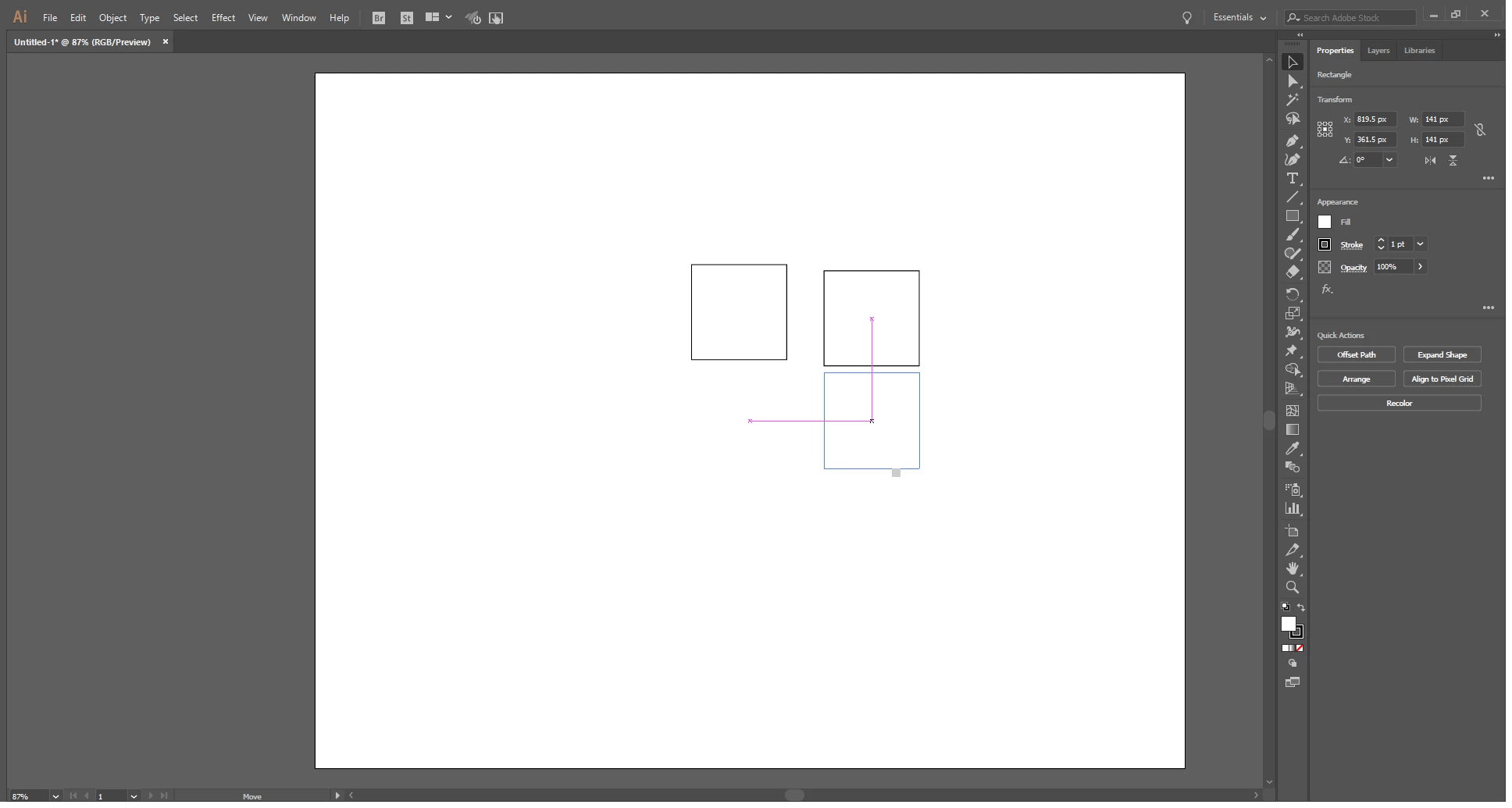
Smart guide value is not displayed

It is the same even after reinstallation of environment setting initialization deletion.

Only a small gray box is displayed.

The value is not displayed.
This topic has been closed for replies.

3 replies

jane-e
Community Expert
Community Expert
August 28, 2018

You might try Quitting and Relaunching.

If that doesn't work, Quit again and Reset your Preferences.

Is this behavior new? When did it start?

Omar.Fathy
Community Expert
Community Expert
August 28, 2018

In Edit>Preferences>Smart Guides make sure that Measurement Labels is active.

Ares Hovhannesyan
Community Expert
Community Expert
August 28, 2018

The problem is that he can see gray box but not digits in it.

Only a small gray box is displayed.

The value is not displayed.

I think this is a bug. Please fill it Adobe Illustrator Feedback

Omar.Fathy
Community Expert
Community Expert
August 28, 2018

Yes, sorry I didn't see gray box in his image so I suggested this.
If he see the gray box, definitely it is a bug.
But he can still tells us what windows version he use and his PC specifications ?! the problem may be there.

Ton Frederiks
Community Expert
Community Expert
August 28, 2018

Did you check in the Preferences for the Smart Guides if the Alignment Guides and other options are checked?