Participant
July 12, 2023
Question

SMART GUIDES NOT SHOWING ON PEN TOOL

  • July 12, 2023
  • 1 reply
  • 610 views

Smart guides not showing when using the pen tool even though it is turned on.
I already reset all general preferences and I just recently installed Adobe Illlustrator so no changes made.
Already on and off the snap settings
Already installed and uninstalled the app and restarted my pc.

My preview is on GPU
Docu color mode on RGB
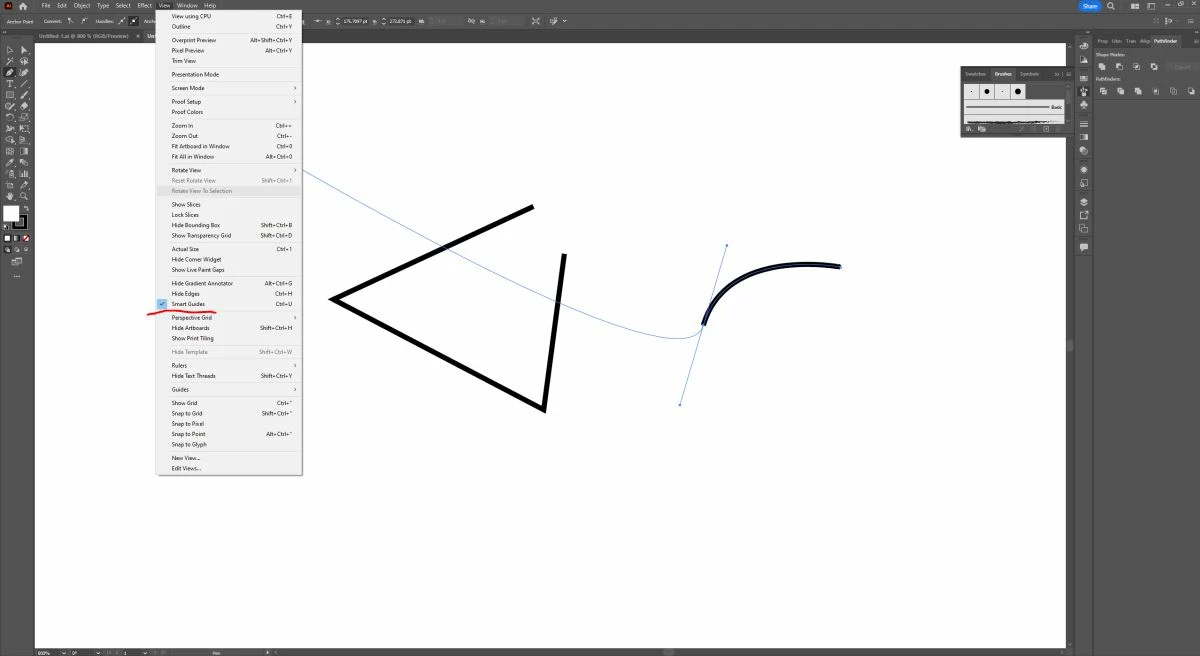
Here's an example if you check here the smart guides is not appearing (magenta line). 
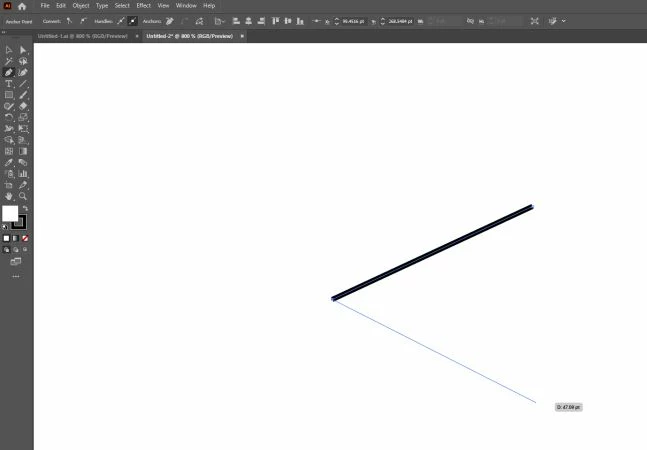
Please help

This topic has been closed for replies.

1 reply

Jacob Bugge
Community Expert
Community Expert
July 12, 2023

FAUS2,


Are Smart Guides on, and are both Snap To Grid and Pixel Preview off?


If either is on, Smart Guides will fail to guide you, however smart they are.

FAUS2Author
Participant
July 13, 2023

Hi Jacob,
Thanks for responding.
Only smart guides is on. Here's a screenshot of my settings.

Jacob Bugge
Community Expert
Community Expert
July 13, 2023

FAUS2,


What happens if you switch from GPU to CPU, tyou can switch back and forth beteen them with Strl/Cmd+E?