Participant
July 21, 2020
Answered

smooth soft pastel drawing

  • July 21, 2020
  • 2 replies
  • 548 views

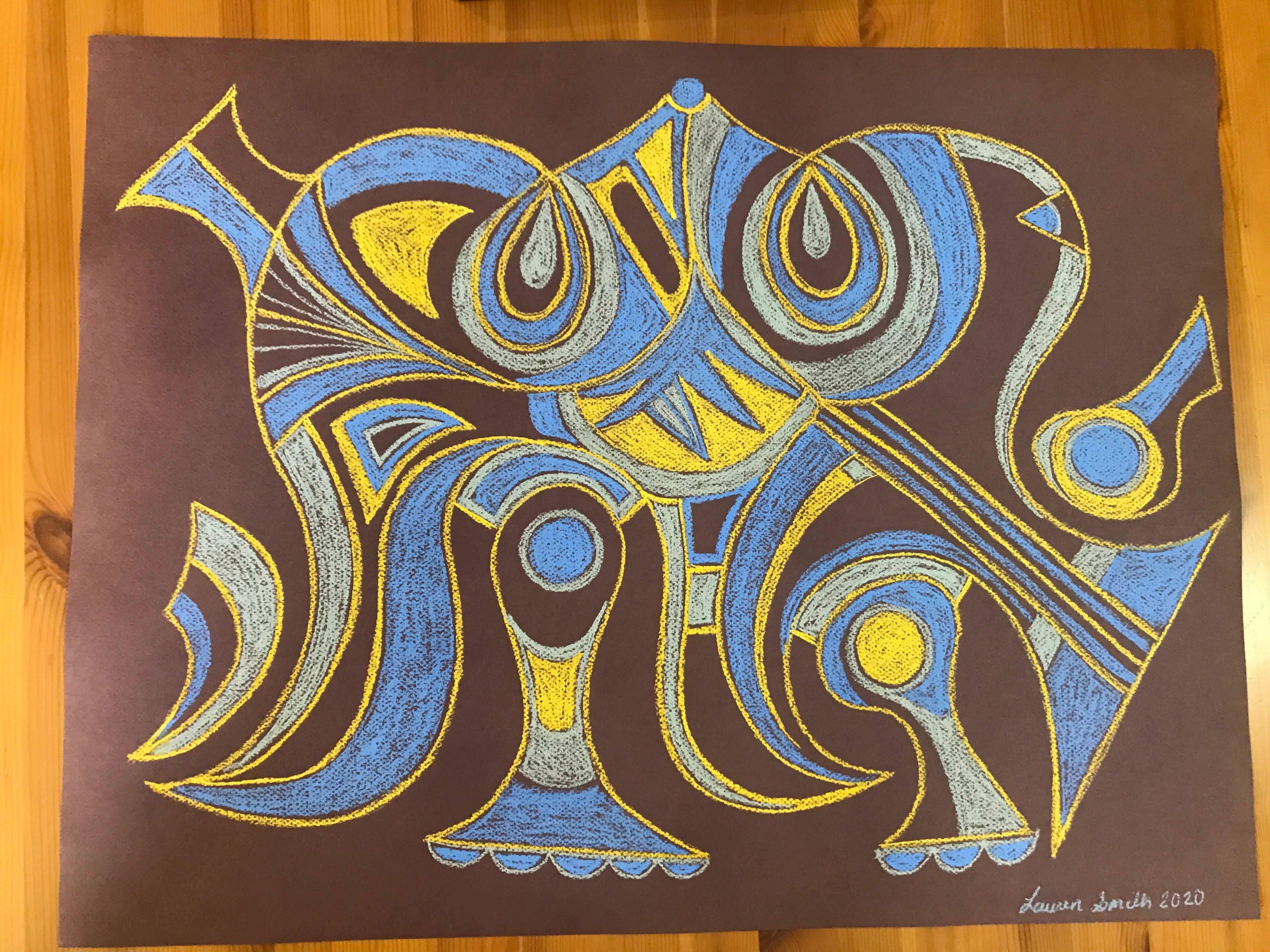
Hi, I am looking to smooth out lines and turn a drawing with soft pastel strokes into 4 solid colors. Does anyone know how to do that?
    This topic has been closed for replies.
    Correct answer Nancy OShea

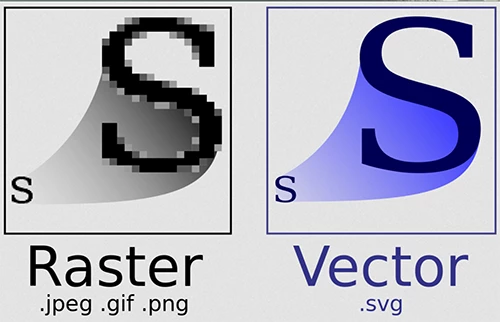
    The proper software to use depends on what your final output will be used for.  Will this be a digital or print project?  And do you need a raster or vector image?  See screenshot below.


    Photoshop is for creating pixel-based, resolution dependant raster images like photographs and digital paintings.  The results are softer and more natural looking but raster images become blurry (pixelated) when rescaled.


    Illustrator is for creating math-based, resolution independent vector graphics like logos, comic characters, drawings, illustrations and infographics.  Results are less natural looking but with no pixels to worry about, your images can be rescaled to any size without any loss in quality.


    2 replies

    Nancy OShea
    Community Expert
    Community Expert
    July 21, 2020

    I would use Photoshop.  But there is no magic button for this.  It will take some time & effort.


    Nancy O'Shea— Product User & Community Expert
    Participant
    August 9, 2020

    Thank you!

    John T Smith
    Community Expert
    Community Expert
    July 21, 2020

    Please post the exact name of the Adobe program you use so a Moderator may move this message to that forum

    Participant
    August 9, 2020

    Hi,

    I am not sure. I guess photoshop or illustrator? I am new to forums and to creative cloud. Should I post specifically in those categories?

    thanks

    Nancy OShea
    Community Expert
    Nancy OSheaCommunity ExpertCorrect answer
    Community Expert
    August 9, 2020

    The proper software to use depends on what your final output will be used for.  Will this be a digital or print project?  And do you need a raster or vector image?  See screenshot below.


    Photoshop is for creating pixel-based, resolution dependant raster images like photographs and digital paintings.  The results are softer and more natural looking but raster images become blurry (pixelated) when rescaled.


    Illustrator is for creating math-based, resolution independent vector graphics like logos, comic characters, drawings, illustrations and infographics.  Results are less natural looking but with no pixels to worry about, your images can be rescaled to any size without any loss in quality.


    Nancy O'Shea— Product User & Community Expert