Known Participant
March 16, 2018
Answered

snapping not working on text objects

  • March 16, 2018
  • 2 replies
  • 5555 views

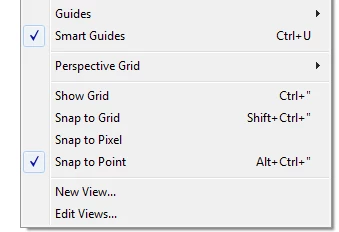
my guides are turned on and work fine with shapes but when I try to space text objects the same distance apart the guides do not appear.
This topic has been closed for replies.
Correct answer Doug A Roberts

thanks, but it is to complicated, when on the previous version we just drag it then the guide is showing it self. no need to put it on top layer.

i like the previous version specially for snapping object


i find the spacing guides appear with area type but not point type objects. which are you using?

i just checked in CC2017 and the behaviour seems the same.

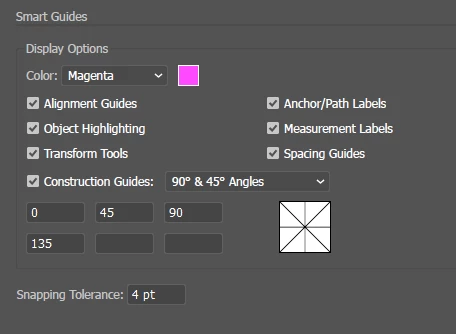
just to make sure we're talking about the same thing -- these guides:

2 replies

Participating Frequently
March 18, 2018

so am i, the snap to point is didn't work for me after this update 22.1

Mike_Gondek10189183
Community Expert
Community Expert
March 18, 2018

The latest update destroyed snapping.

You can get snapping to work by turning a vector shapes into guides. Items will then snap. Another snapping secret is to for example grab the object by what you want to snap, the x on baseline type, or a corner of a rectangle.

Take your entire dieline (or objects you need to snap to)  copy, paste in front, and make guides. Unfortunately if the guides are on a locked layer, that will no longer work as in the past. Those working on real world print projects understand the importance of locking a die and making that the top layer.

Participating Frequently
March 18, 2018

thanks, but it is to complicated, when on the previous version we just drag it then the guide is showing it self. no need to put it on top layer.

i like the previous version specially for snapping object

michelew83603738
Community Expert
Community Expert
March 16, 2018

Have you tried restarting Ai or your machine?

Known Participant
March 16, 2018

havn't tried restarting the machine yet. Tried restarting AI and the ctrl alt shift clear prefs thing I'll update when i get home because I will have restarted the machine then.

michelew83603738
Community Expert
Community Expert
March 16, 2018

See if that works. If not post what OS, version of AI, etc. working on.
