Participant
January 20, 2023
Answered

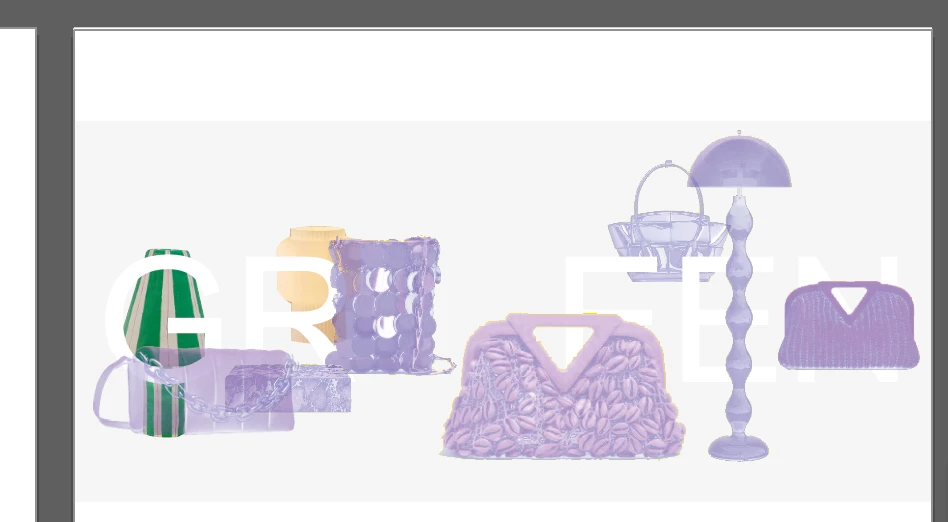
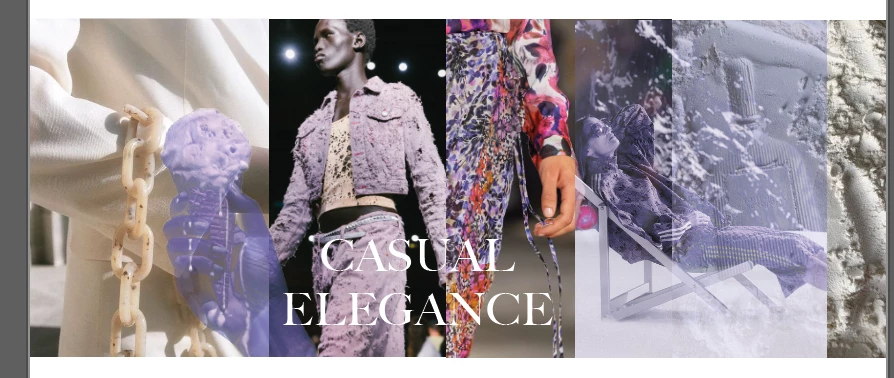
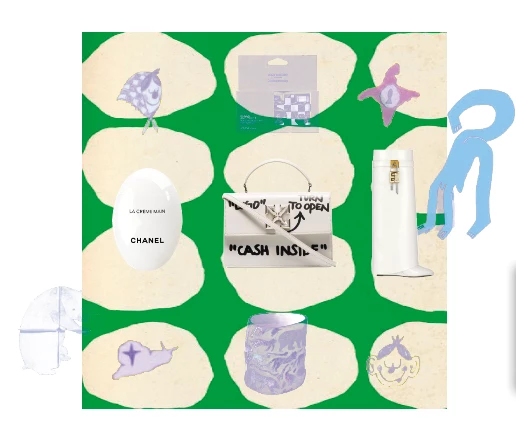
Some of the pics in Ai. turn not negative or purple
  • January 20, 2023
  • 4 replies
  • 388 views


I experinced ths issue for a week now. It was fine at first but a week after they turn into purple or negative, For me It happened to both PNG and JPEG files. 


also I've changed a color setting after this happened and it doesn't work 

any advice for how to fix this, will it get back to the original color ?

This topic has been closed for replies.
Correct answer Anshul_Saini

Hi @nylon0101,


Sorry for the delayed update. This was a known issue in an older version of Illustrator. Ton has already shared a related post.

This issue has been resolved with Ai v27.0.1. After updating, ensure you relink all the images in order to resolve the issue in the existing files.


Let us know if the issue persists after updating & relinking images or if you encounter this issue in new documents.


Thanks,

Anshul Saini

4 replies

Anshul_Saini
Community Manager
Anshul_SainiCommunity ManagerCorrect answer
Community Manager
February 2, 2023

Hi @nylon0101,


Sorry for the delayed update. This was a known issue in an older version of Illustrator. Ton has already shared a related post.

This issue has been resolved with Ai v27.0.1. After updating, ensure you relink all the images in order to resolve the issue in the existing files.


Let us know if the issue persists after updating & relinking images or if you encounter this issue in new documents.


Thanks,

Anshul Saini

Anubhav M
Community Manager
Community Manager
January 27, 2023

Hello @nylon0101,


Sorry to hear about this experience. I hope the suggestions shared by Mylenium and Ton helped resolve the problem. If not, kindly share some more information, like the exact version of the OS/Illustrator, whether Illustrator behaves this way with other files, and some sample files (https://community.adobe.com/t5/illustrator-discussions/share-your-files-in-6-simple-steps/td-p/12967531), so we can investigate this further.


Looking forward to your response.


Thanks,

Anubhav

Ton Frederiks
Community Expert
Community Expert
January 20, 2023
Mylenium
Legend
January 20, 2023

Start by disabling hardware accelerated previews and use software-only mode. Then check your graphics driver and update/ downgrade it if necessary as well as of course then checking the GPU stuff in AI and re-enabling it. Aside from that I'd check if you're not inacdvertently messing up color profiles when creating the images in Photoshop or wherever.


Mylenium