
Feelgood56
Inspiring
November 11, 2022
Answered

Some text disappears when upgrading to Illustrator 2023

  • November 11, 2022
  • 2 replies
  • 1323 views

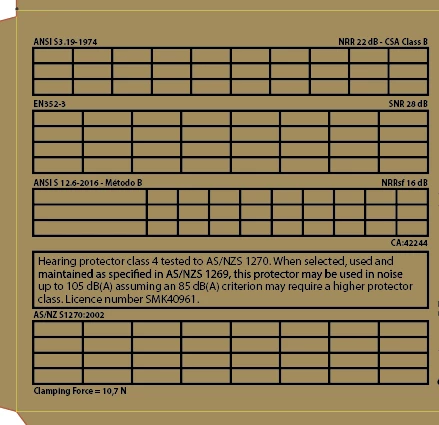
I don't know if anyone else has had this issue: I have a file where I have copied and pasted a table with text from Indesign (it's just easier to set up a complicated table in Indesign!) The file was fine until I upgraded and worked on it in Illustrator 2023, when I next opened the file all the text from the table had disappeared, the anchor points for the text were still there but no text, hidden or otherwise. The font I used was installed and open as other text in that same font and weight were visible.


I tried copying and pasting the text back in from Indesign but when I tried to move the pasted selection Illustrator crashes.


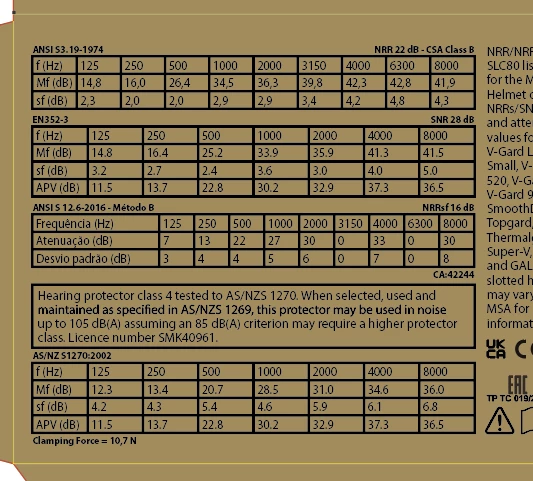
After trying some other things I decided to open the same file in Illustrator 2022 and hey presto the text was back! So I am assuming this is some sort of glitch in the new version of Illustrator?

File in Illustrator 2022:
Same file in Illustrator 2023
I guess I just keep working in the old version of Illustrator until it's fixed?

I am working on an 3.5 GHz i7 imac running OS 10.15.7

Many thanks!

This topic has been closed for replies.
Correct answer Feelgood56

Hi All,

Just to add to this post that the issue has been resolved with the latest Illustrator update (27.01)

2 replies

Doug A Roberts
Community Expert
Community Expert
November 11, 2022

I tried the following steps:


1. Create table in InDesign

2. Copy paste 3x to Illustrator 26.5 (once by selecting all cells, once selecting the table as a text object, once selecting the frame containing table)

3. Save file

4. Open in AI 27

5. Repeat steps 2-4 starting a new file in AI 27


Both files look normal. There was a difference when copy & pasting the frame (AI 26.5 pastes it as PDF info and outlines some text, AI 27 pastes it as point text), but nothing disappeared.


Does it happen in a new file? Can you share a demo file if so?

Feelgood56
Feelgood56AuthorCorrect answer
Inspiring
November 22, 2022

Hi All,

Just to add to this post that the issue has been resolved with the latest Illustrator update (27.01)

Doug A Roberts
Community Expert
Community Expert
November 11, 2022

You say the anchor points for the text objects are still there. Is the text overset?

Feelgood56
Inspiring
November 11, 2022

Doug - here is the file in Ilustrator 2023 (27.0) in outline view, you can see that the anchor points are there but they are empty... The text can't be overset as it is not text placed in an area (and there is no 'overflow' symbol)

Monika Gause
Community Expert
Community Expert
November 11, 2022

A larger screenshot would really help.


The font is installed correctly? Do you use font management perhaps?