Participant
March 23, 2024
Question

Somehow my strokes got destroyed.
  • March 23, 2024
  • 1 reply
  • 259 views


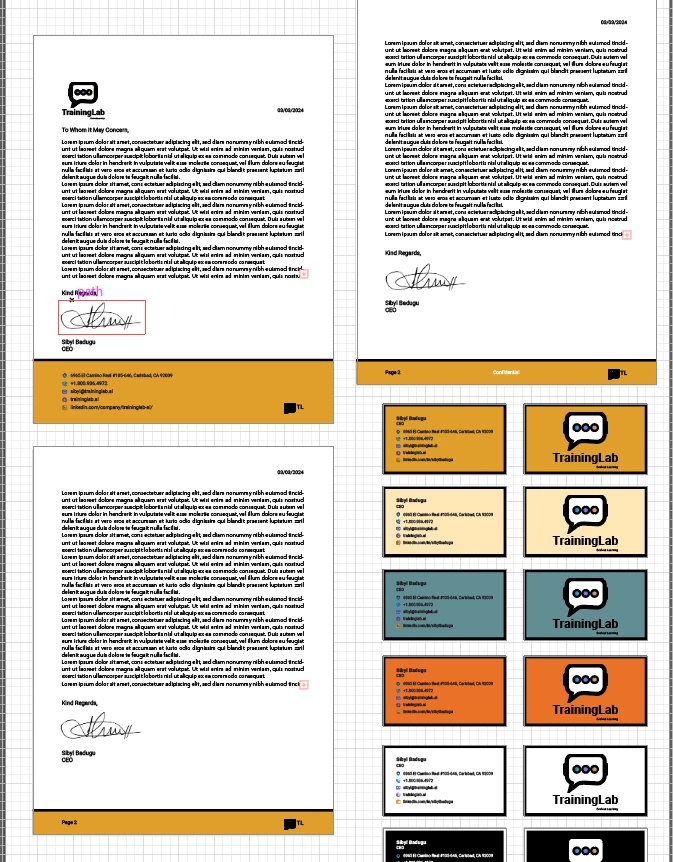
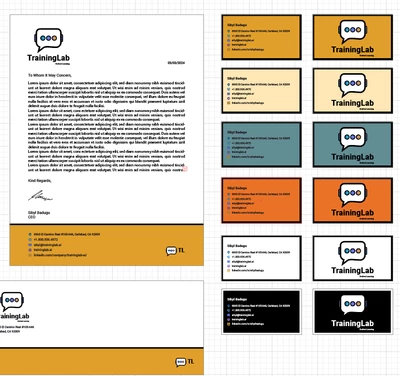
Here are images of my files. The first two are how it should look. I honestly think my kid hit a bunch of keys and then closed the illustrator file and he changed something in the process. I just can't figure out how to get it back to how it was.


The strokes were originally set to scale with the logo. Now they look way too thick in places and too thin in others. And when I click on the logo there are question marks for stroke and it shows there is no stroke when I open the appearances panel. Any one that can help, I would be extremely appreciative!


This topic has been closed for replies.

1 reply

Monika Gause
Community Expert
Community Expert
March 23, 2024

@AngeloAgatino  schrieb:

The strokes were originally set to scale with the logo. Now they look way too thick in places and too thin in others. And when I click on the logo there are question marks for stroke and it shows there is no stroke when I open the appearances panel. Any one that can help, I would be extremely appreciative!


And what happened in-between working and not working?

Did you save the file? Close the file? Sent that file somewhere else? Did Illustraor crash?

Participant
March 23, 2024

I'm not sure exactly. I had just reopened the file to work on it and my son started messing with the mouse while I looked away. When I looked back Illustrator was closed. I'm not sure if it crashed, or if he messed with some settings and then closed the software. 

'

Monika Gause
Community Expert
Community Expert
March 23, 2024

It could have crashed.

WHen you re-opened the file, was anything else strange? Error messages?

Can this be repaired by just assigning a thinner stroke?


If you can't keep your son from playing around with the computer, at least I would suggest that you save different versions of your file. Install a versioning software such as Time Machine and turn it on.