Participant
October 11, 2022
Answered

Something is not current can make you crazy

  • October 11, 2022
  • 2 replies
  • 327 views

Hi,

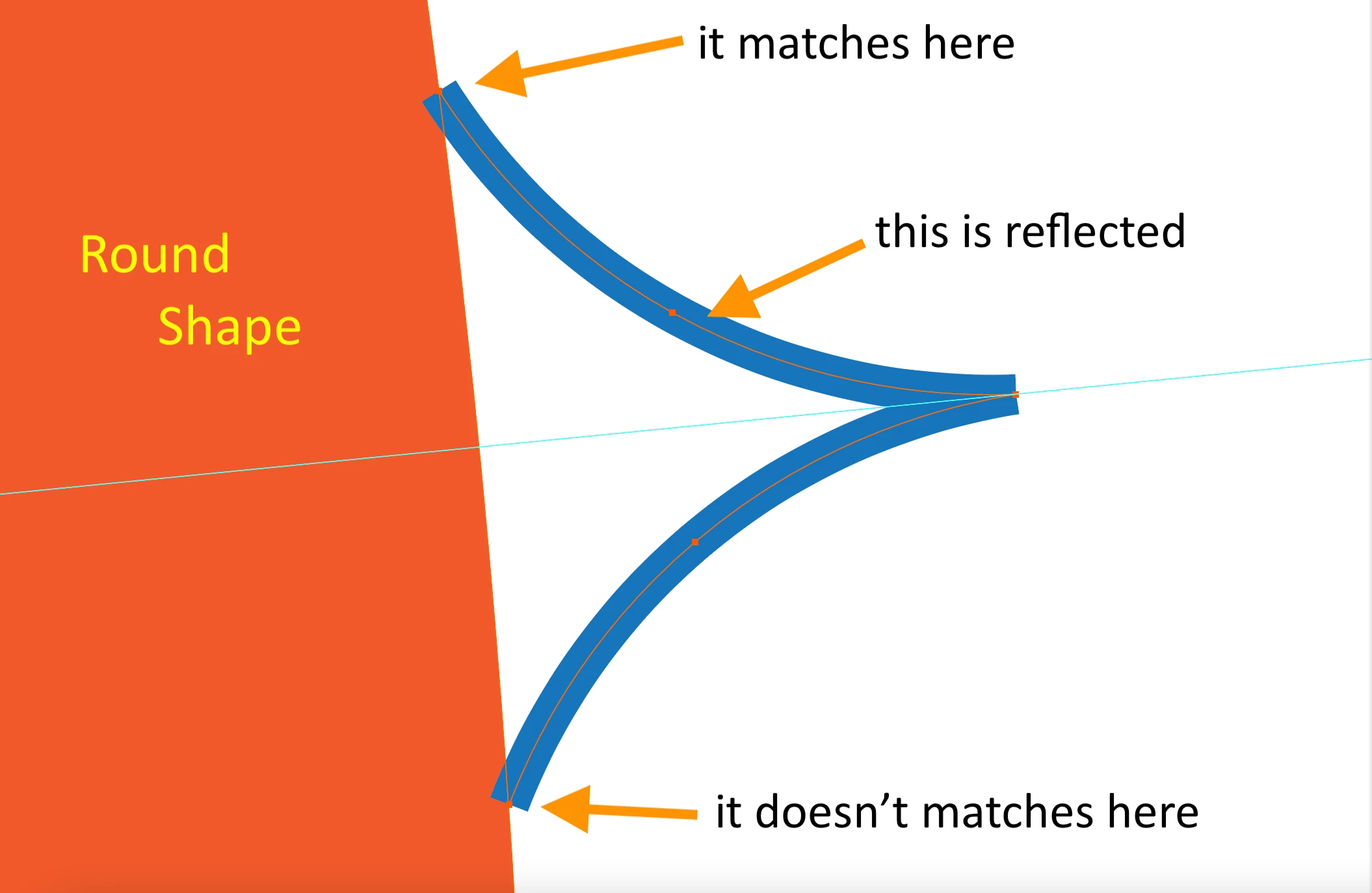
I create a round shape, center it to the artboard. I make a guide, rotate it at angle 360/64 and center it to the artboard. I make another shape that intersects with the edge of the round and reflect it with an angle of 360/64 degrees on the guide. But the copied reflection doesn't intersect the round shape! What am I doing wrong?? It is like the round shape is not perfect, but why? Please help me.

 

This topic has been closed for replies.
Correct answer Ton Frederiks

Probably caused because a circle in Illustrator is not the perfect circle you hoped, the diameter differs slightly.

There is nothing you can do to avoid it.

How much are you zoomed in to notice the problem? Can you correct it by moving that anchor point?

2 replies

Simmer1
Community Expert
Community Expert
October 11, 2022

Hey,


This is a frustrating situation and like @Ton Frederiks said it's nothing you're doing wrong but Illustrator itself. Try using guides to help you achieve perfect positioning.

Ton Frederiks
Community Expert
Ton FrederiksCommunity ExpertCorrect answer
Community Expert
October 11, 2022

Probably caused because a circle in Illustrator is not the perfect circle you hoped, the diameter differs slightly.

There is nothing you can do to avoid it.

How much are you zoomed in to notice the problem? Can you correct it by moving that anchor point?

MuttakiNlAuthor
Participant
October 14, 2022

I did make the lines longer towards the round shape and continued. Learning that the round is not perfect and that I wasn't doing wrong is more than enough for me. It would be great though to have such a software. I am also using Fusion 360 for other purposes which you can make designs using dimensions perfectly, but it cannot handle so much splines and anchor points I guess. 


Anyways, thanks a lot for your responses.

Ton Frederiks
Community Expert
Community Expert
October 14, 2022

Good to hear that helped a little. There have been many circle posts in the past, here is one for the weekend:

https://community.adobe.com/t5/illustrator-discussions/is-there-a-way-to-draw-a-perfect-circle-in-illustrator-cc/m-p/10429364