

Graphicmannnnnn
Known Participant
Jul 26, 2023 7:26 AM UTC
Answered

Something wrong in layers cut out shape

Hello. I have a strange thing in my illustrator. This is version 27.7.

I'm doing a project for a client and a simple thing doesn't work well.

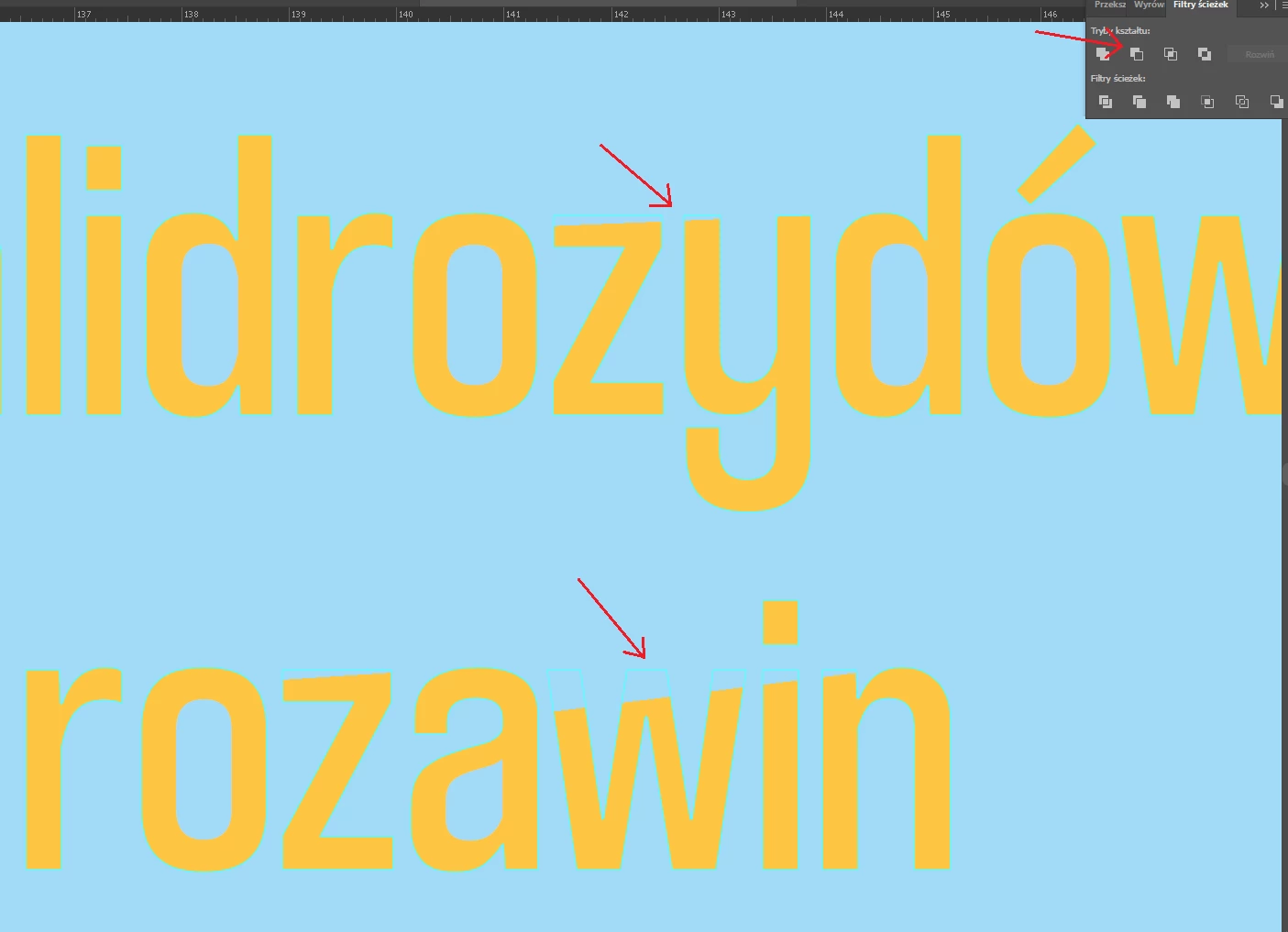
The blue layer is the layer for the spot color with the overprint. Below this layer is yellow text.
When I cut a text layer from a blue layer, the cut is uneven.
As you can see in the photo, the blue color is visible at the top of the letters.

When I move one point up a little bit, then the whole letter is visible, but that point is still too high.
This topic is closed to new replies. Start a new post to keep the conversation going.
Doug A Roberts
Doug A RobertsCorrect answer
Community Expert
Jul 26, 2023 8:17 AM UTC

Does it change if you use View > Preview on CPU? Is it visible if you export?

2 replies

Doug A Roberts
Community Expert
Doug A RobertsCommunity ExpertCorrect answer
Community Expert
Jul 26, 2023 8:17 AM UTC

Does it change if you use View > Preview on CPU? Is it visible if you export?

Translate
Graphicmannnnnn
Known Participant
Jul 26, 2023 8:30 AM UTC

Yes, indeed, it has disappeared. It's also not visible in the print, so it's a display issue. Thanks!

Translate