



January 12, 2026
Answered

spline and closed pen paths

  • January 12, 2026
  • 2 replies
  • 106 views

 Hey everyone,

I am asking out of curiousity. 
When I have a closed pen path and attempt to replace the spline with a blended object. The pen path is not completely closed. 

Just wondering how to completely close the path w a blended image/ object. If not, is there a reason?
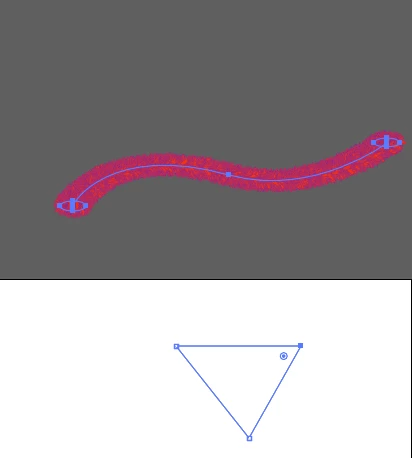
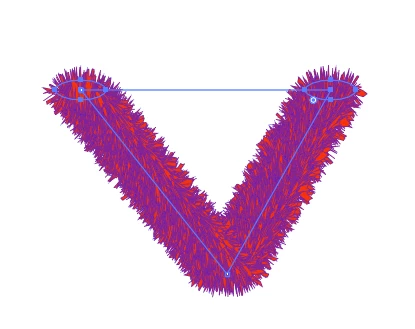
Screenshot 2026-01-12 at 20.47.11.png

Screenshot 2026-01-12 at 20.47.33.png
cheers
Nate

Correct answer Kurt Gold

One may also say that blends do not like closed spines with strict corner points.


If you want to use closed polygons as spines, you may first round their corner points a little bit (e.g. 0,001 mm corner radius is often sufficient and practically invisible). Usually, the blend will then be distributed along the entire closed spine.

2 replies

Kurt Gold
Community Expert
Kurt GoldCommunity ExpertCorrect answer
Community Expert
January 12, 2026

One may also say that blends do not like closed spines with strict corner points.


If you want to use closed polygons as spines, you may first round their corner points a little bit (e.g. 0,001 mm corner radius is often sufficient and practically invisible). Usually, the blend will then be distributed along the entire closed spine.

Oh.N8Community ExpertAuthor
January 13, 2026

Thanks @Kurt Gold 


This helps understand that it doesn't like strict corners as well find a workaround. I could see that the blend didn't like closed paths. 
Cheers
Nate

Monika Gause
Community Expert
Community Expert
January 12, 2026

Just cut it open. Illustrator likes open paths for blend spines.