Stack multiple layers in a circle, so the last layer is also on top of the first layer
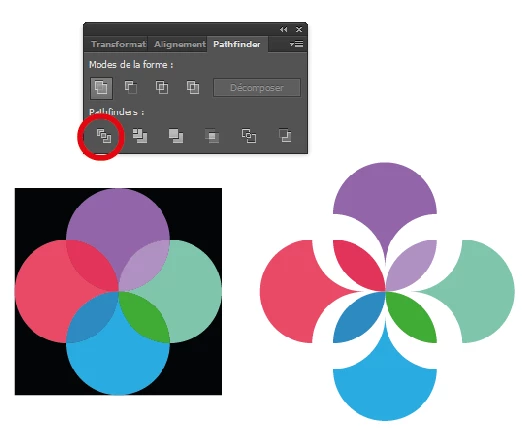
I have a logo with four circles. Each circle has a level of transparency so the colors blend where there is overlap, depending on which circle is on top will determine the color of the overlap. Right now may layers are stacked like this (each circle is set to 90% opacity and Color blend mode):
- purple circle
- green circle
- blue circle
- red circle
This result looks like this:

Starting with the purple and going clockwise each circle is below the previous but above the following, except for the red circle that is below the previous (blue) and the following (purple). I am wondering if there is a way to stack layers in a circular fashion? I was able to create the look I want through live paint, notice the color difference in the overlap of the red and purple:

However, I am now looking to animate the logo in After Effects, and if I could figure out how to communicate to AE how I want the circles to stack it would be a lot easier to have the shapes interact and express the right colors.
 AdChoices