


Known Participant
March 20, 2024
Answered

Stacked column bar chart limitation?

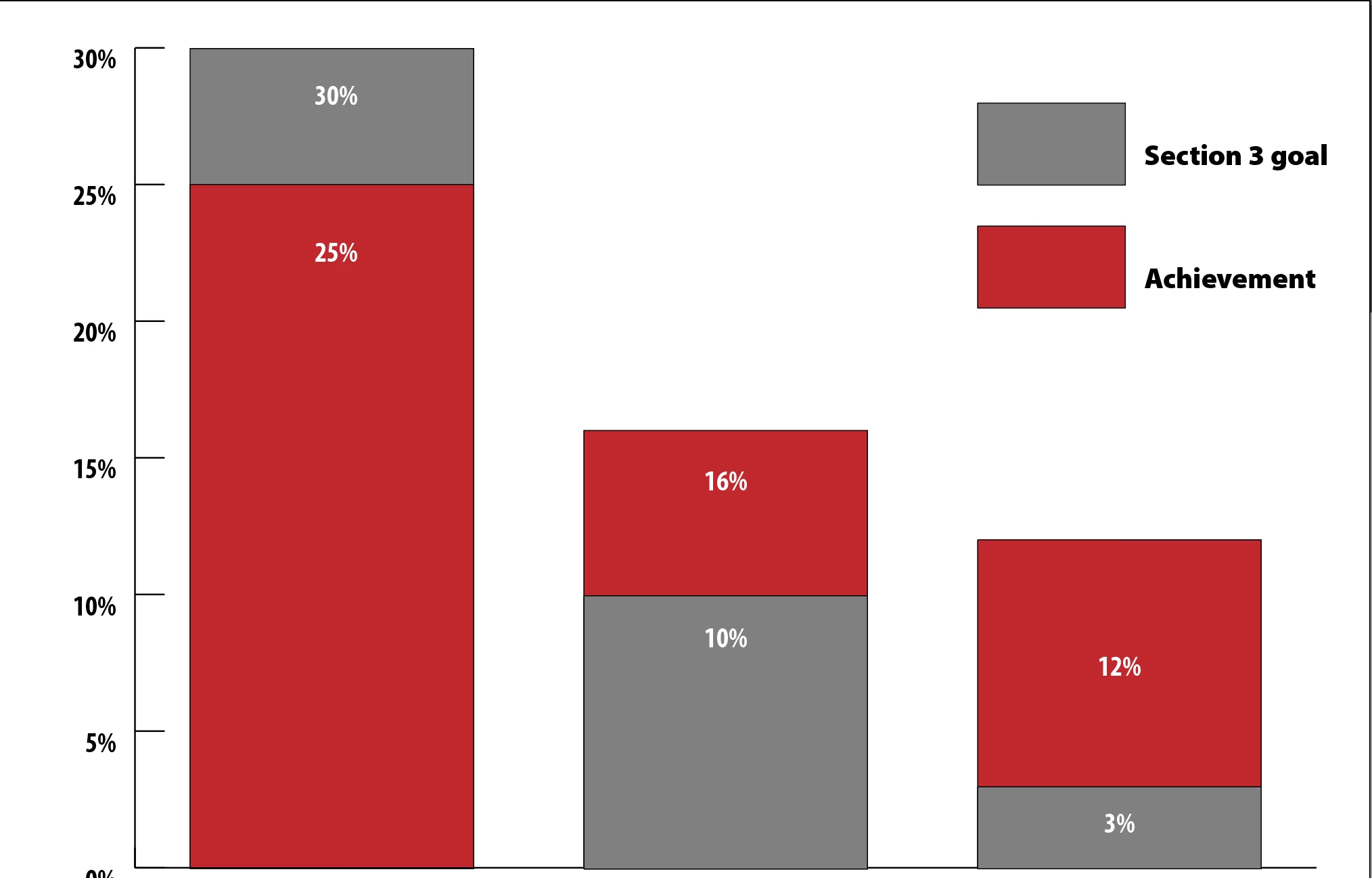
What am I missing here: I have created a stacked column chart, with three bars. Each has two percentage values for comparison: the goal and what was actually achieved. When I generate the chart, AI stacks the charts instead of overlapping them; instead of showing the 25% section against the 30% section, it puts the second value on top of the first, so that column actually reads as a total 55%, which is not what I want. The only solution I could think of was to create the chart as a simple bar chart, ungroup everything, then manually move one section over the other: Please tell me I missed a step and there's a better way to do this! Below is what I ended up with.

This topic is closed to new replies. Start a new post to keep the conversation going.
Monika Gause
Monika GauseCorrect answer
Community Expert
March 20, 2024

THat's how these charts work in Illustrator.

You could set this up by reflecting that in the data already, or work as you already mentioned or use a different app to generate the charts and then just spruce them up in Illustrator

2 replies

Monika Gause
Community Expert
Monika GauseCommunity ExpertCorrect answer
Community Expert
March 20, 2024

THat's how these charts work in Illustrator.

You could set this up by reflecting that in the data already, or work as you already mentioned or use a different app to generate the charts and then just spruce them up in Illustrator

Translate
Known Participant
March 20, 2024

Thanks. I assumed as much after reading comments that Illustrator hasn't been updated much, if at all, since the early '90s. I will continue to shop for a new chart app. Some of the free online ones behave the same way Illustrator does, it appears. Suggestions welcomed!

Translate