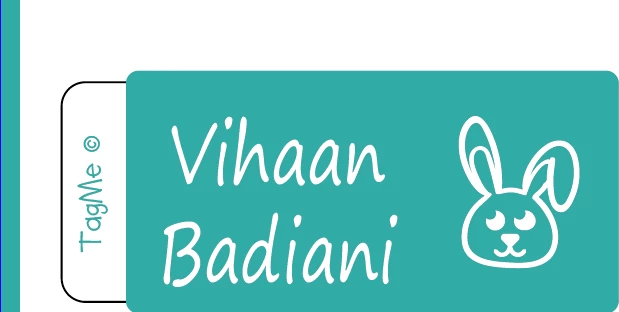
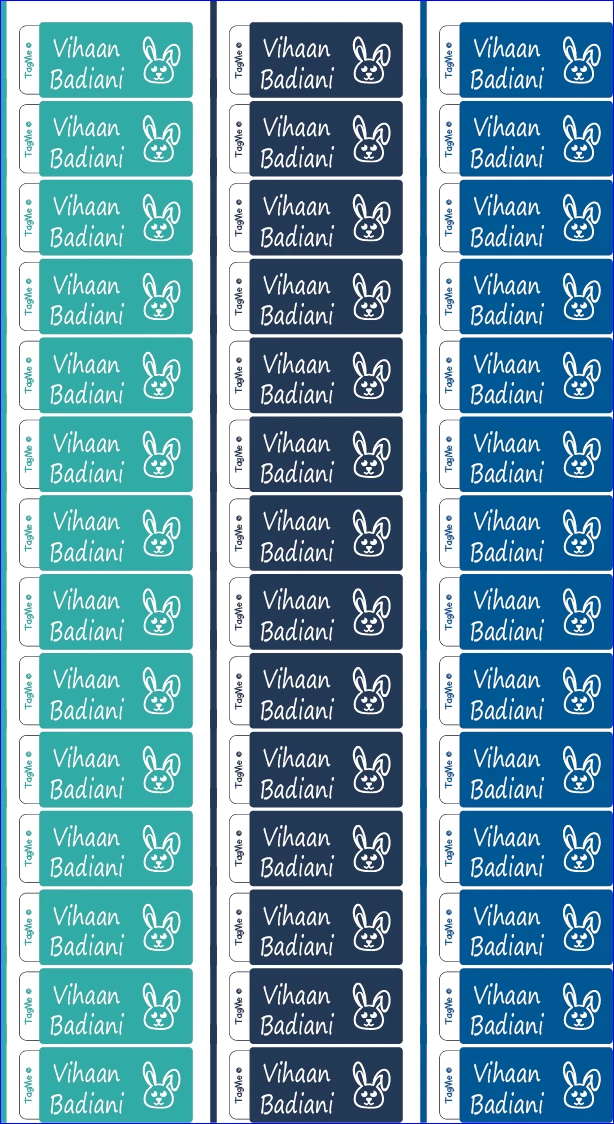
The script below provides two ways to choose the colors of the second and third columns. Either way you will need to select the items to color individually. I've made some assumptions, such that coloring is applied to fills only. The first two lines of the script contain the numbers of the rows and columns, which can be changed. Please note that I've not tested it thoroughly or thought beyond the basics.
The first way needs you to select swatches to color with. I suggest holding down the CTRL key, selecting (1) the items to color in the layers panel and (2) the swatches, and then running the script.
var columnns = 3;
var rows = 12;
var doc = app.activeDocument;
// get colors, first way
var swatches = doc.swatches.getSelected();
var colors = [];
for (var i = 0; i < swatches.length; i++) {
    colors.push(swatches[i].color);
}
// // get colors, second way
// var input1 = prompt("Enter hex codes (without #) separated by comma.", "");
// input2 = input1.split(",");
// var color1 = hexToRGB(input2[0]);
// var color2 = hexToRGB(input2[1]);
// var colorA = new RGBColor();
// colorA.red = color1.red;
// colorA.green = color1.green;
// colorA.blue = color1.blue;
// var colorB = new RGBColor();
// colorB.red = color2.red;
// colorB.green = color2.green;
// colorB.blue = color2.blue;
// function hexToRGB(hex) {
//    return {red: parseInt(hex.substr(0, 2), 16),
//            green: parseInt(hex.substr(2, 2), 16),
//            blue: parseInt(hex.substr(4, 2), 16)};
// }
// var colors = [colorA, colorB];
// tag selected items, i.e. items to be colored
for (var i = 0; i < app.selection.length; i++) {
    var tag1 = app.selection[i].tags.add();
    tag1.name = "tag1";
    tag1.value = "true";
}
// select & groups all items on layer
app.selection[0].layer.hasSelectedArtwork = true;
var object = doc.groupItems.add();
for (var i = 0; i < doc.selection.length; i++) {
    doc.selection[i].moveToEnd(object);
}
// duplicate, translate and colorise
var w = object.width;
var h = object.height;
var x = object.position[0];
for (var i = 0; i < columnns; i++) {
    var y = object.position[1];
    for (var j = 0; j < rows; j++) {
        var replica = object.duplicate(doc.layers[0], ElementPlacement.PLACEATEND);
        replica.position = [x, y];
        if (i > 0) {
            colorise(replica.pageItems);
            function colorise(items) {
                for (var z = 0; z < items.length; z++) {
                    if (items[z].typename == "PathItem") {
                        if (items[z].tags.length > 0 &&
                            items[z].tags["tag1"].value == "true")
                            items[z].fillColor = colors[i - 1];
                    } else if (items[z].typename == "TextFrame") {
                        if (items[z].tags.length > 0 &&
                            items[z].tags["tag1"].value == "true")
                            items[z].textRange.fillColor = colors[i - 1];
                    } else {
                        colorise(items[z].pageItems);
                    }
                }
            }
        }
        y = y - h;
    }
    x = x + w;
}
The second way needs you to enter hex codes. Select the items to color in the layers panel, and then run the script. There will probably be color loss this way, so the first way is preferred.
var columnns = 3;
var rows = 12;
var doc = app.activeDocument;
// // get colors, first way
// var swatches = doc.swatches.getSelected();
// var colors = [];
// for (var i = 0; i < swatches.length; i++) {
//     colors.push(swatches[i].color);
// }
// get colors, second way
var input1 = prompt("Enter hex codes (without #) separated by comma.", "");
input2 = input1.split(",");
var color1 = hexToRGB(input2[0]);
var color2 = hexToRGB(input2[1]);
var colorA = new RGBColor();
colorA.red = color1.red;
colorA.green = color1.green;
colorA.blue = color1.blue;
var colorB = new RGBColor();
colorB.red = color2.red;
colorB.green = color2.green;
colorB.blue = color2.blue;
function hexToRGB(hex) {
   return {red: parseInt(hex.substr(0, 2), 16),
           green: parseInt(hex.substr(2, 2), 16),
           blue: parseInt(hex.substr(4, 2), 16)};
}
var colors = [colorA, colorB];
// tag selected items, i.e. items to be colored
for (var i = 0; i < app.selection.length; i++) {
    var tag1 = app.selection[i].tags.add();
    tag1.name = "tag1";
    tag1.value = "true";
}
// select & groups all items on layer
app.selection[0].layer.hasSelectedArtwork = true;
var object = doc.groupItems.add();
for (var i = 0; i < doc.selection.length; i++) {
    doc.selection[i].moveToEnd(object);
}
// duplicate, translate and colorise
var w = object.width;
var h = object.height;
var x = object.position[0];
for (var i = 0; i < columnns; i++) {
    var y = object.position[1];
    for (var j = 0; j < rows; j++) {
        var replica = object.duplicate(doc.layers[0], ElementPlacement.PLACEATEND);
        replica.position = [x, y];
        if (i > 0) {
            colorise(replica.pageItems);
            function colorise(items) {
                for (var z = 0; z < items.length; z++) {
                    if (items[z].typename == "PathItem") {
                        if (items[z].tags.length > 0 &&
                            items[z].tags["tag1"].value == "true")
                            items[z].fillColor = colors[i - 1];
                    } else if (items[z].typename == "TextFrame") {
                        if (items[z].tags.length > 0 &&
                            items[z].tags["tag1"].value == "true")
                            items[z].textRange.fillColor = colors[i - 1];
                    } else {
                        colorise(items[z].pageItems);
                    }
                }
            }
        }
        y = y - h;
    }
    x = x + w;
}



 AdChoices