Ghst_n_th_Mchn
Participant
September 29, 2023
Question

Stock brushes vanishing

  • September 29, 2023
  • 1 reply
  • 235 views

Hi All, 

Ive only just started working with Adobe products so forgive me for my inexperience. 

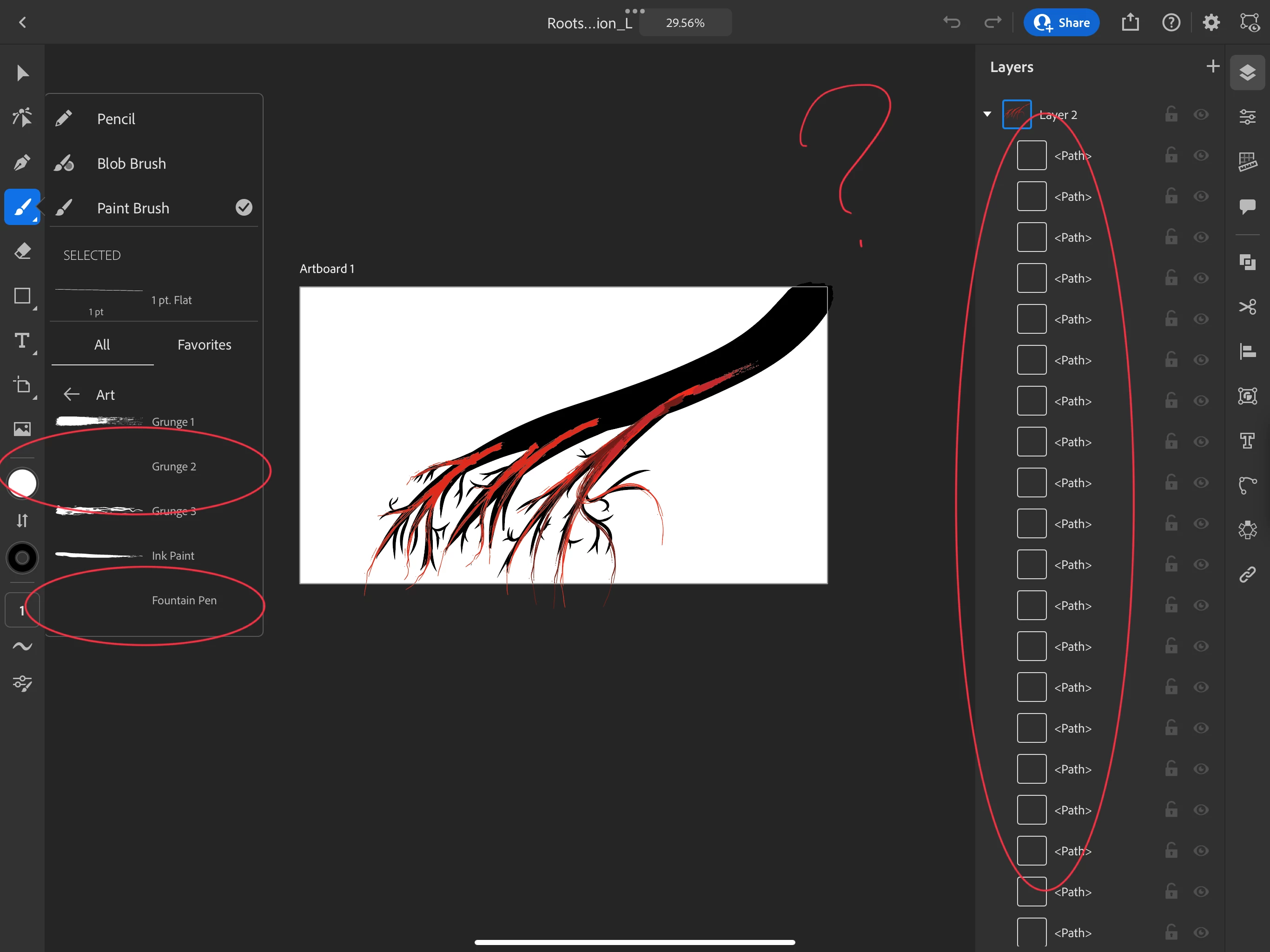
I was working with a single layer in a project, and then decided I wanted to separate that layer into 2. I moved the paths that I drew into a new layer and also resized my artboard after that. 

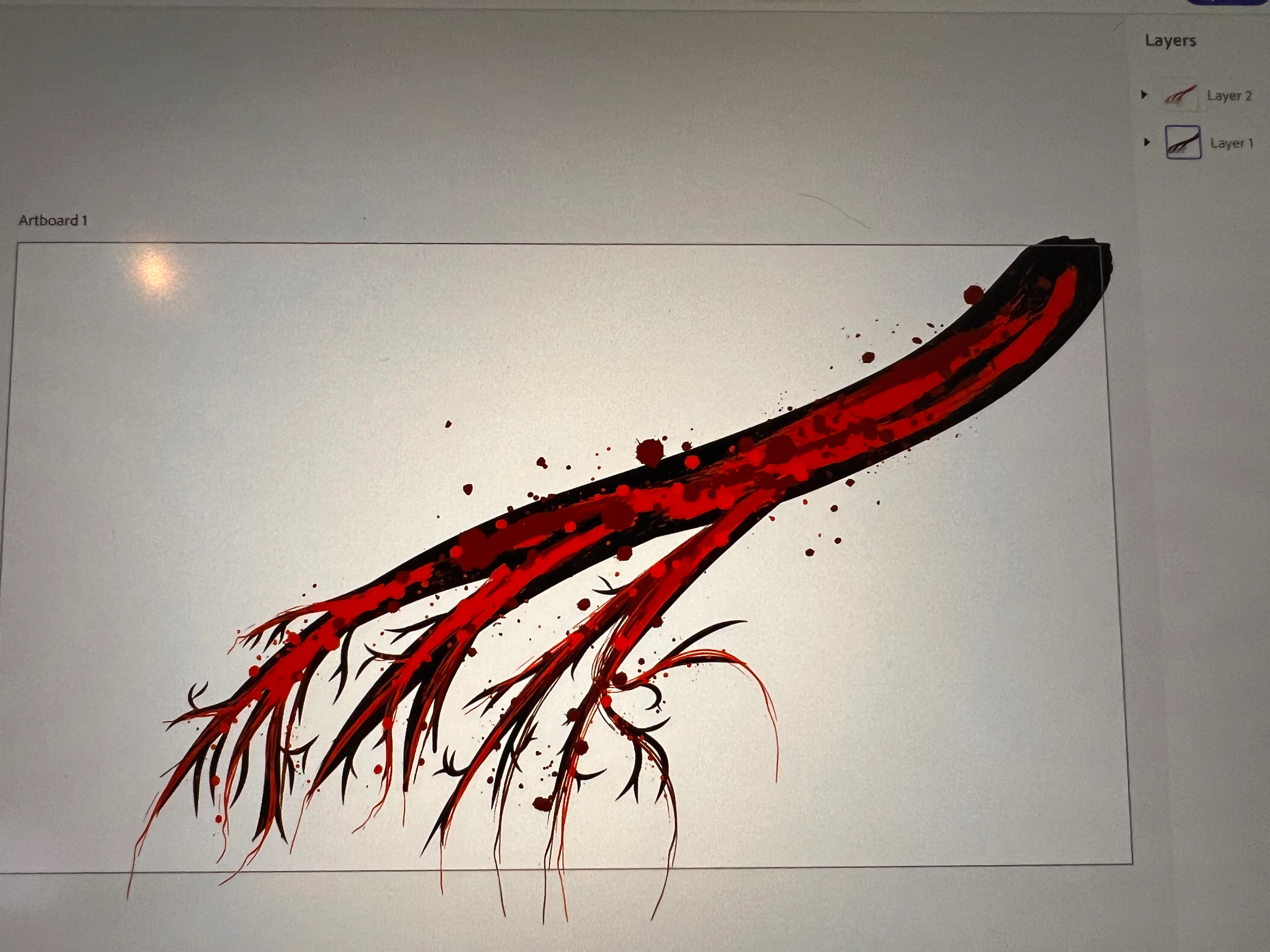
At this point all of the brushes that I used vanished from the project. I tried closing the app and restarting my machine but only one of the four brushes came back. I can still see the path that I drew but the brush pattern just isn't there anymore. 

I am using Illustrator for iPad and have attached a few screenshots that show what I'm talking about. 

Anyone know what I've done wrong here and how to fix it? 

Thanks!
This topic has been closed for replies.

1 reply

Mike_Gondek10189183
Community Expert
Community Expert
September 29, 2023

Why does your interface look so different? Are you using a version of Illustrator on your phone/ipad? Maybe do a workspace >> Essentials Classic


Is the brush style disappearing, or is the preview corrupt? You may have a corrutp brush file, with stray points.  How does this look in your brush palette.


Ghst_n_th_Mchn
Participant
September 29, 2023

Yes I am using Illustrator on an iPad, I don't see any option for a classic workspace, nor do I see a spot to pull up the window for all the Grundge variations I see there. I see a handful of Grundge presets, but the only ones that show up are ones I haven't used in this project other than the one that came back after a restart. (Screenshot 2 of OP) For the presets that I can see the preview, I am able to enter the brush editor but for the ones I'm having trouble with, the edit button does nothing.

Anubhav M
Community Manager
Community Manager
September 29, 2023

Hello @Ghst_n_th_Mchn,


Sorry to hear about this experience. Would you mind updating the OS and the Illustrator app to the latest version and checking if it helps?

(https://support.apple.com/en-us/HT204204), (https://support.apple.com/en-us/HT202180)


Also, kindly check if all of your work is synced online (https://assets.adobe.com/cloud-documents). If yes, try deleting Illustrator, restarting your device, and then reinstalling the app and sharing your observations.


Looking forward to hearing from you.


Thanks,

Anubhav