rosemaryn90024700
Participant
July 6, 2017
Answered

Strange Bug - strange broken edges on artwork

  • July 6, 2017
  • 1 reply
  • 938 views

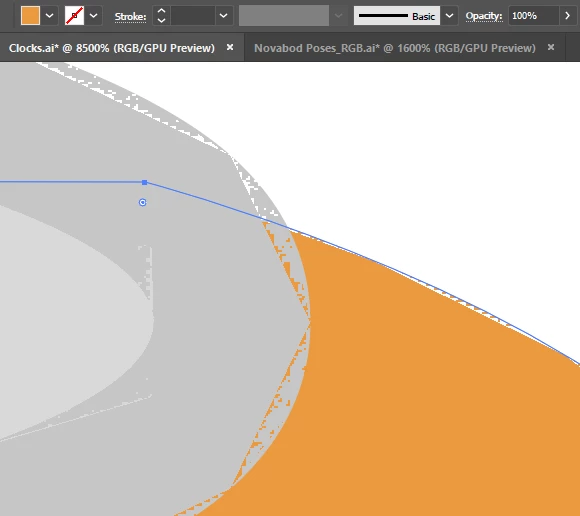
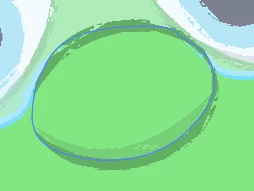
Last Friday my Illustrator started adding this weird broken effect round the edges of all my artwork over any Illustrator document I opened. At first I thought I accidentally applied that Chalk Stroke effect, but this wasn't on. Plus its appearing on everything, including artwork I haven't created! I have uninstalled and reinstalled Illustrator, but have no idea what else to do, or search for! It was working fine up until then, and I had no issues before. I'm using Illustrator CC 2017. Can anybody please assist me! Thank you
This topic has been closed for replies.
Correct answer quirky_Glow157F

Try switching to CPU Preview Mode: CMD/Ctrl + E to determine if the issue is related to GPU Preview mode.

A J

1 reply

quirky_Glow157FCorrect answer
Participating Frequently
July 6, 2017

Try switching to CPU Preview Mode: CMD/Ctrl + E to determine if the issue is related to GPU Preview mode.

A J

rosemaryn90024700
Participant
July 6, 2017

Ahh thats it! Oh Thank you! What is that mode for?

Monika Gause
Community Expert
Community Expert
July 6, 2017

  schrieb

Ahh thats it! Oh Thank you! What is that mode for?

It renders your screen using the graphic card processor. Not all graphic cards or their drivers are fully compatible.