Answered
Strange gray spots in illustrator
So when I drag something in Illustrator these gray spots start appearing and they seem to erase when I put my mouse over them, these are very annoying so how do I get rid of them. I am just a beginner.
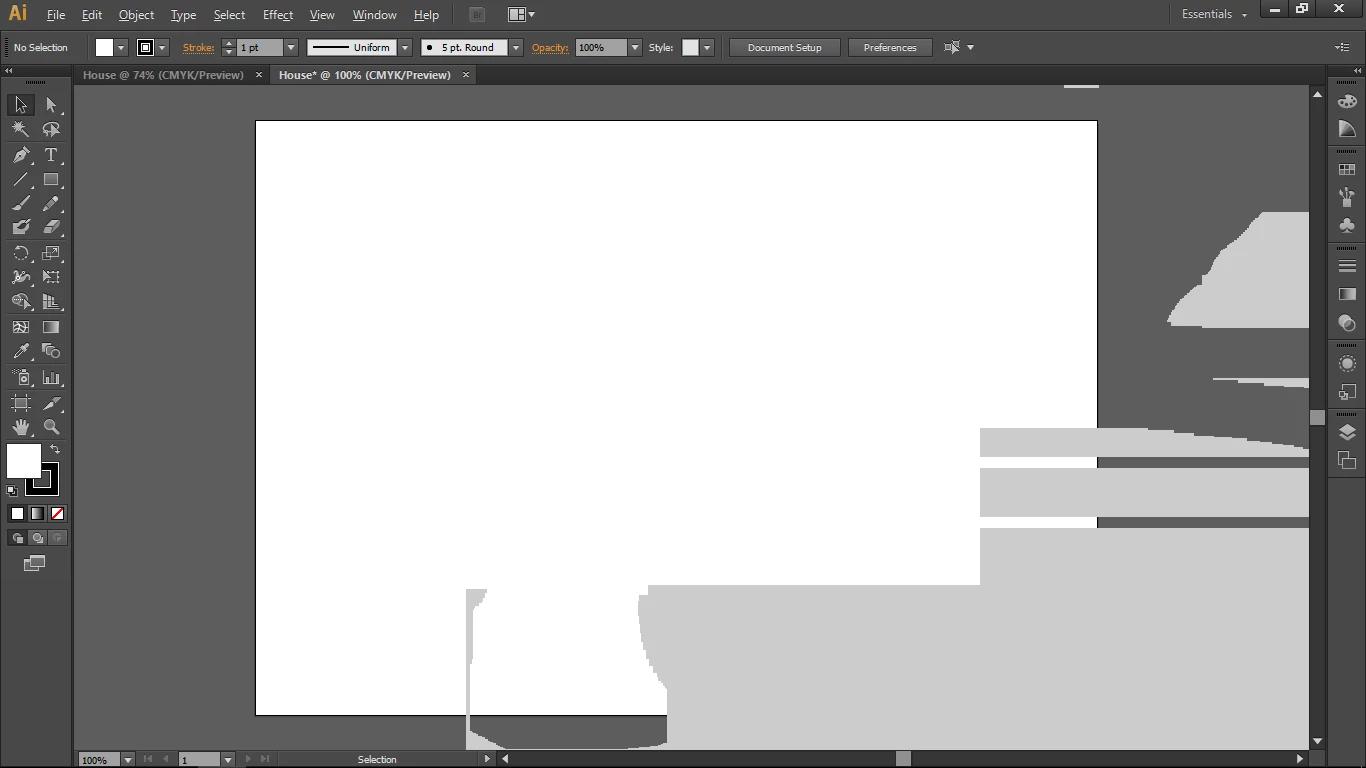
So when I drag something in Illustrator these gray spots start appearing and they seem to erase when I put my mouse over them, these are very annoying so how do I get rid of them. I am just a beginner.
Processor: Intel(R) Core(TM) i7-6600U CPU @ 2.60GHz
Video Card: Intel(R) HD Graphics 520
RAM: 8.0 GB
Operating System: Microsoft Windows 10 (build 15063), 64-bit
and this is version CS6, right?
Might be a compatibility issue.
Already have an account? Login
Enter your E-mail address. We'll send you an e-mail with instructions to reset your password.
 AdChoices