Known Participant
December 6, 2019
Question

Strange issue with transparency with vector effects

  • December 6, 2019
  • 1 reply
  • 3311 views

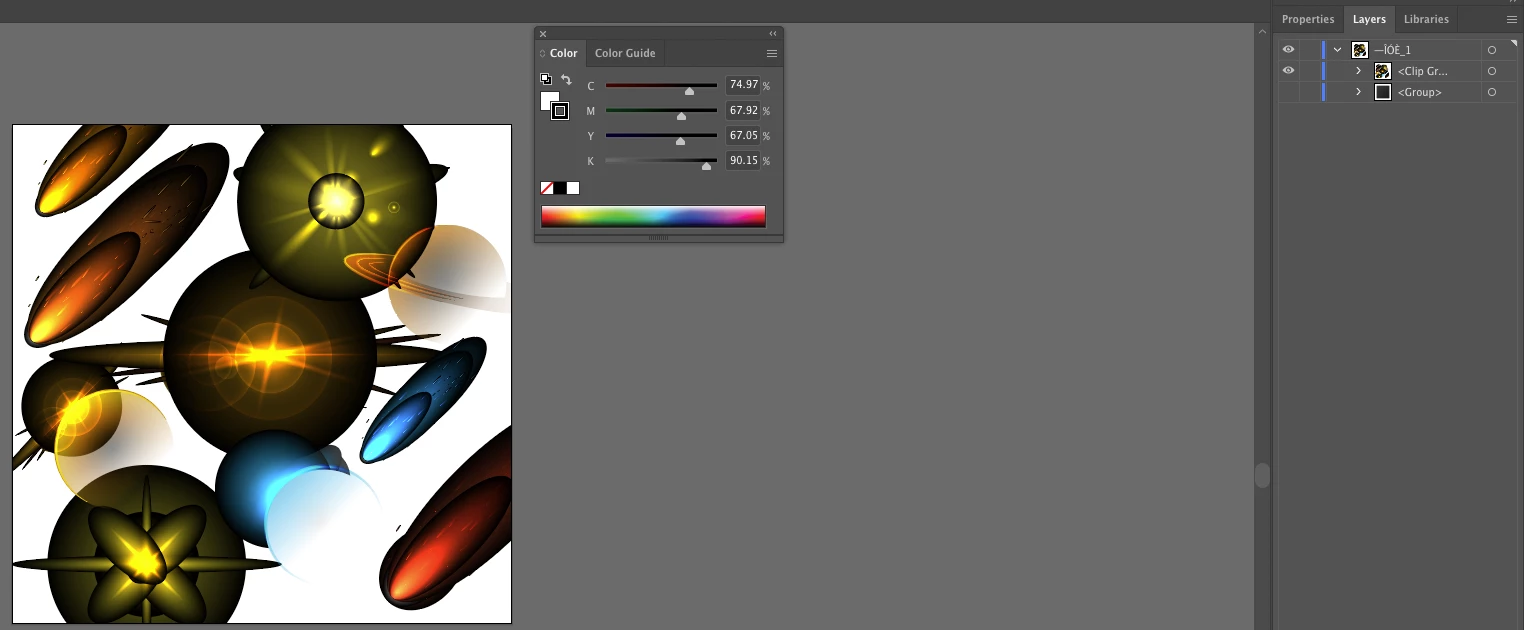
I've purchased a bunch of illustrator vector effects files from a stock image website. I want to be able to have the effects as .pngs (at a large size) so I can use them easily in photoshop, but whenever I try to get rid of the background behind the effects they appear to lose their transparancy (as you can see in the image). The only way I found to be able to keep the effects looking as they should look, is it I export as .psd file, but then you end up with a folder in photoship with hundreds of subfolders and even my new Mac Mini has issues with just moving the effect across the screen. If I could just flatten the vector effect as a .png file I could manipulate it in photoship no problem, but I've not found anyway to do that. Any ideas? I feel like I'm missing something obvious.

This topic has been closed for replies.

1 reply

Monika Gause
Community Expert
Community Expert
December 6, 2019

Please find an explantion here: https://youtu.be/Tiqm5hdQA5A


In order to solve this you could try and: delete that background checkerboard.

Then export it as a PNG-24 with transparency and import into Photoshop. In the layer panel apply the layer blend mode "Screen" or "Overlay" to it.

Known Participant
December 6, 2019

The video is interesting, but she basically say's that there's not much you can do with those affects outside of illustrator. I tried what you descirbed but it didn't work. I still think there must be some way to have these effects as .pngs.

Danny Whitehead.
Legend
December 6, 2019

What happens when you try what Monika suggested?


The problem is that most stock vector graphics of this style, seem to rely on blending modes more than might be necessary. Usually it's gradients to black, when a gradient to 0% opacity of the main colour would have done the job and been more versatile.