

Stroke Alignment Options Disabled (even under very strict circumstances)
tl;dr The Align Stroke options are disabled for this shape. It's a closed shape, it's not a compound path, it's not a group, and it happens regardless of the layer/project it's brought into. Why is this the case?
Full Context
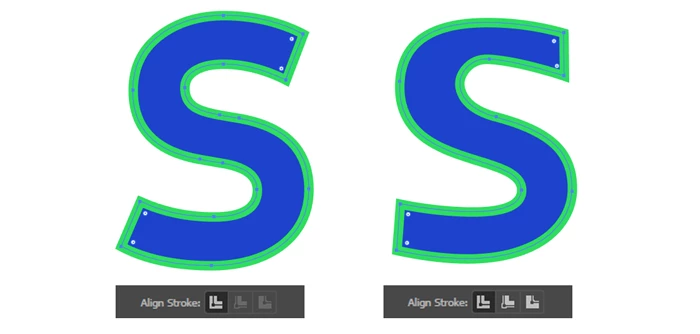
On the left is the "S" from an .eps I found online. On the right is a very rough "S" I drew with the pen tool. The S on the left originated as part of a compound path. I released this path, then isolated the S from all other shapes. The shape has been ungrouped, and the points have even been migrated to a new document.
The stroke alignment options are disabled for the S on the left, but they function properly for the S on the right.
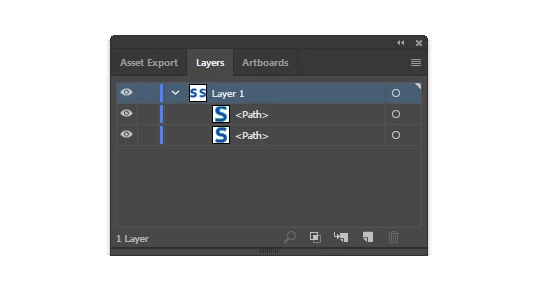
Here's the layer palette to demonstrate there's nothing more complicated going on.
I understand how to work around this problem in numerous ways; it's just frustrating to not know why this is happening.
A dozen other related threads either resolve this problem with a workaround, or reveal some kind of grouping issue as the initial cause.
Does anyone have any ideas? Hopefully I've just missed something obvious..
I am using a fully up-to-date version of Illustrator CC. As of writing, I believe that's version 23.
 AdChoices