
Stroke and fill of same width print differently
I have a black, filled shape. If I apply a white stroke of a certain width on top of it, it will print differently than if I do any of the following:
- convert the stroke to outline;
- convert the stroke to outline then pathfinder > divide with the black fill;
- do as above, but delete the white shapes, leaving only black shapes.
Converting the stroke to outlines makes it print slightly thicker than the original stroke. Dividing and deleting the white shapes (leaving a gap the same width as the original stroke) prints much thinner.
In the attached sample, there are two groups of four strokes (0.5 pt and 0.7 pt). From left to right, they are the original stroke, stroke converted to outline, outline divided from black background shape and dived and deleted. The top rectangle is how they appear on screen. The bottom rectangle shows how they appear when printed. I suspect (hope) it's just an issue with my cheap inkjet printer handling the file. Does anyone know wht's going on here?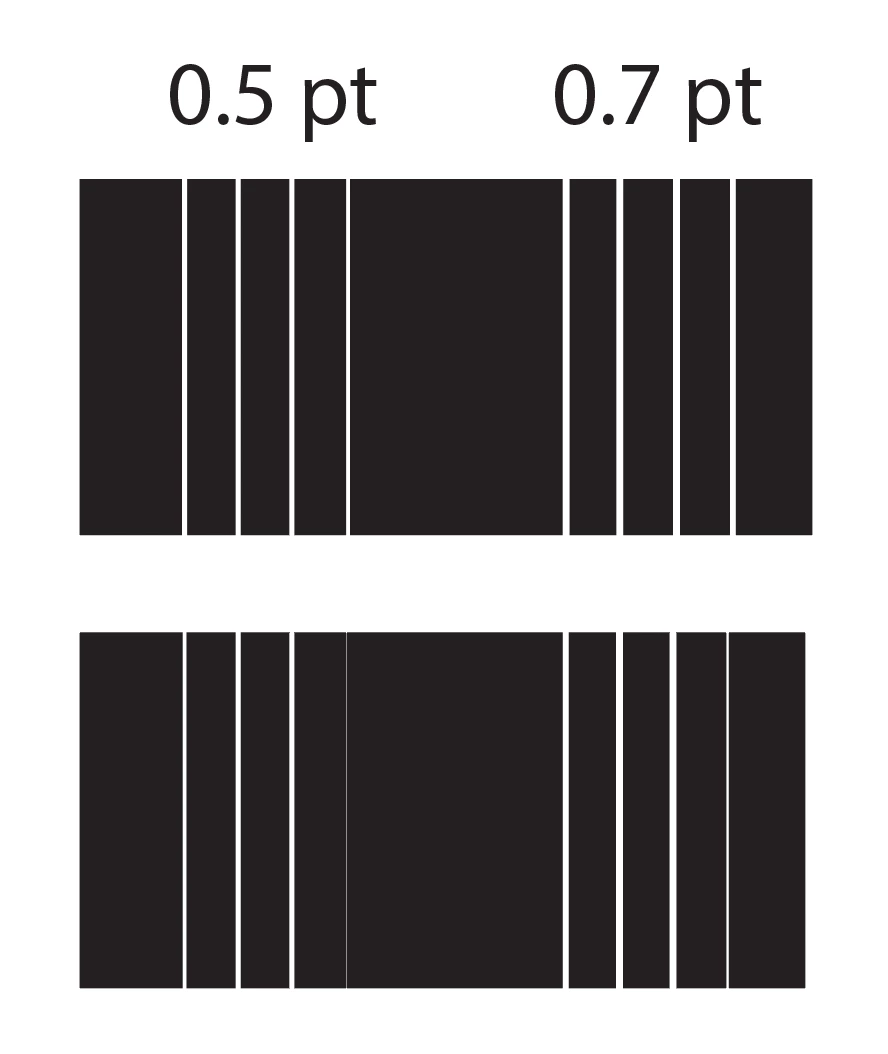
 AdChoices