
Answered
stroke can't be removed and is visible through above layers
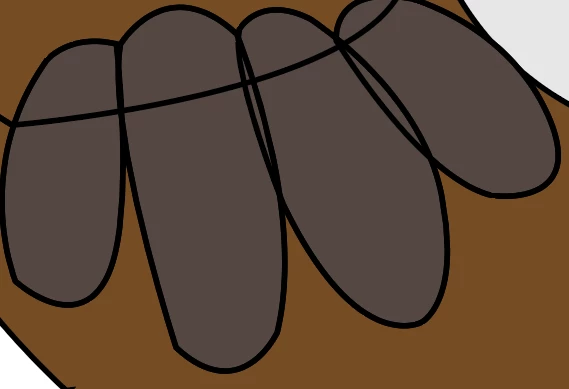 The stroke on each of these shapes can't be removed. When I remove the stroke in the properties panel it doesn't actually go away. I also tried removing it in the Appearance panel, same result. You can a see the stroke of the layers beneath as well for some reason. I have no idea why this is happening, first time issue. Help please. When I change the color of the stroke it outlines the stroke in the new color but doesn't remove the black stroke. I can increase the size of the stroke but not decrease. There is not a duplicate under it or anything, I checked multiple times because I'm stumped on what random thing I could have missed.
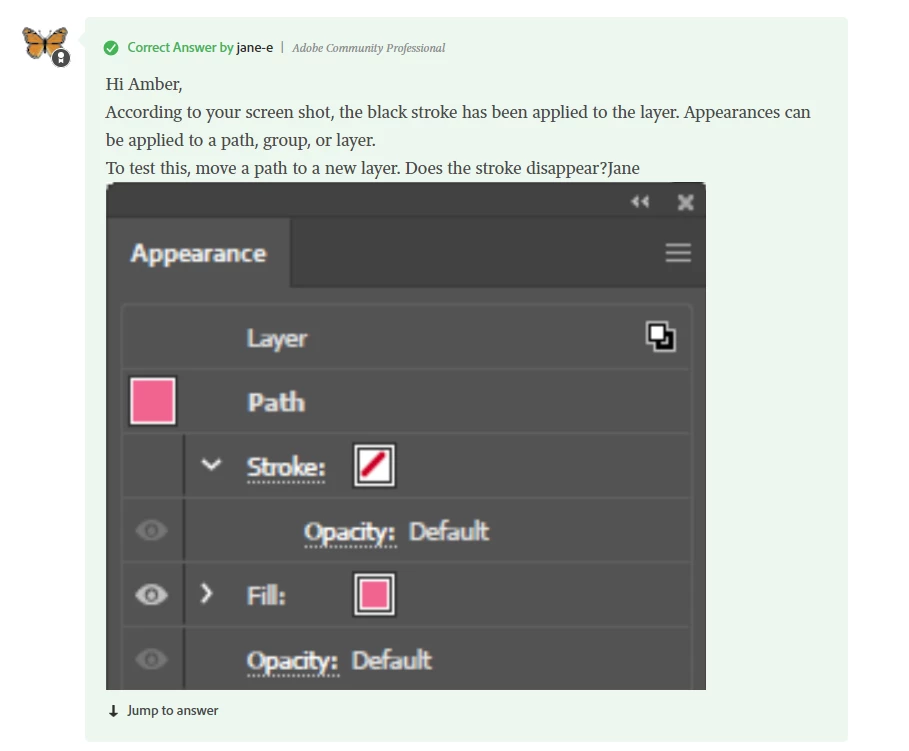 A similar post gave me the answer I needed. I needed to remove stroke from the layer as a whole and then remove the stroke from each individual shape. Thanks.
 AdChoices