
Stroke + Clipping Mask
Hello!
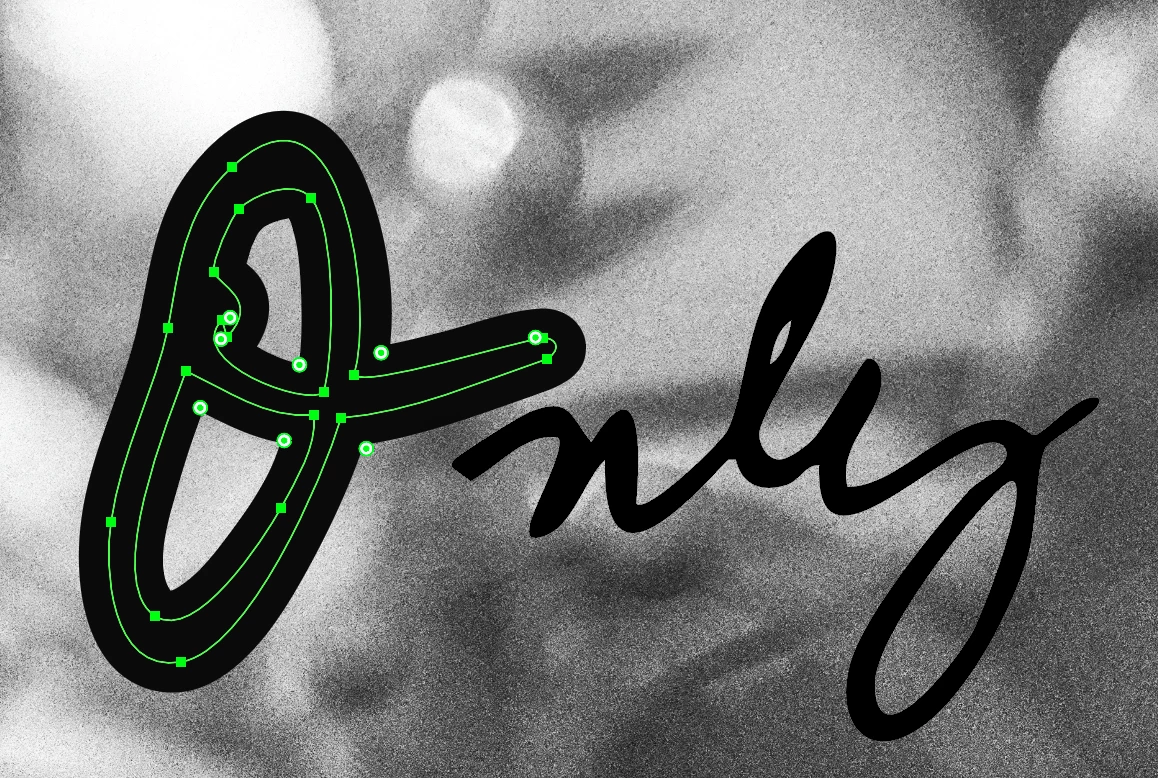
I am using a handwritten words that I have photogarpherd, placed then used image trace to vectorize. I have then added a stroke and used the width tool to make them fuller - since I would like to use an image to fill the letters, using clipping mask.
Here is a screen shot of the first letter I have made a little bigger with stroke and width tool.
Now when I make the clipping mask with the image below - the clipping mask ignores the storke.
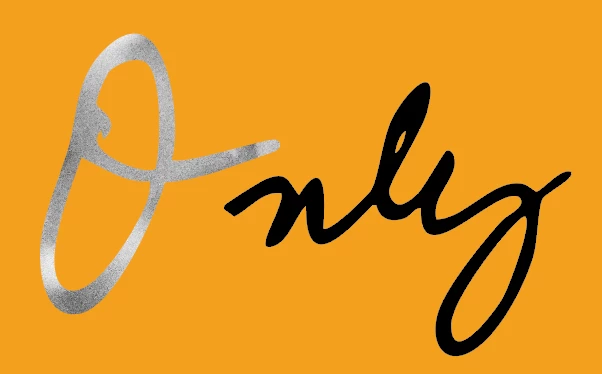
This is not working the way I hoped - but not sure if there is an other way to do this, that wonʻt be super time consuming.
1. Maybe use a different tool to uniformally add fullness to the leters (not stroke/and width tool)?
2. Or is there a way to combine the stroke with the original path?
3. Or maybe a way to ask the climmping mask to not ignore the stroke?
I am pretty new to Illustrator - so I am hoping there is an easy fix and whatever I have written above is not total gibberish.
Thank you in advance.
Dorka


 AdChoices