



Correct answer Ton Frederiks

okay, thank you for this info,

would you be able to answer another question, or should i post it in a new post?
i want to remove all the overlaping stronk, to just have a stroke on the outside, how do i do that?

hendy_5450_0-1767517053448.png


Another way could be to use multiple fills and use a knockout group.

Use 3 fills; black, white and orange. No stroke

Use Effect > Path > Offset Path on these fills
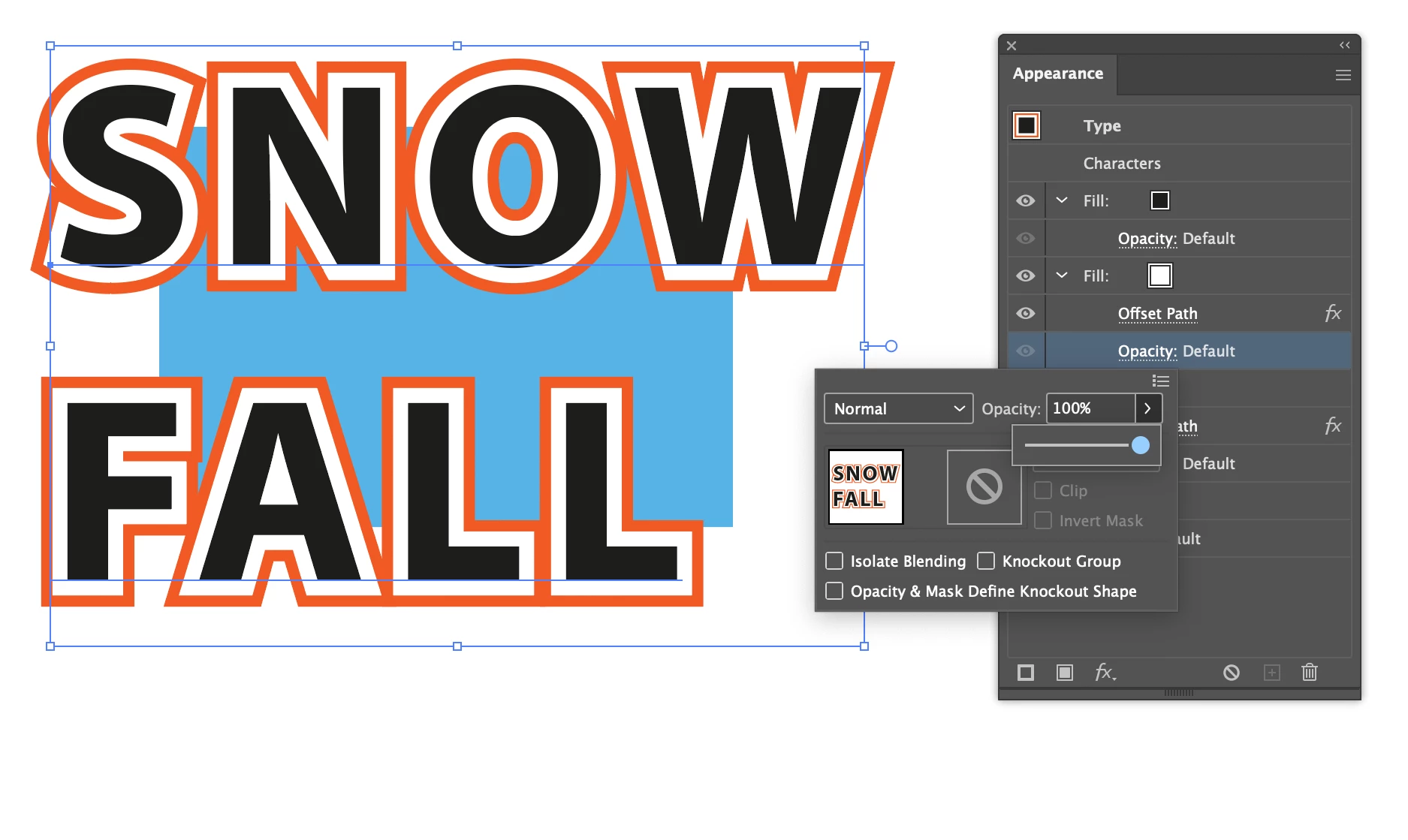
01 off.png

Change the Opacity for the White fill to 0%
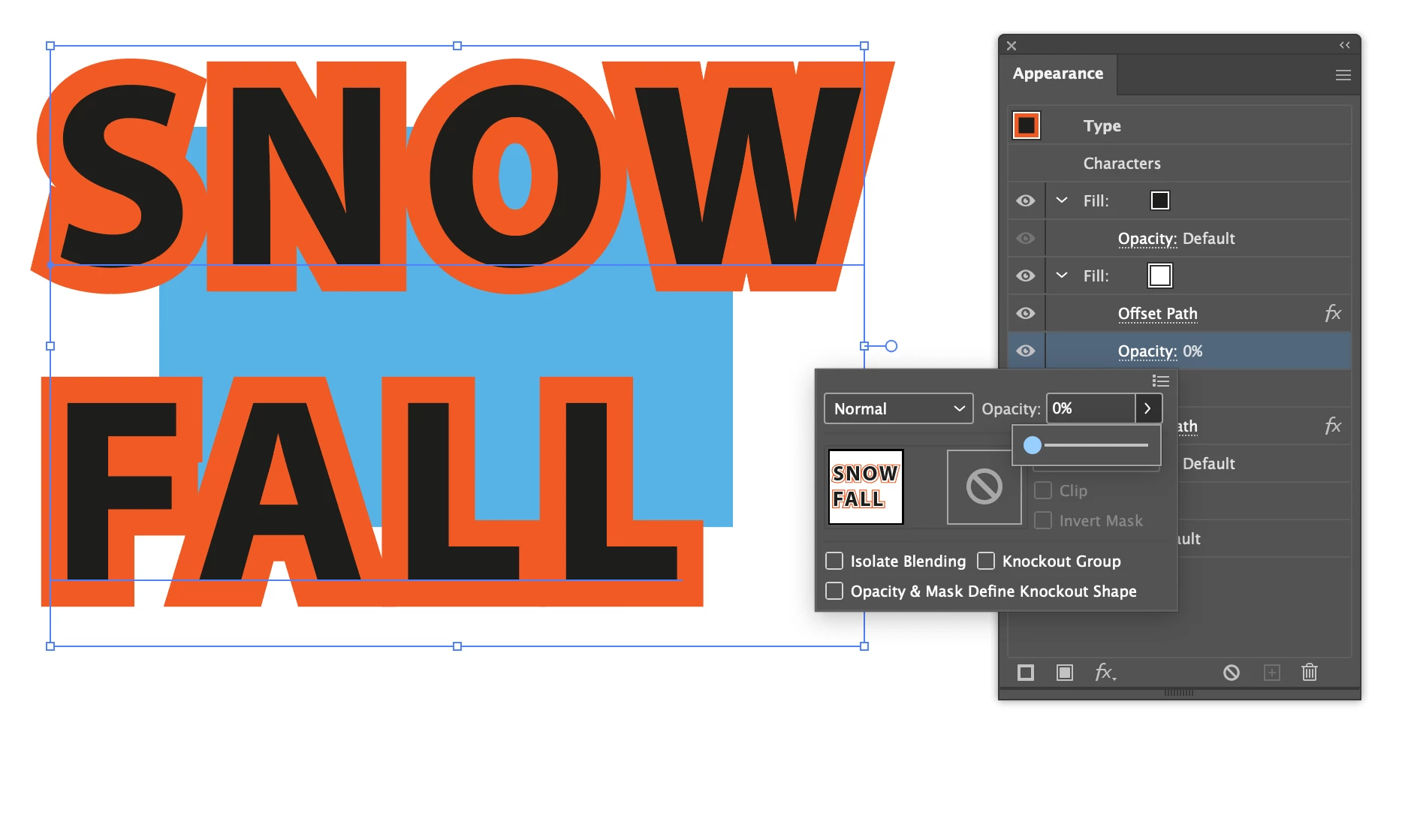
02 off.png

Select the last Opacity setting at the bottom and check the Knockout Group  option.
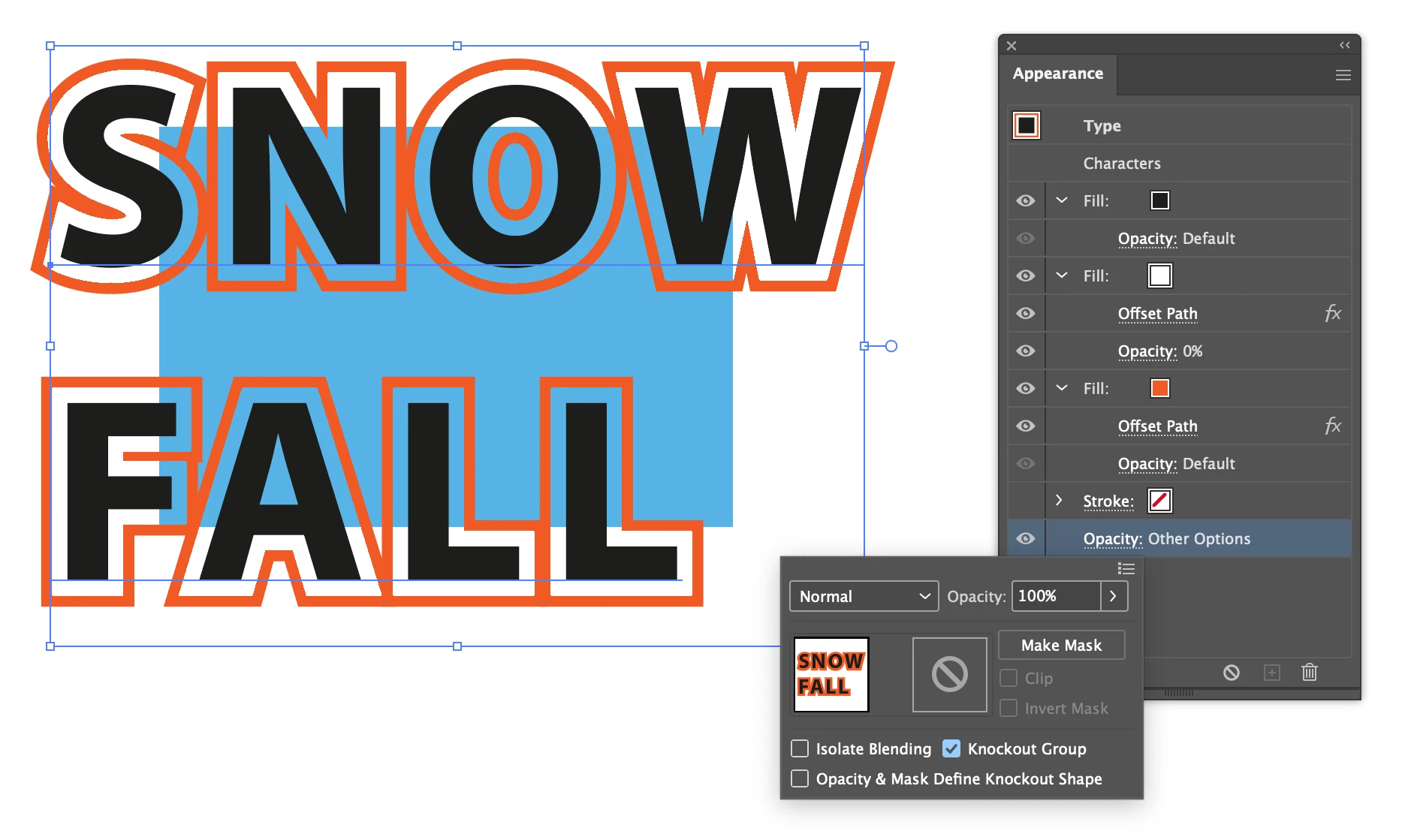
03 off.png

1 reply

Ton Frederiks
Community Expert
Community Expert
January 4, 2026

You have applied a fill and stroke to the character level.

You can try this:

Select the text with the regular selection tool (V)

Set the fill and stroke to None

Add a new fill and stroke in the Appearance  panel (and move the stroke below the fill).

Screenshot 2026-01-04 at 09.23.38.png

Inspiring
January 4, 2026
any way to do this in indesign??
Ton Frederiks
Community Expert
Community Expert
January 4, 2026

InDesign has by default the stroke below the fill.

And if you still want to apply an Offset Path in Illustrator, use Effects > Path

Screenshot 2026-01-04 at 09.31.49.png