
Demikasumii
Participant
June 27, 2022
Question

Stroke round cap being cut off when using "gradient along stroke"

  • June 27, 2022
  • 2 replies
  • 412 views

Hi everyone!
I was trying to apply a gradient along my round-cap stroke,
but then the head of the stroke is always being cut or not showing properly like this:
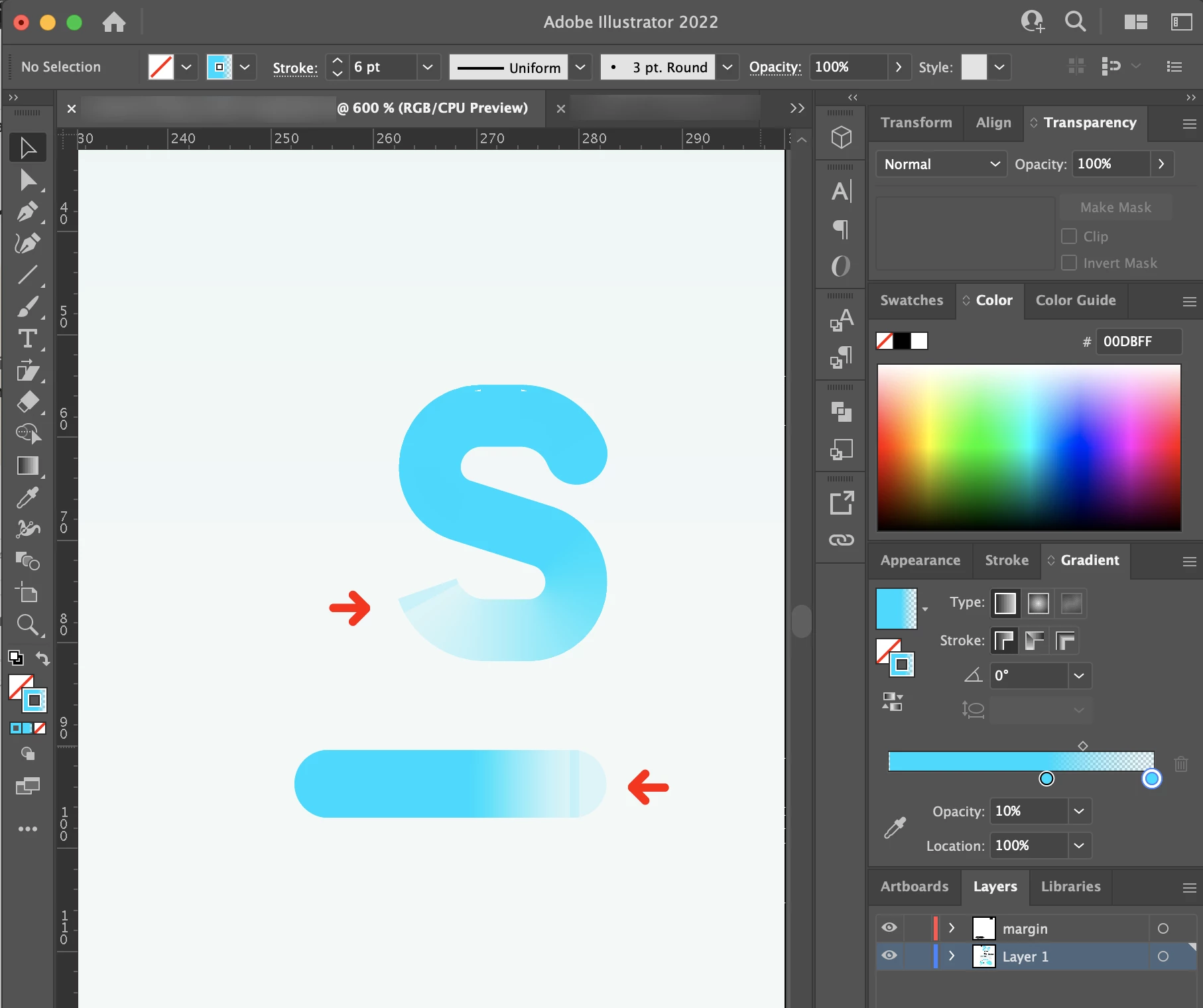
 

I search through the tutorial apply gradient along the stroke and seems they didn't encounter the same problem.
Is there anything I set up worngly or any other ways I can do this?

Any possible reply will be appreciated. Thank you so much!


This topic has been closed for replies.

2 replies

pixxxelschubser
Community Expert
Community Expert
June 27, 2022

It may be that older thread can help you out:

Butt cap for line segment start point? 


Participant
January 3, 2024

I'm having a similar issue with a stroke that has a gradient. Below are the stroke and gradient settings:

Now watch what happens when I adjust the slider in the movie. The round caps come and go. This is a simple straight line, without any handles or extra end points.


Community Expert
January 3, 2024

I can't seem to duplicate the problem. Are you using the latest build of Adobe Illustrator? It might be a good idea to check for any updates to your computer's graphics card/chipset. Does the problem appear in both GPU-accelerated Preview and standard CPU-based Preview?

pixxxelschubser
Community Expert
Community Expert
June 27, 2022

Please make sure that there is only one anchor point at the end (and not two on top of each other). Please select the anchor point with the white arrow and show the handles in a screenshot.

Demikasumii
Participant
June 27, 2022

Hi! thank you for your response!

the problem with the"s" is exactly what you said, with one anchor point overlap with others.

I deleted the top one, it becomes like the following screenshot:


It will be a great helping hand if you can give me some suggestion. Thank you so much!