Participant
September 15, 2018
Answered

Stroke Weight with Paint Brush Tool

  • September 15, 2018
  • 1 reply
  • 2006 views

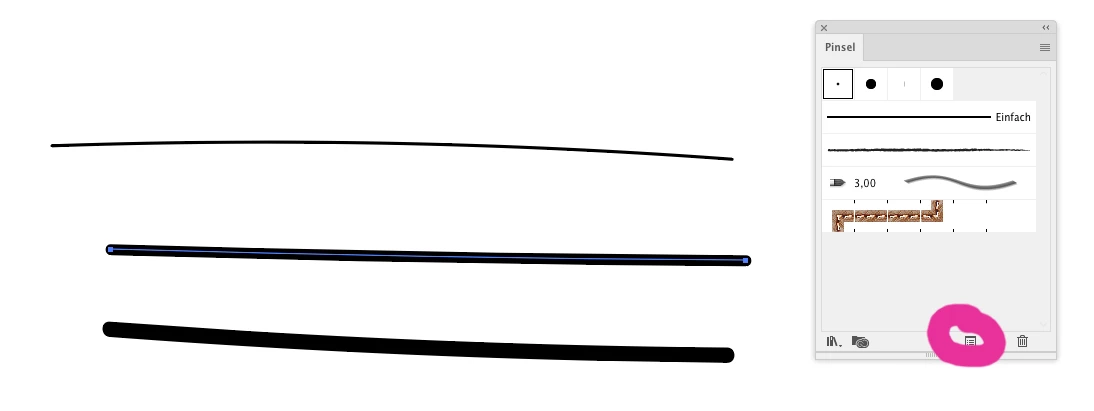
when i use the paint brush tool with it's default settings, it draws with 1 pt stroke weight.

the issue is when i resize the brush using [  and ], in the stroke panel it still says it's 1pt stroke weight.

so i want to know is this a bug or something?

here is a video for better understanding
This topic has been closed for replies.
Correct answer Monika Gause

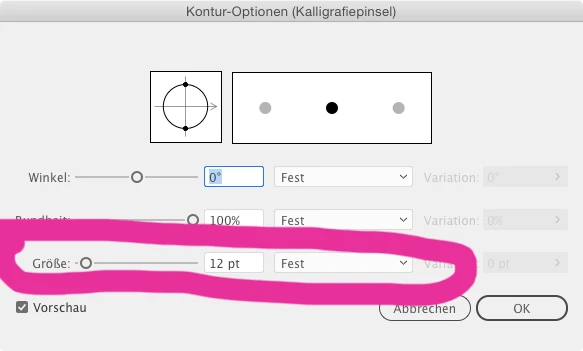
The brush thickness is not only driven by the stroke weight, but also by calligraphy brush settings.

And when you just set them using the [ and ], then they are applied at object level.

You can see that when clicking on the options for selected object:

1 reply

Monika Gause
Community Expert
Monika GauseCommunity ExpertCorrect answer
Community Expert
September 15, 2018

The brush thickness is not only driven by the stroke weight, but also by calligraphy brush settings.

And when you just set them using the [ and ], then they are applied at object level.

You can see that when clicking on the options for selected object:

Youssef_ZAuthor
Participant
September 15, 2018

thanks i understand now.

but why not the basic brush setting is the default whenever i use the paint brush?

is there a way to make that?

Monika Gause
Community Expert
Community Expert
September 15, 2018

Youssef_Z  schrieb

but why not the basic brush setting is the default whenever i use the paint brush?

is there a way to make that?

You could just click on it again before drawing.