


Participant
March 24, 2025
Answered

Strokes for EPS Print Setup

  • March 24, 2025
  • 2 replies
  • 652 views

Hello! My coworker and I have been having an issue since Friday when it comes to stroke sizing once exported as an EPS. One of our print vendors requires a magenta spot color stroke the same size as the artboard. When I went to export as an EPS to send to them, my coworker stated that the stroke was slightly bigger than the artboard size. When I opened up the same file, it did not show up on my end and was the same size as the artboard. When she saved a file and I opened it, the same thing happened - I saw the sizing difference but she couldnt. We believe this to be a bug but any help would be appreciateted as it is impacting the files when our vendor opens it to print!

Correct answer Doug A Roberts

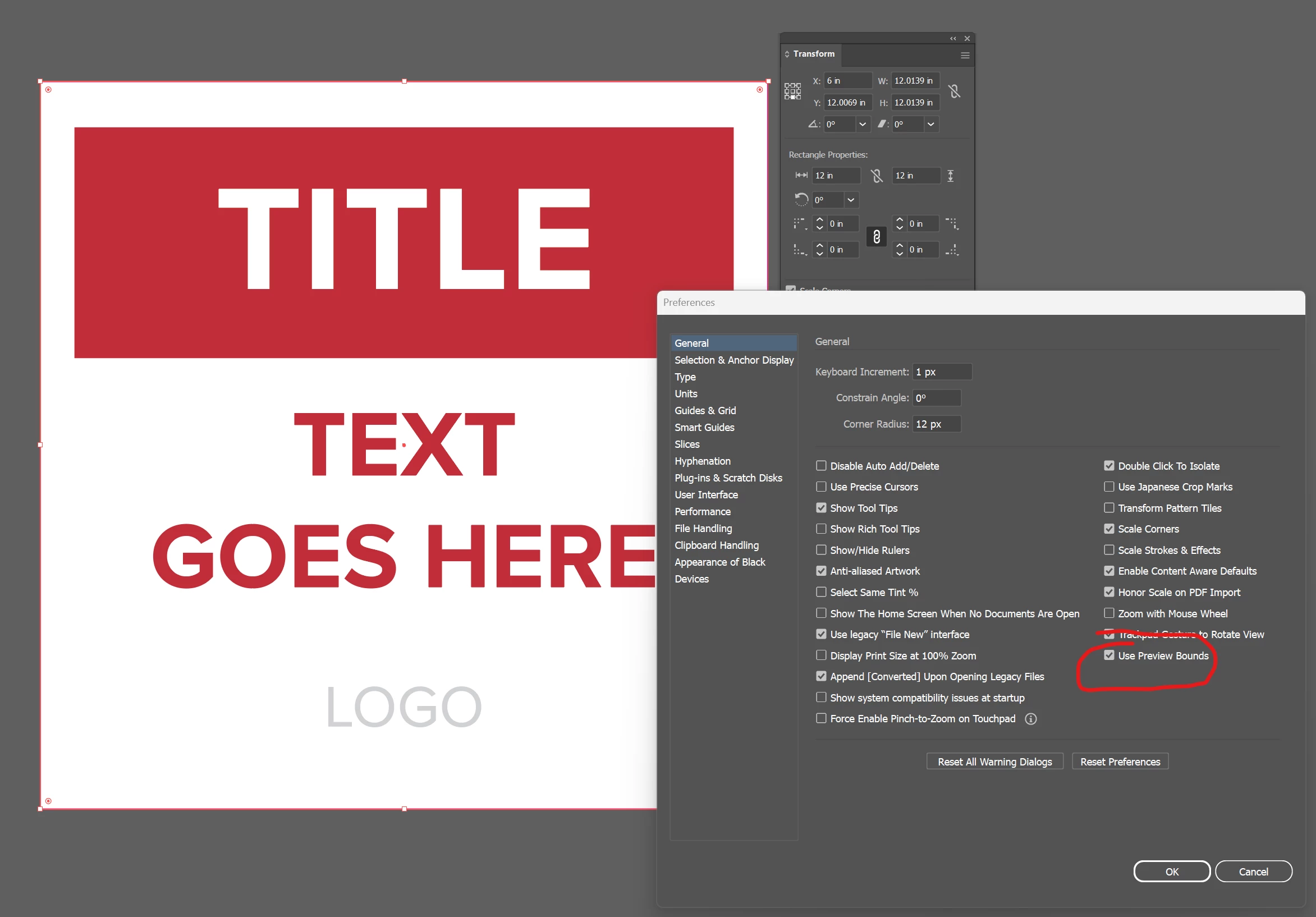
How much larger? Does she have 'Use Preview Bounds' on?


2 replies

Community Expert
March 24, 2025

Hi Anna,

In format changes, some alterations can sometimes occur. I could give you some possible solutions:
  • If the problem is with the stroke, expand the stroke to convert it into a fill.
  • If the EPS format isn’t essential, try sending it as a PDF instead.
  • Save the file as an AIC and then convert it from AIC to EPS.


@camiloadobe
Doug A Roberts
Community Expert
Community Expert
March 24, 2025

Can you share an example file?

Are you both using the same version of Illustrator? What version?

anna_9000Author
Participant
March 24, 2025

We are using v29.3.1


Attached is a sample EPS file we would send to the print vendor. For me the stroke shows as 12in x 12in, but for her it would show slightly larger. 

Doug A Roberts
Community Expert
Doug A RobertsCommunity ExpertCorrect answer
Community Expert
March 24, 2025

How much larger? Does she have 'Use Preview Bounds' on?