Participant
January 19, 2020
Answered

Struggling with colors...

  • January 19, 2020
  • 3 replies
  • 653 views

Hi everyone!

I am about designing a pattern, and i have chosen my colors via Adobe Colors, i made my theme for it and saved and jumped back to Illustrator where i used the theme right away, but i did not get the same colors as i have chosen. 
I insert some screenshots to make it clear : 
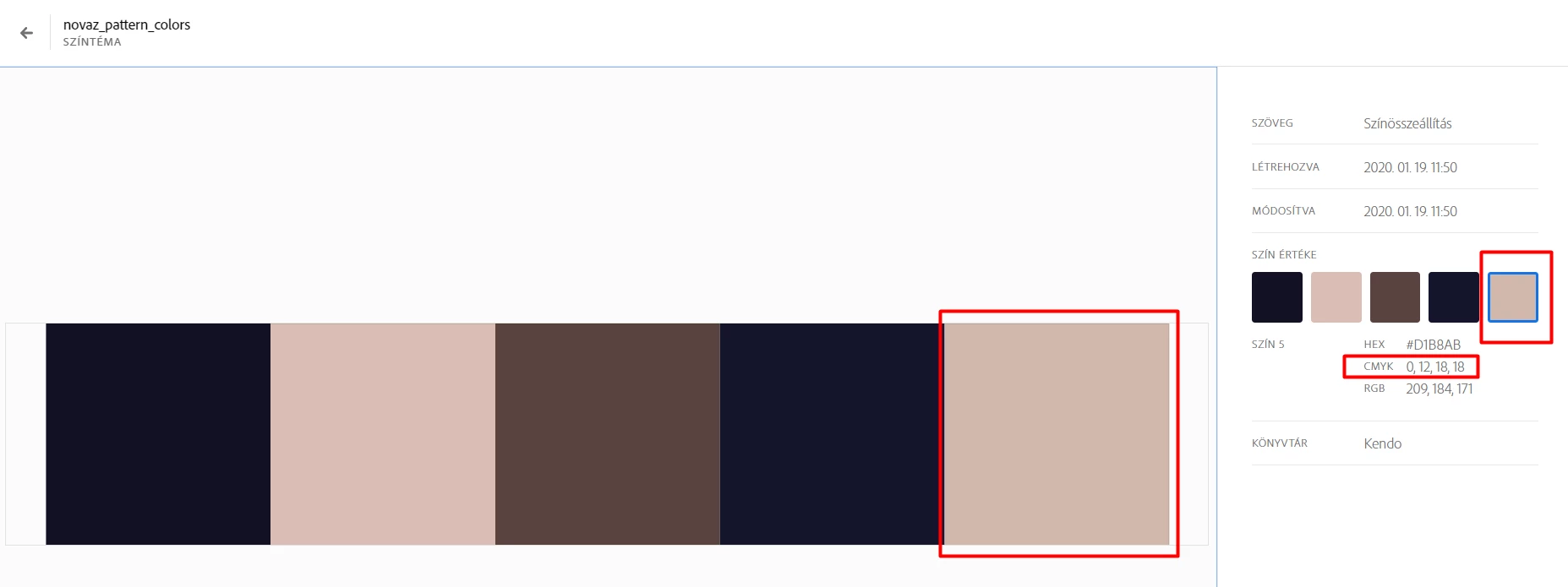
As you can see the CMYK code for this color supposed to be: 0,12,18,18.
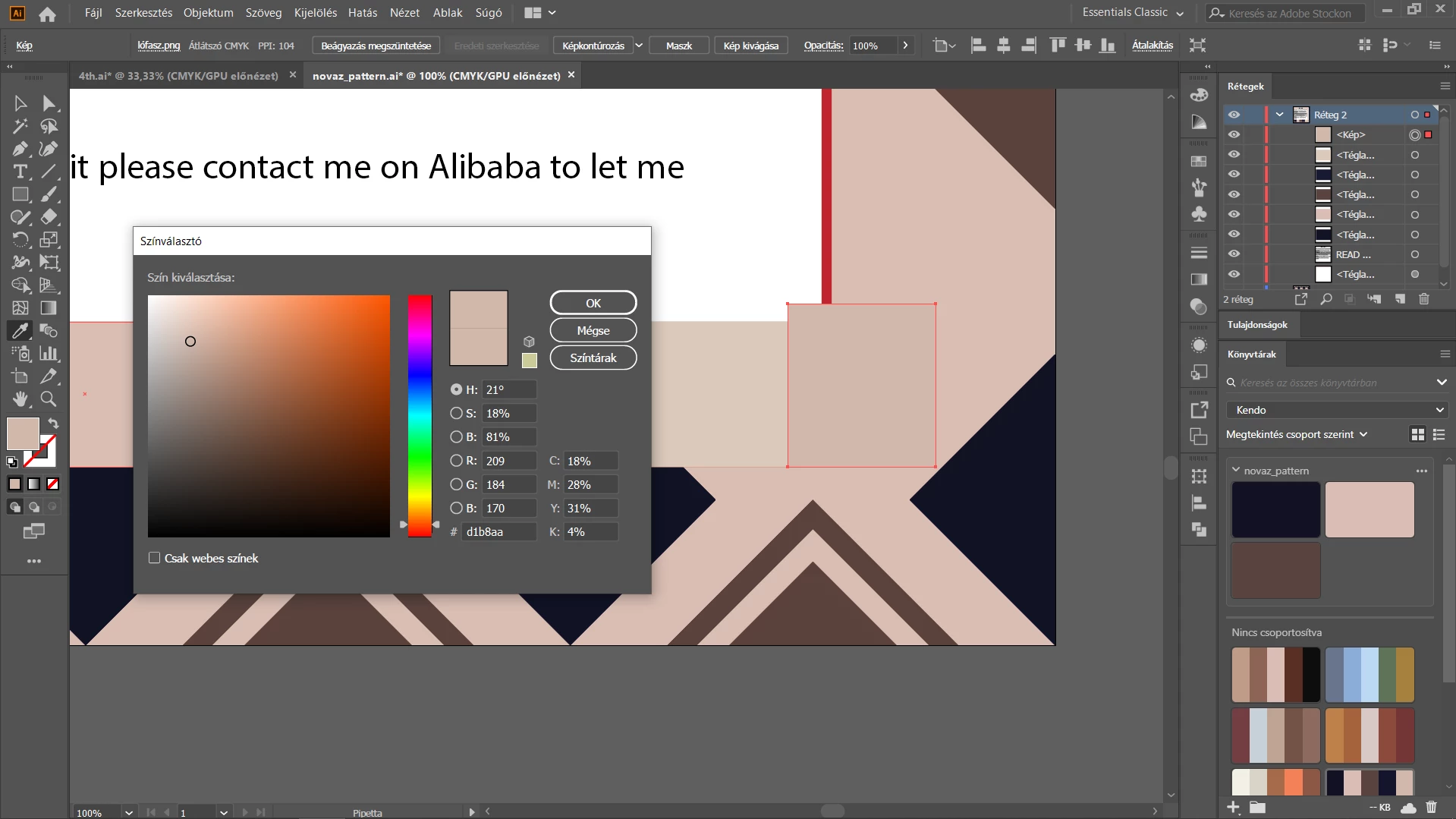
However, when i create a new swatch / use the theme color, i get the following color, so i made a screenshot, placed the color-square and just used the eye-dropper tool, and got the following: 
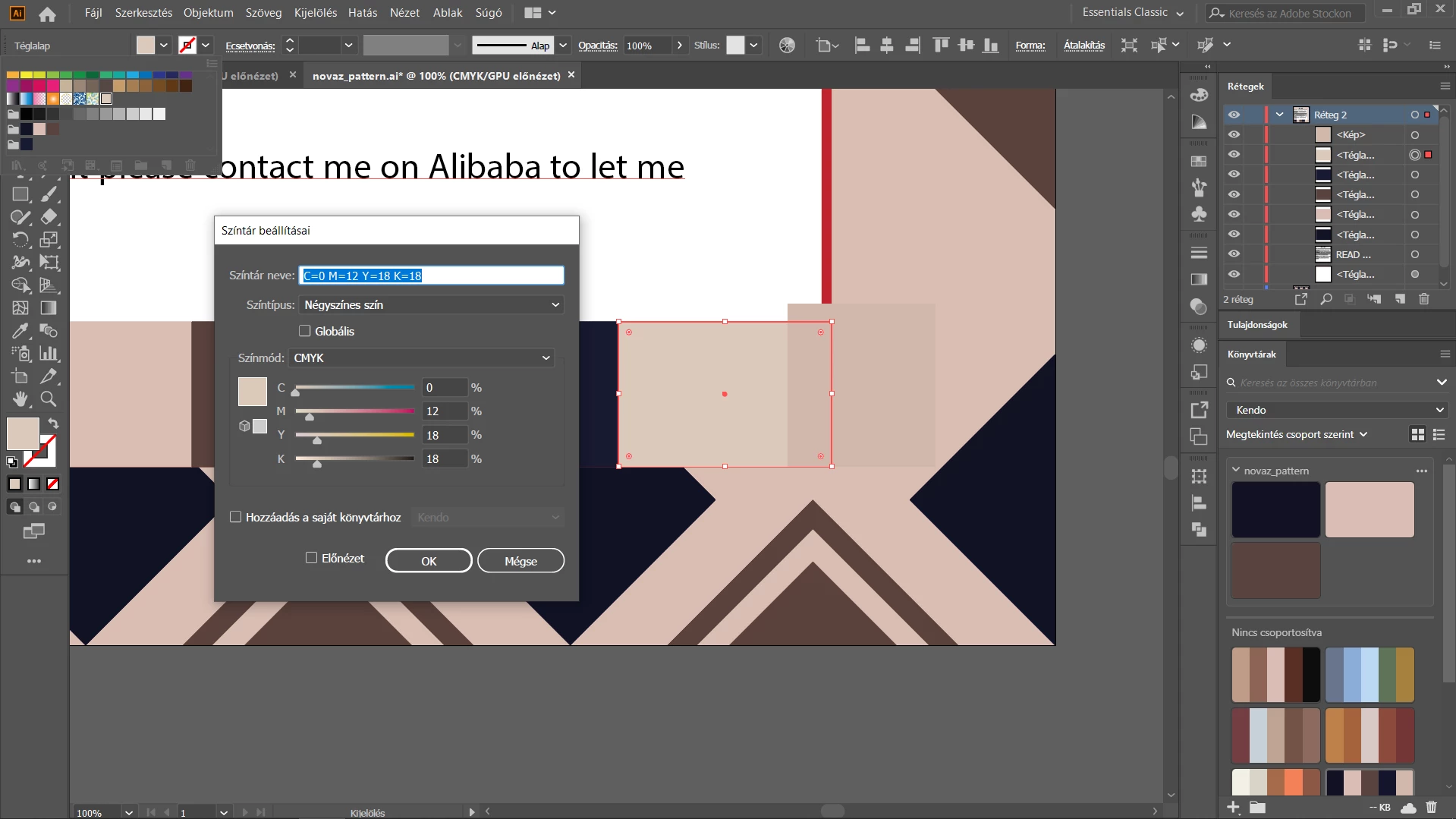

Could you give me any tip, how does it work for real? As you can see the two colors are completely not the same. 
The file is set as CMYK. 

Thanks in advance, waiting for solution!

This topic has been closed for replies.
Correct answer Ton Frederiks

The web version of Adobe Color does not use Color Management and gives a CMYK version without knowing your CMYK Working Space profile.

Try to enter the RGB values in you Illustrator CMYK document or use Window menu > Color Themes to create your colors.

3 replies

Monika Gause
Community Expert
Community Expert
January 19, 2020

On top of what Ton already said about Adobe Color.

When you make a screenshot, your browser might or might not add color management settings into this.

Then you place the screenshot in Illustrator while destroying or changing the color management (we can't know your settings)

Then you pick the color with the eyedropper from the screenshot where again the eyedropper picks from the screen representation of the image (after color management has been applied).

Ton Frederiks
Community Expert
Ton FrederiksCommunity ExpertCorrect answer
Community Expert
January 19, 2020

The web version of Adobe Color does not use Color Management and gives a CMYK version without knowing your CMYK Working Space profile.

Try to enter the RGB values in you Illustrator CMYK document or use Window menu > Color Themes to create your colors.

January 19, 2020

Moving to the Illustrator forum from Get Started