Participating Frequently
November 10, 2020
Answered

Stuck in isolation mode (Help a noob)

  • November 10, 2020
  • 15 replies
  • 28144 views

Hey guys,


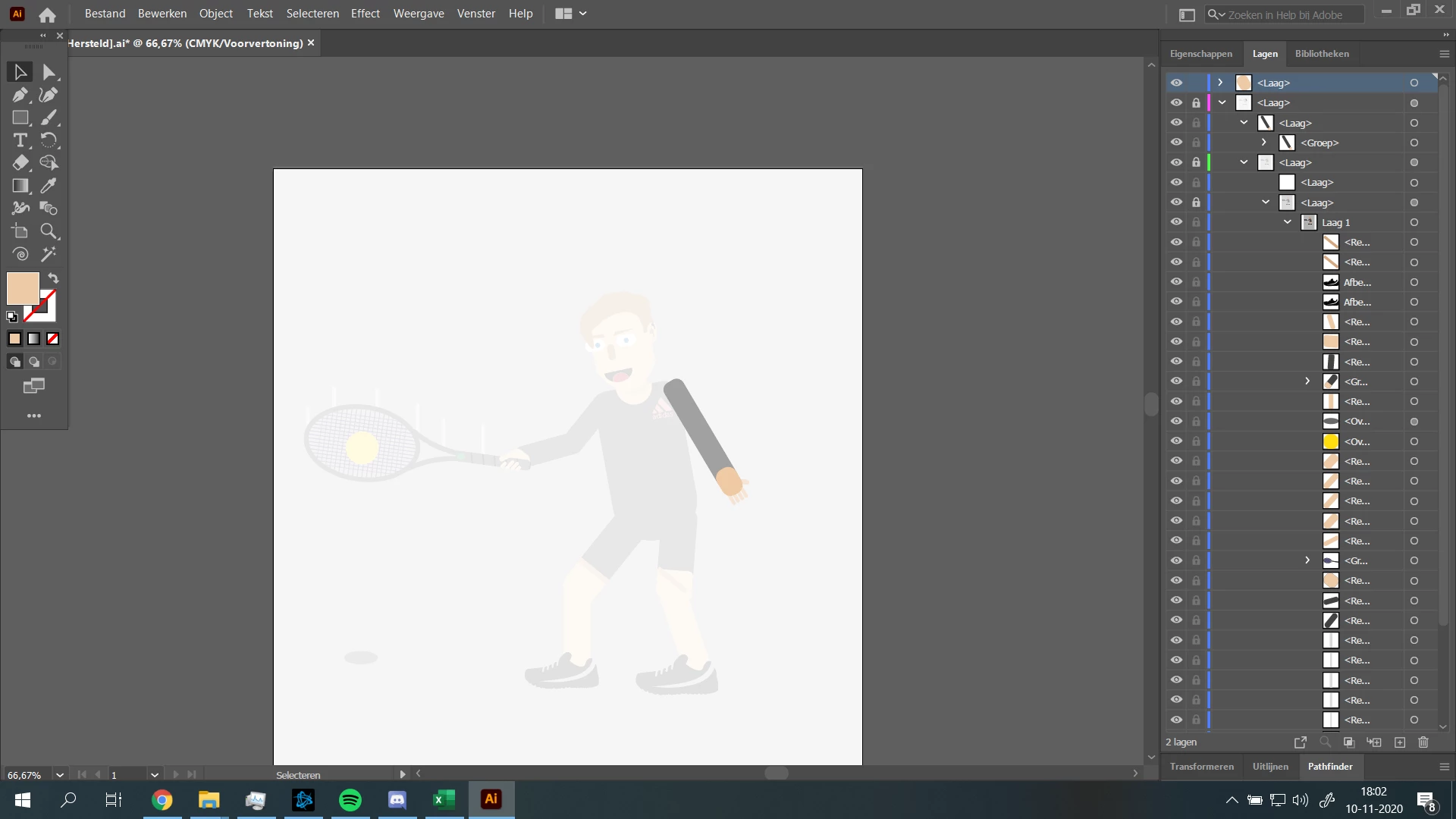
I'm just starting to use illustrator and I am trying to create a character that is playing tennis. However I got stuck in isolation mode. 


Things I've tried:

Restarting Ai

Pressing Esc multiple times

Double clicking everywhere

Looked through the Ai settings

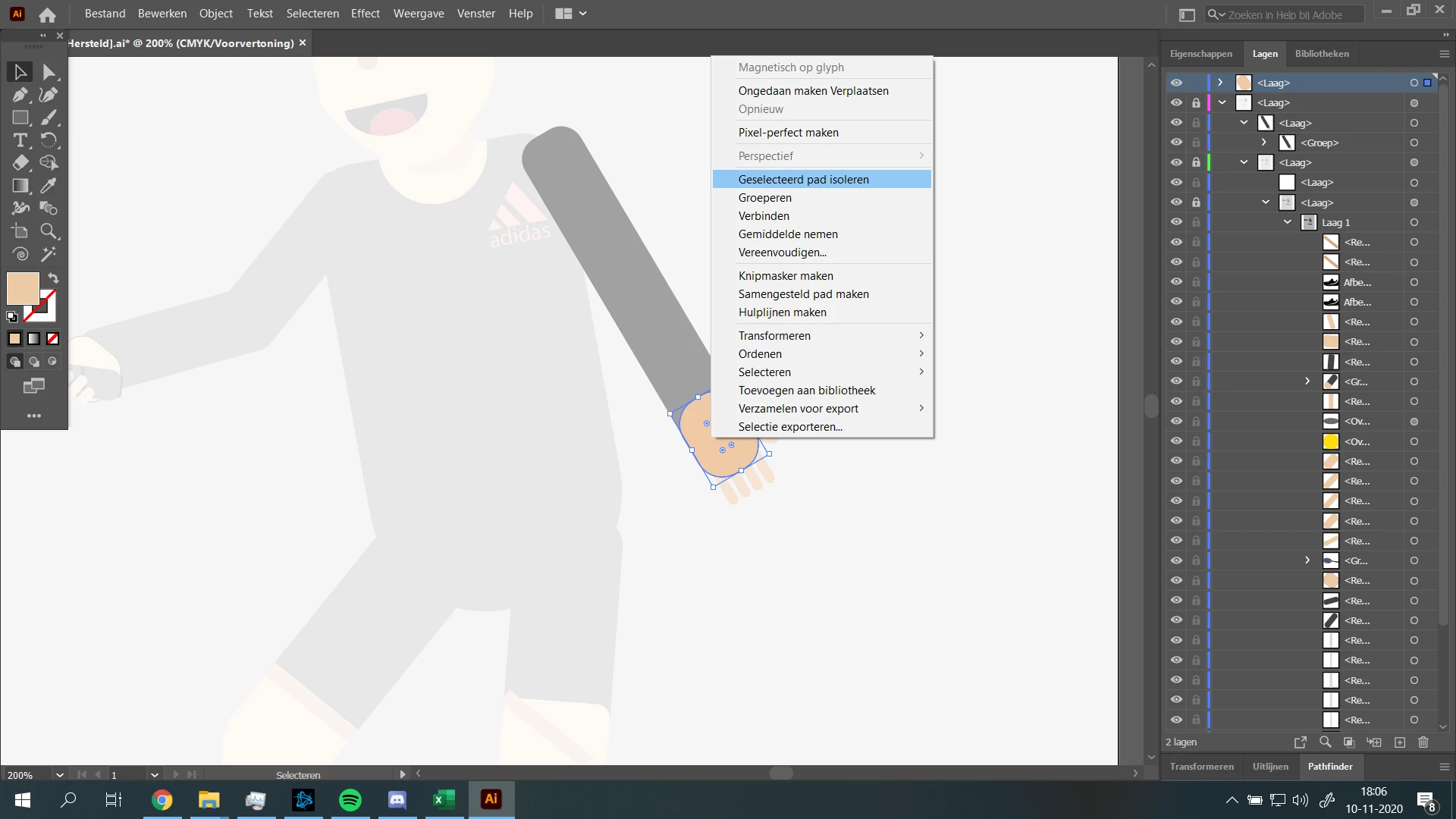
Right clicking the isolated box, this only shows me the option to isolate it again. 


I think the issue here is that the box that is my arm is isolated too, but it doesnt show me to stop isolation mode on that box. 


I can't find any other object I've accidently isolated either. 


How my screen currently looks:
Thanks in advance,


Pieter

Correct answer Kurt Gold

Jasmine,


the bug is fixed in the latest application release.


Do an update to version 25.1 (released today).


15 replies

Participant
July 14, 2021

OH MY GODDDD!!!

AFTER TRYING A LOT OF THINGS I FOUND A SOLUTION WHICH SAVED MY PROJECT.

COPY AND PASTE THE LAYERS IN A NEW ART BOARD OF A NEWLY CREATED PROJECT.

IF THIS DOESN'T WORK, THEN JUST SAVE THE FILE, CLOSE ILLUSTRATOR, RESTART THE PC, OPEN ILLUSTRATOR AGAIN, OPEN THE FILE, COPY LAYERS AND PASTE IN NEW ARTBOARD OF NEWLY CREATED PROJECT

Participant
March 20, 2025

I think i have found the solution so all of your layer are in this layer and somehow it lowers the opacity for me the layer name is like this <layer> its new layer and what i didi is i draged all my layer out of it in fixed it 

Kurt Gold
Community Expert
Community Expert
March 18, 2021

Good luck with that solution, jdh.


There may be a couple of people who would rather avoid to take this route.


jdh49360652
Participant
March 18, 2021

The solution is to save the file in .SVG, close everything and reopen Illustrator. You should open the .SVG file and ungroup all the layers and fixed the problem.

Participant
February 3, 2021

Unlock layers, select all, turn off paste remebers layers, paste into new layer. 

Participant
January 18, 2021

The same thing happened to me. I just ended up copy-pasting everything to a new file and it showed up with 100% opacity. 

Participant
March 18, 2021

Yes!! OMG thanks Kate!

This is the only thing that worked for me. All oher methods didnt work. Cut paste into new doc! of course! so simple.

Kurt Gold
Community Expert
Kurt GoldCommunity ExpertCorrect answer
Community Expert
January 6, 2021

Jasmine,


the bug is fixed in the latest application release.


Do an update to version 25.1 (released today).


joryellen
Participating Frequently
January 13, 2021

Actually not true, Im updated and this has happened to me 2x already. it happend when you in isolation mode and hit "undo" once it locks in isolation mode there is not getting out of it, file is lost. only thing you can do is close the file and hope that most of your work is saved.

joryellen
Participating Frequently
January 13, 2021

ignore i did have the latest update... sorry.


Participant
December 14, 2020

Okay, what the heck. This worked for me. How did everything in my file except for what I isolated get to 50% opacity all of a sudden? Is there a key command for this, cause I need to avoid this in the future. I've spent over an hour trying to figure out what happened. Also I couldn't click on anything in my file except for what I had isolated until I clicked that little circle in the layers panel and bumped everything back to 100% opacity. Sometimes I cannot handle illustrator. smh. 

Kurt Gold
Community Expert
Community Expert
November 12, 2020

Margarita,


may I ask the same question: Can you share a sample Illustrator file (.ai) with reproducible instructions to catch the issue as a bug?


Participant
November 17, 2020

This is happening to me as well and I have to rebuild the file every time it does. I will try and reproduce it the next time it happens. It usually happens when I try and undo while in isolation mode. Really annoying and a big time suck. My layers end up locked, rearranged and condensed into one layer. Even after closing the file and restarting the file stays as is. This has been happening since the last update. 


Participant
November 12, 2020

It is probably a bug.
It started after the last update.
It happens when you work in issolation mode, usualy after 2-3 undos. 
It nests all other layers under a "hiden" layer and if you unlock and drag them back where the were supposed to be, it returns to normal.
Unfortunately, many times it freezes and you can't do anything but Force Quit 😞
I think I can reproduce it.

Kurt Gold
Community Expert
Community Expert
November 12, 2020

mhopp,


can you perhaps share a sample Illustrator file (.ai) with detailed instructions to reliably reproduce the issue in order to prove that it is a supposed bug?