Hi, this is the CSS that I personally use:
#app::-webkit-scrollbar {
  display: block;
}
body::-webkit-scrollbar {
  width: 0px;
}
::-webkit-scrollbar {
  background-color: var(--color-scrollbar);
  width: var(--width-scrollbar-track);
}
::-webkit-scrollbar-thumb {
  width: var(--width-scrollbar-track);
  background: var(--color-scrollbar-thumb);
  border-radius: var(--radius-scrollbar-thumb);
}
::-webkit-scrollbar-thumb:hover {
  background: var(--color-scrollbar-thumb-hover);
}
::-webkit-scrollbar-resizer {
  display: none;
  width: 0px;
  background-color: transparent;
}
::-webkit-scrollbar-button {
  height: 0px;
}
::-webkit-scrollbar-corner {
  display: none;
}
The CSS variables for color are from my personal CEP styling library, starlette. It's very easy to use and handles all app styling, theme changes, and provides 40+ UI colors. You can see an example of Starlette and scrollbars (which are SVG below, but look identical in the panel) here:
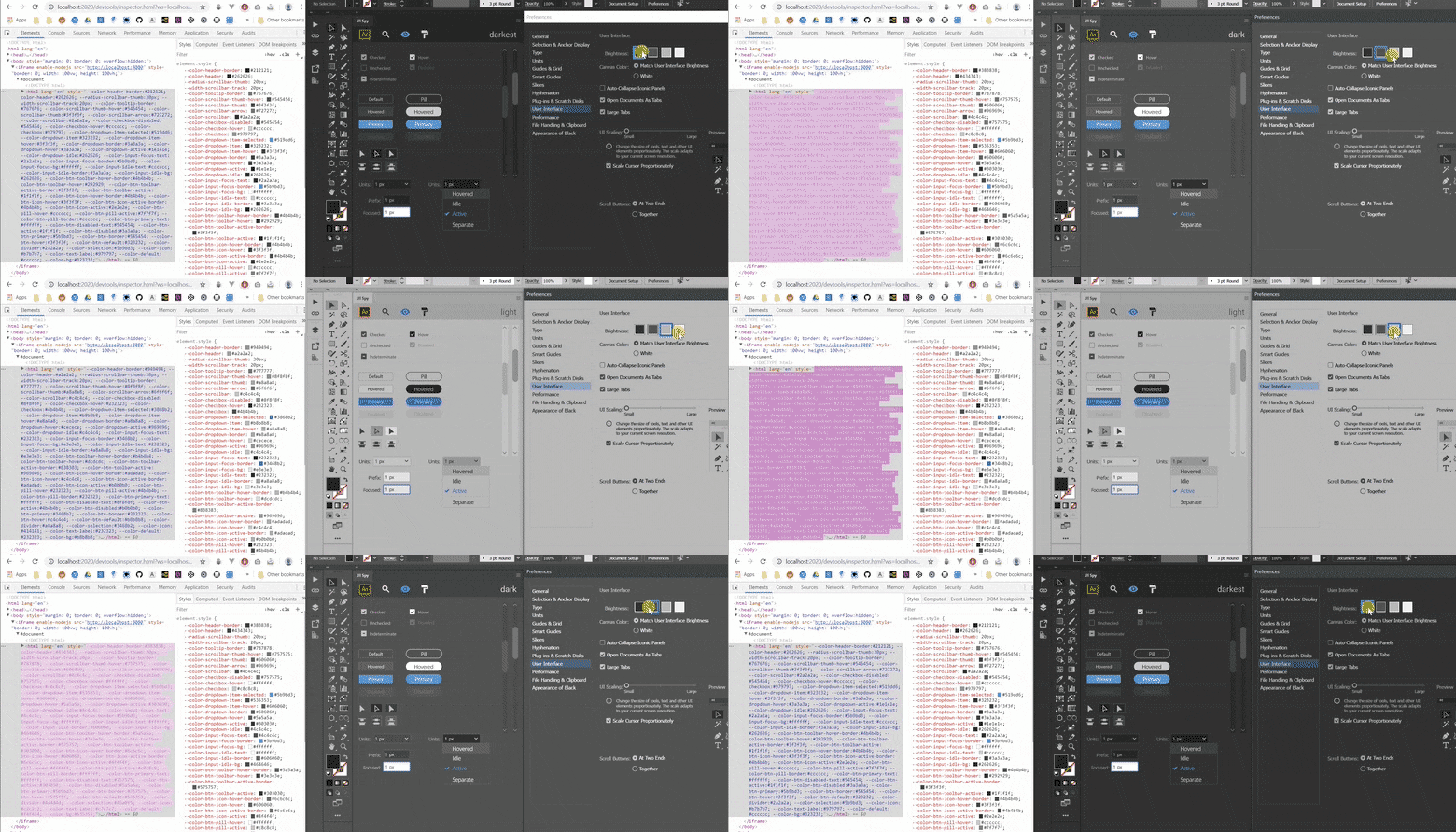
There's absolutely no Javascript involved for app theme changes. All you need are the CSS variables as values to your color like the snippet above.
For wrapping, you might have luck with setting the root container (body or a particular div) with overflow: auto. This should hide scrollbars when content within doesn't expand, and only show when there's calculated overflow. If you want to permanently disable it, you can just set width: 0px; or display: none; which should allow scrolling but cause the scrollbar to be invisible. The above snippet has body scrollbars like this because I use a framework within an #app element.
Here's the original CSS Tricks article that led me to do this, with some more explanation and samples. Note that you only need webkit styling, since CEP is done in a Chromium container.

 AdChoices