
SVG Code Issue - Need help badly
Hello, I been working for a client for over 10 years but have recently had to switch companies that I work for and they have a whole different way of doing things. This has caused me to run into an issue that I have never encountered before.
Our client sent us a group of engineering drawings in .blob format. We are tasked with converting these files in to .svgz files because they will be displayed on the client server on a client website. Our job is to also create a layer called "LINKS" on every drawing where we will place 0% opacity filled rectangles over the components in the drawings. These rectangles will become a clickable area for the client end user to click on components on the drawing that will bring up a popup menu that will display the engineering data for the component among other things.
The issue that I am having is that these drawings often have multiple instances of the same component on them, especially on drawings that are several pages long. For example, on my LINKS layer, I have a component labeled as COMP:D6637. This component is on the drawing 3 times. When I go to save the file as a .svgz, I use the following save settings:
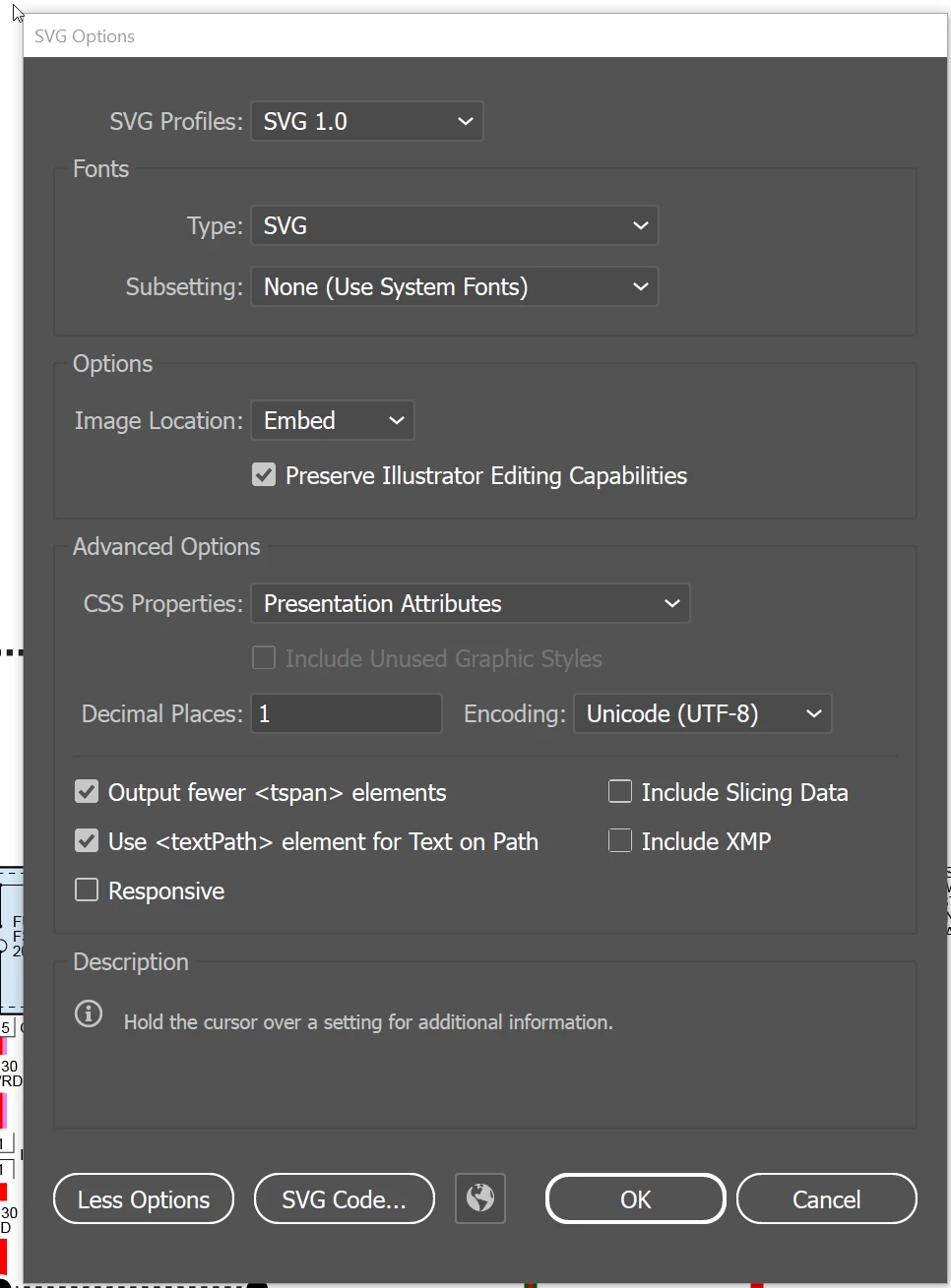
When I click on the SVG CODE... button and look at the code Illustrator is adding random characters to the end of the component to make each component have a unique identifier which you can see in the image below, there is a COMP:D6637, a COMP:D6637V, anda COMP:D6637V underscore a long string of numbers.
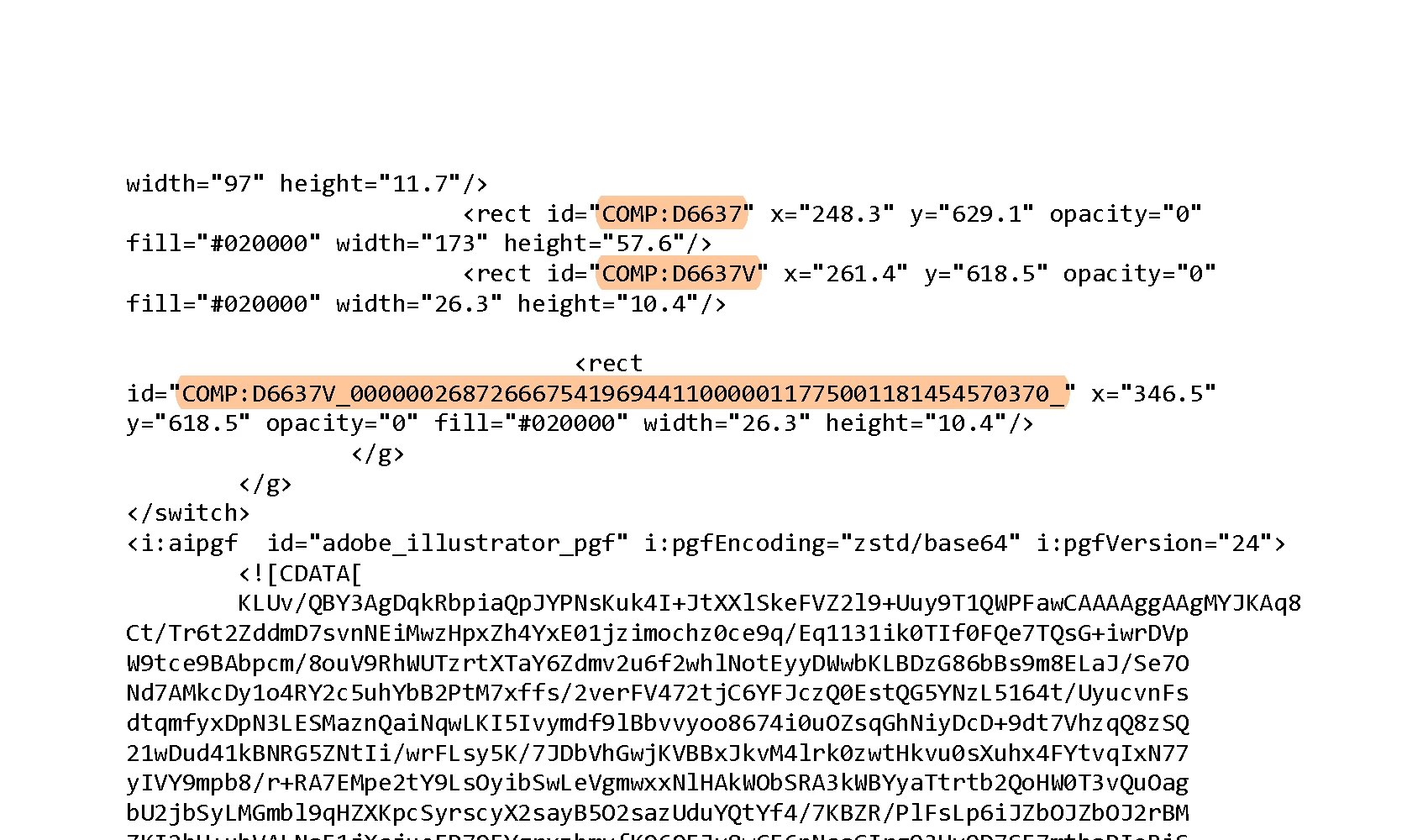
If the drawing gets uploaded to the client server these components are unclickable because the SVG code no longer matches what I labeled the components in my LINKS layer. I really need these components to not have unique identifiers and to be able to have multiple instances of the same component labeled in my LINKS layer so each can be clicked on once the file is uploaded to the client site.
At my previous employer, we could do this without issue but we never started with .blob files, we had .svg files to start with. I don't know if that could be the cause of the issue, or do I have a Save setting wrong, or if there is some setting inside of Illustrator that will allow for duplicate instances of the same component inside of a layer.
I am not a programmer, nor do I have a great understanding of coding so any help or advice would be greatly appreciated.


 AdChoices