
Good Venture
Known Participant
November 28, 2016
Answered

SVG error

  • November 28, 2016
  • 2 replies
  • 1373 views

I'm trying add blur effect to svg. It does apply the preset effect but, when I modify the svg filter just give error message.

What's wrong??

This topic has been closed for replies.
Correct answer Monika Gause

Yes, I got you but it still come out with same error
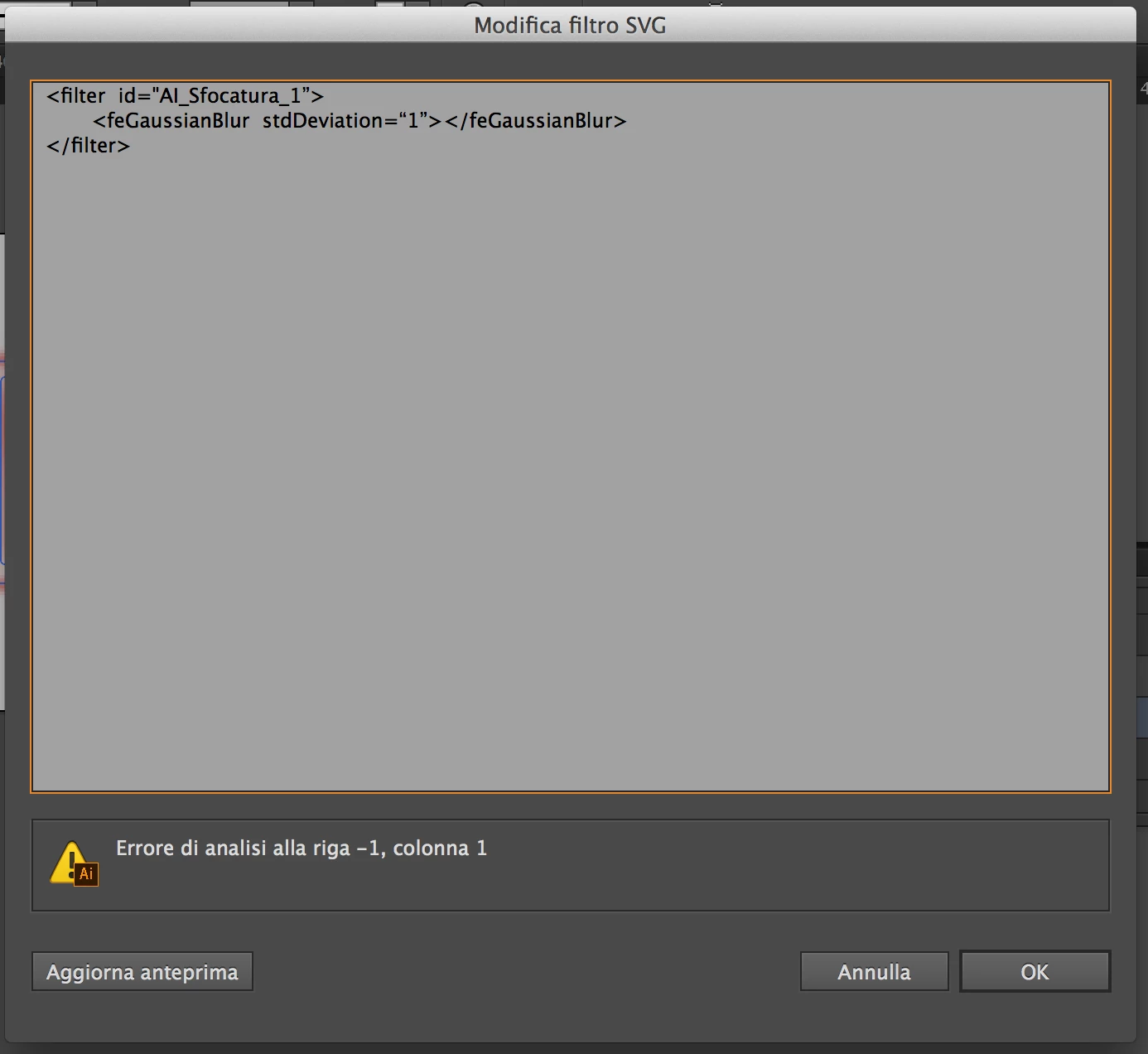

Did you re-type all the "?

I needed to do that after turning typographical quotes off in the system

2 replies

Ton Frederiks
Community Expert
Community Expert
November 28, 2016

Looks like a bug to me.

This happens in CC 2015 and 2017, but not in CS6

You can report that from the Illustrator Help menu or here:

Illustrator Feature Request/Bug Report Form

Monika Gause
Community Expert
Community Expert
November 28, 2016

Please post your artwork.

Please post which edit you make to the SVG code.

Good Venture
Known Participant
November 28, 2016

I need "camille3000" to be blurred

I've just edited blur value from 4 to 1.

Monika Gause
Community Expert
Community Expert
November 28, 2016

Your problem is the ". You've put it before the 1. Needs to follow it.

Also: in case you have typographic punctuation set up in your system: turn it off.