
Participant
May 30, 2020
Answered

SVG Export assets

  • May 30, 2020
  • 2 replies
  • 1886 views

hi and regards - when i export my assets to svg i cant use it in other apps like Siemens TIA Portal  and it says not valid svg.

but as usual when i download svgs from sites like flaticon.com i use it with no problem in that program.

the file which cant load in application in attached bellow.

what is the problem with my export?

in addition when i open the downloaded file from that site in illustrator and save it , it become unsuable again. 
This topic has been closed for replies.
Correct answer Monika Gause


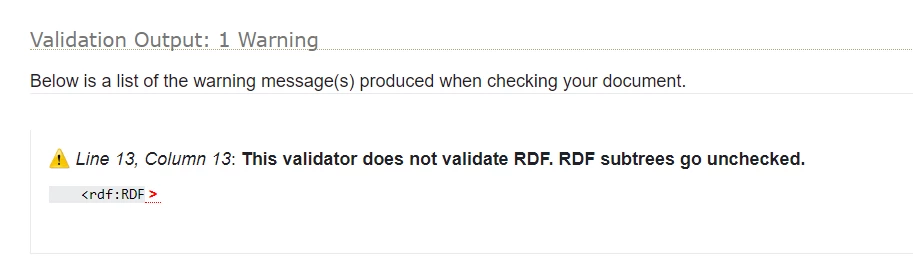
RDF?

Illustrator doesn't support that file format.

2 replies

Charu Rajput
Community Expert
Community Expert
May 30, 2020

Hey,

Could you please answer following questions

  • Did you try another validator to validate the SVG file
  • How are you exporting the SVG from Illustrator. 
  • After downloading the file from the site you are mentioning, are you again saving back to SVG from Illustrator?


Please let us know so that we can help you.


Best regards
MHNAuthor
Participant
May 31, 2020

- I tried https://validator.w3.org/check to check the svg file and it passed.

- I used some ways such export selection on right click , export for screens ...

- If i use the file downloaded from site directly its ok and work correctly but if i open it in illustrator and save it it wont work ever...:( .


Monika Gause
Community Expert
Community Expert
May 30, 2020

How exactly do you export the SVG?

If you use Save as, try Export for screens instead. It creates more modern code.


Also: use the W3C checker to validate the SVG. If it is valid, there is not a lot you can do, because then obviously there are flaws in the other software (not being able to import valid SVG files)

MHNAuthor
Participant
May 31, 2020

- I tried https://validator.w3.org/check to check the svg file and it passed.

- I used some ways such export selection on right click , export for screens ...

- If i use the file downloaded from site directly its ok and work correctly but if i open it in illustrator and save it it wont work ever...:( .


Monika Gause
Community Expert
Community Expert
May 31, 2020

So you are downloading some graphics from the web.

Then opening them in Illustrator.

Doing something with them

Then saving

Then checking them with the validator. And they are OK

Then importing them in the other software.

Doesn't work.


If the graphics are OK in the validator, then the export is OK and the other software is the problem. What does the company say? Anything in the documentation that points to this? It's not Illustrator's fault when another software cannot import a valid SVG.