
Answered
SVG exports not working in 29.1
I updated my Illustrator to version 29.1 and have not been able to export any SVGs. I just constantly get an error when trying to export. Anyone else having this issue?
Any ways to troubleshoot this...
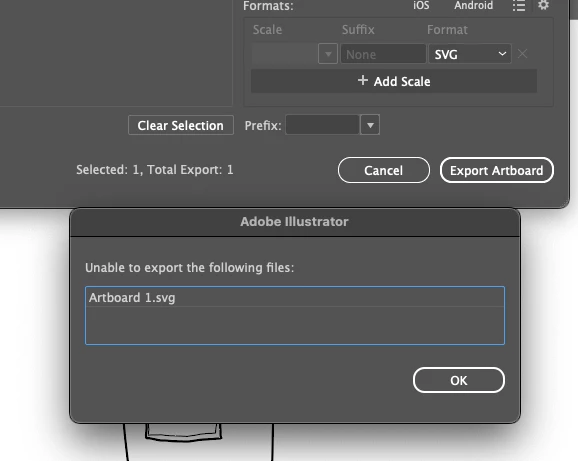

I updated my Illustrator to version 29.1 and have not been able to export any SVGs. I just constantly get an error when trying to export. Anyone else having this issue?
Any ways to troubleshoot this...
****SOLUTION: Restarted the entire Adobe Suite and once it closed down and started up again my SVG has been able to be exported without any issues. Thanks!!!
1. Could you let us know the operating system you're using (e.g., Windows or macOS version)?
2. Is the issue specific to a particular file, or are you experiencing it with all files, including newly created ones in Illustrator?
3. Have you made any recent changes to your system, such as updates or custom export settings?
1) M4 chip Mac Mini
2) All Files
3) Updated to version 29.1 of Illustrator
Already have an account? Login
No account yet? Create an account
Enter your E-mail address. We'll send you an e-mail with instructions to reset your password.


 AdChoices