
SVG file missing layer names when using Export
This used to work still a week or two ago, but now I'm having issues when exporting .ai file to .svg. The expoerted file is missing layer names. Test files can be loaded here:
https://drive.google.com/drive/folders/1GnaLeXTFHmWnLYCcHrrXHDZ1YJQ6Zrag?usp=sharing
This is my very simple test file. You can see the object names here.
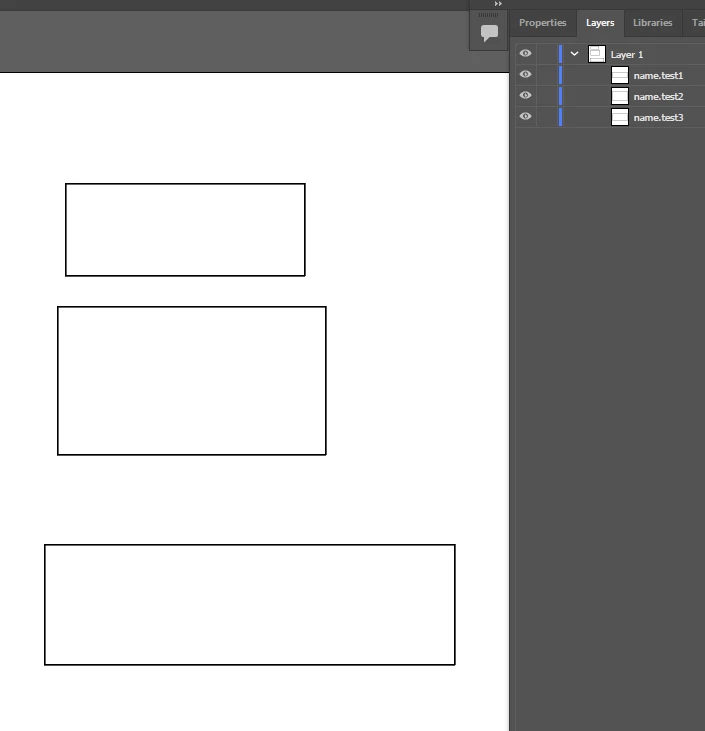
I choose File -> Export -> Export as... and export that as .svg with these settings:
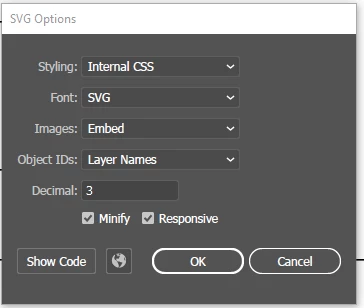
When I check the svg file code, it doesn't have those names "name.test1" etc. Previously they have been showing when I have exported files same way.
<?xml version="1.0" encoding="UTF-8"?><svg id="a" xmlns="http://www.w3.org/2000/svg" viewBox="0 0 411 482"><defs><style>.e{fill:#fff;stroke:#231f20;stroke-miterlimit:10;}</style></defs><rect id="b" class="e" x="21.5" y=".5" width="239" height="92"/><rect id="c" class="e" x="13.5" y="123.5" width="268" height="148"/><rect id="d" class="e" x=".5" y="361.5" width="410" height="120"/></svg>
I first noticed this maybe a week or two ago. I reinstalled Illustrator and then I was able to export one file correctly, but the next time I needed it, the same issue occurred. Today I tried to reset preferences, but it did nothing. I asked my collague export the exact same file I have issues with and for him it worked. We compared our settings, but couldn't find any difference. Do you have any solution?
 AdChoices