
Participant
August 20, 2022
Question

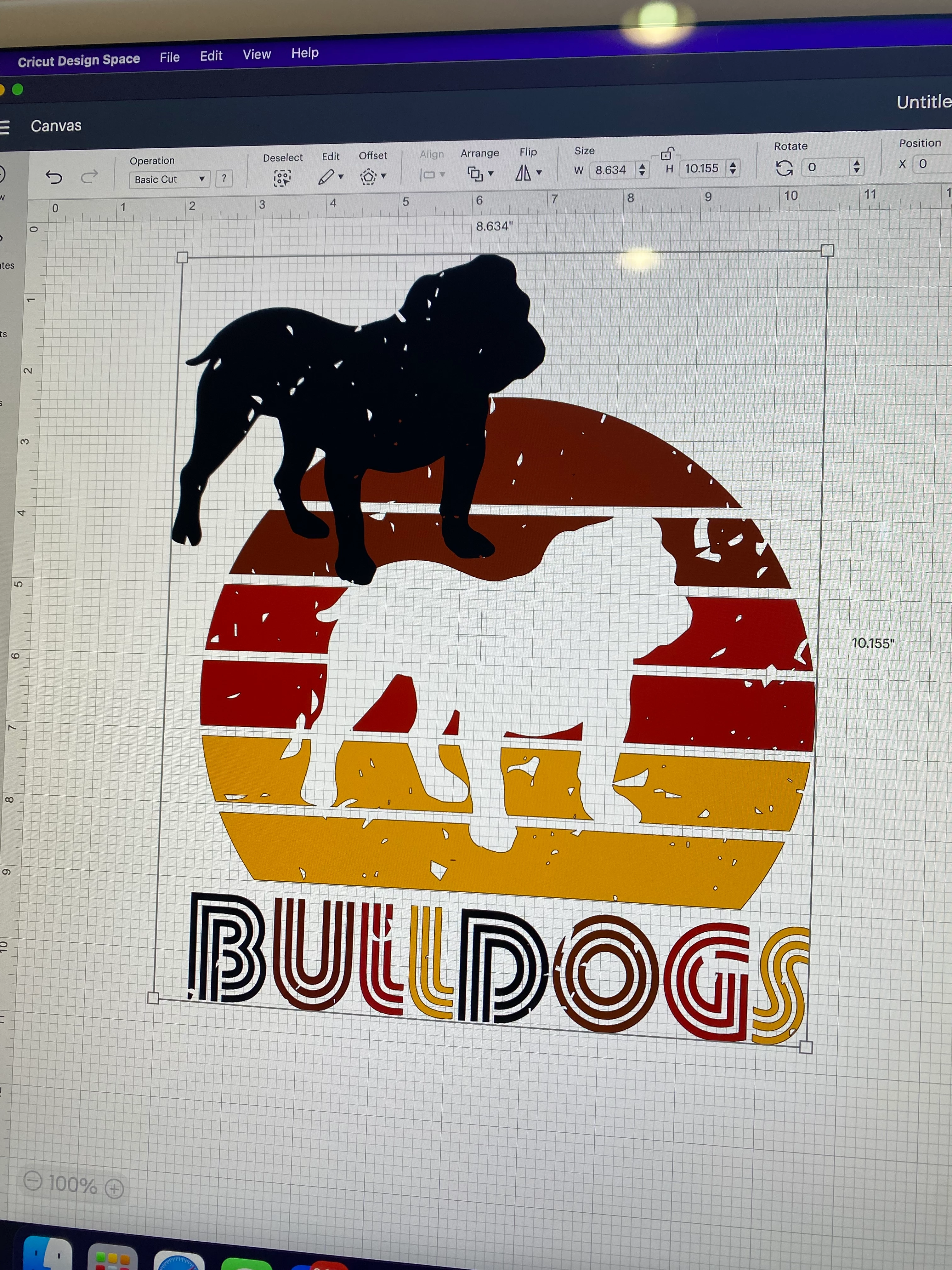
Svg layer moving
  • August 20, 2022
  • 1 reply
  • 110 views

Can anyone help me figure out what is happening here. I changed the colors on an existing svg and saved as a copy. Then after I uploaded it to cricut space the black bulldog layer is out of its place and will not move back in. The existing svg is not like this when uploaded, only after I changed colors. Please help!

This topic has been closed for replies.

1 reply

Mylenium
Legend
August 20, 2022

Without seeing the original SVGs of both versions or at least a screenshot of the AI layers palette we can't realyl tell you much. This simply looks like AI has for some reason reset the transform, possibly because the dog initially had a complex appearance that produced a larger bounding box and you have inadvertently ungroupoed it and changed the layer structure. The grungy holes in it would strongly suggest that this could be the deeper, underlying issue. You may want to open the old file again and check these things, then try to re-create the same structure in your modified one.


Mylenium