
Participating Frequently
August 2, 2022
Question

SVG & Vectors

  • August 2, 2022
  • 2 replies
  • 245 views

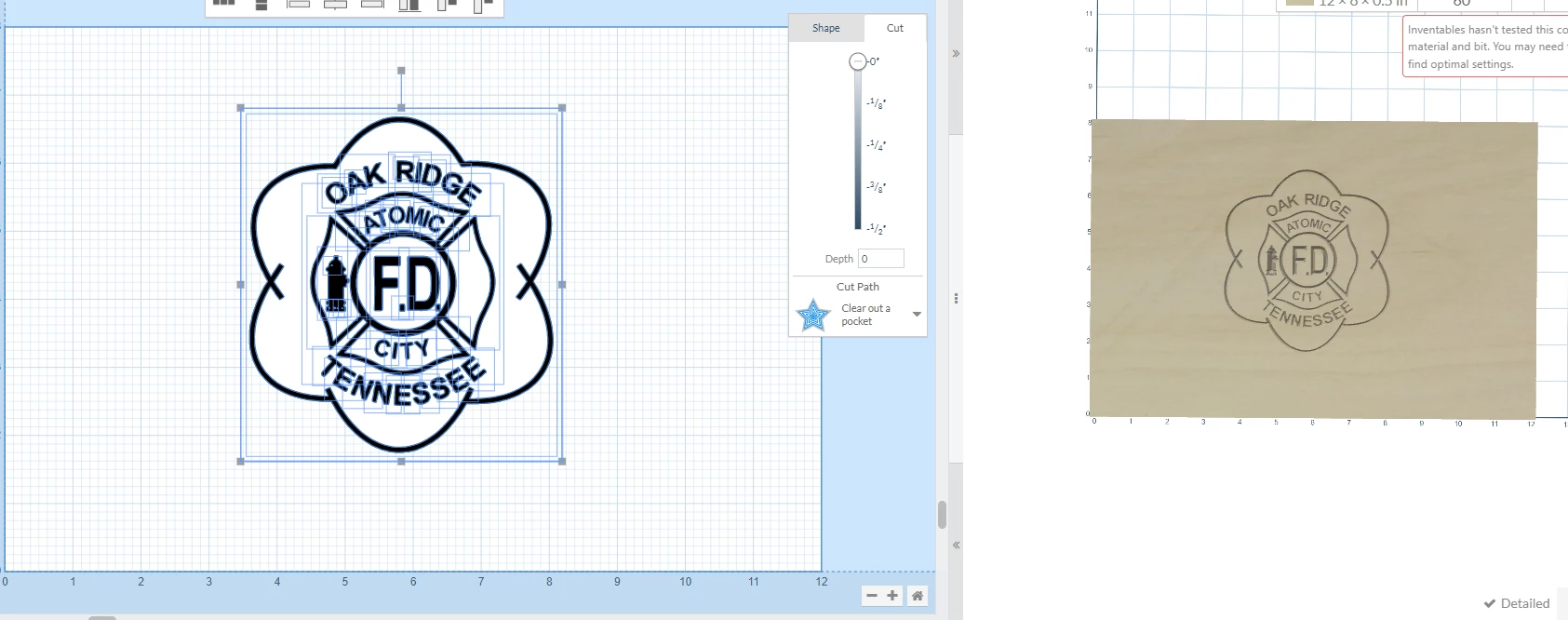
I'm new to Illustrator and am trying to learn how to create svg's that I can use in my CNC software. I can create text svg's that work just fine but I was told that the svg's I'm trying to make that contain text and shapes "have multiple vectors on top of each other". They couldn't really explain what that meant in a way that made sense to me so I'm wondering if someone can explain what that means and how I can avoid that problem. When I bring the svg into my CNC software this is what it looks like.
This topic has been closed for replies.

2 replies

Monika Gause
Community Expert
Community Expert
August 2, 2022

It looks like there is a white filled object in this artwork, since the grid is not visible in it.

Mylenium
Legend
August 2, 2022

Are there actual duplicate paths on top of one another? What would an - in their view - ideal SVG look like? Judging from your image there is nothing wrong, but of course there may be all sorts of issues with compound paths, unclosed paths or inadvertently having duplicated items to achieve a certain look that would not make much sense in a milling software. Withouts seeing your original artwork in AI and its layer structure plus having the actual SVG to see how AI exported it we can't realyl tell you much more than that.


Mylenium