Inspiring
July 2, 2020
Answered

Swatch not showing to build a pattern brush.

  • July 2, 2020
  • 2 replies
  • 897 views

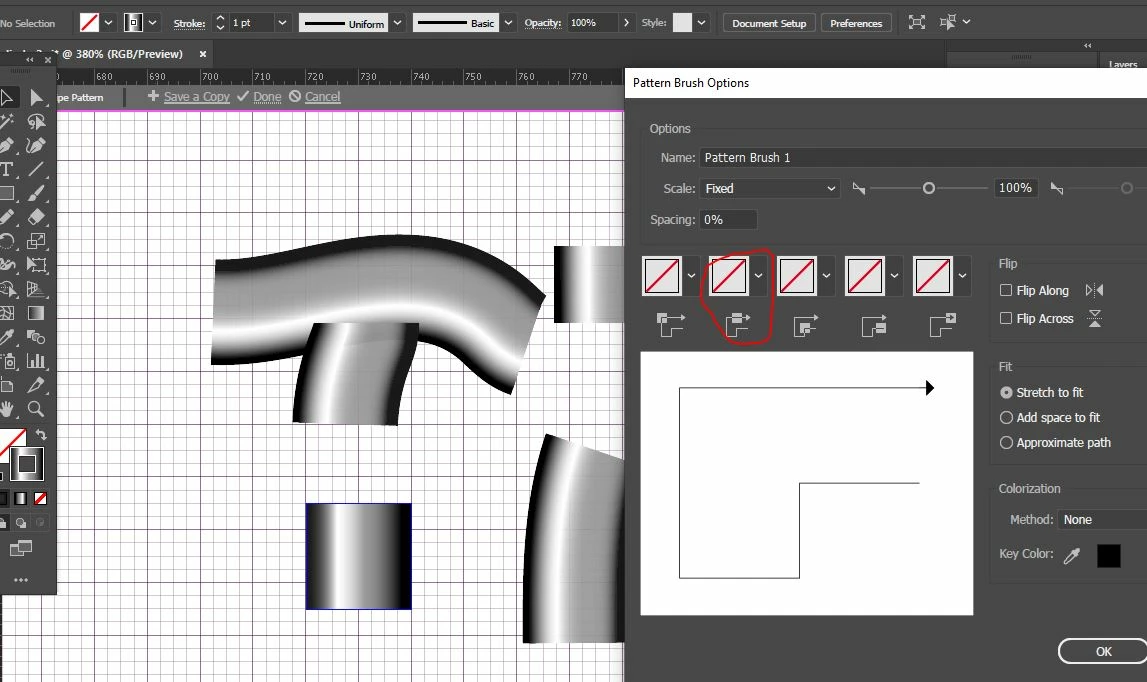
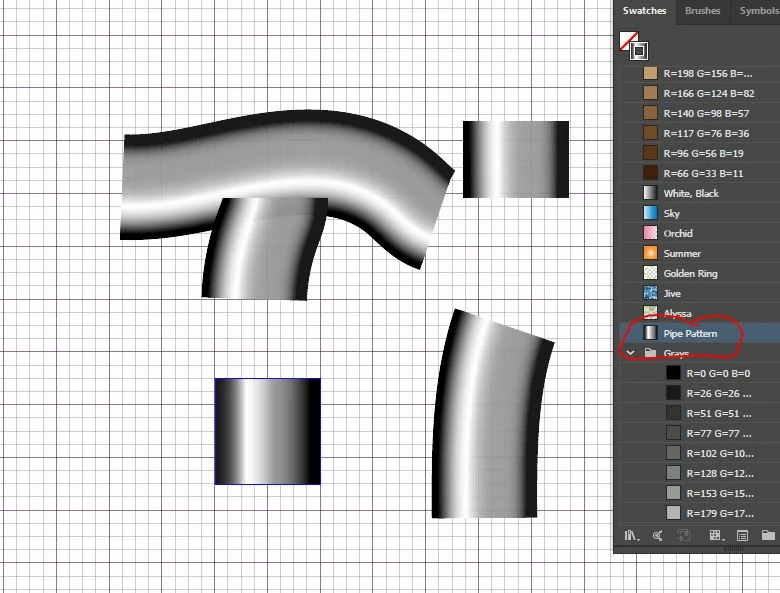
I saved a pattern into the swatch section to get it into a brush, but for some reason the pattern that I saved in the swatch section is not showing as an option to build the pattern brush.


Under the brush pictures, when I click the arrow down to pick a swatch I don't find the swatch I just created to make it into a pattern brush.


How can I fix it?
 

This topic has been closed for replies.
Correct answer Monika Gause

Gradients cannot be used in a brush.

2 replies

Participant
April 27, 2024

You can use a gradient to create a swatch you just need to select all the parts > object menu > expand > uncheck stroke > change quantity to about 30 (could depend on your object size) > drag to swatches panel 

🙂

Monika Gause
Community Expert
Community Expert
April 27, 2024

@vanessas44525938  schrieb:

You can use a gradient to create a swatch you just need to select all the parts > object menu > expand > uncheck stroke > change quantity to about 30 (could depend on your object size) > drag to swatches panel 

🙂


The simple gradient in this example can just be applied to the stroke. 

Monika Gause
Community Expert
Monika GauseCommunity ExpertCorrect answer
Community Expert
July 2, 2020

Gradients cannot be used in a brush.