
Nickallen2424
Participant
December 12, 2017
Answered

Symbol option box keeps popping up

  • December 12, 2017
  • 5 replies
  • 3400 views

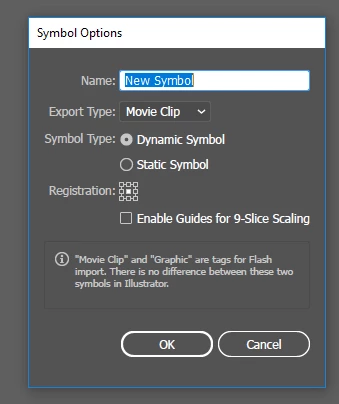
I am trying to edit a logo with text and every time I create new text or attempt to edit the logo a symbol option box appears and will not go away.  I have already tried (twice) to clear all preferences by holding ctrl+alt+shift upon launch.  Any help would be great.
Correct answer Declan0872

I think I've found a solution for this, if anyone is still struggling. I had the same thing. I think it is a keyboard issue, and can be solved by disabling the keyboard shortcut for New Symbol. (Edit > Keyboard shortcuts > Menu Commands > Other Panel> clear New Symbol shortcut). Hope this helps

5 replies

kacemb57982524
Participant
July 2, 2023

Simply your keyboard keys or one of them is stuck or tapped by something. be careful if you have a Bluetooth keyboard connected somewhere without paying attention. hope this helps you.

Participant
August 1, 2021

how to symbol option sove adobe illustrator 

Participant
June 26, 2018

I also faces this problem. Still don't find any solve.

Declan0872
Declan0872Correct answer
Inspiring
February 20, 2018

I think I've found a solution for this, if anyone is still struggling. I had the same thing. I think it is a keyboard issue, and can be solved by disabling the keyboard shortcut for New Symbol. (Edit > Keyboard shortcuts > Menu Commands > Other Panel> clear New Symbol shortcut). Hope this helps

Participant
September 24, 2023

IT WORKS ! Thankyou So Much !

Monika Gause
Community Expert
Community Expert
December 12, 2017

There has been a thread about this only some weeks ago.

But we didn't come to a solution.

Please contact Customer Care, so they can log in to your computer to sort things out:

Contact Customer Care