
Participant
March 20, 2023
Answered

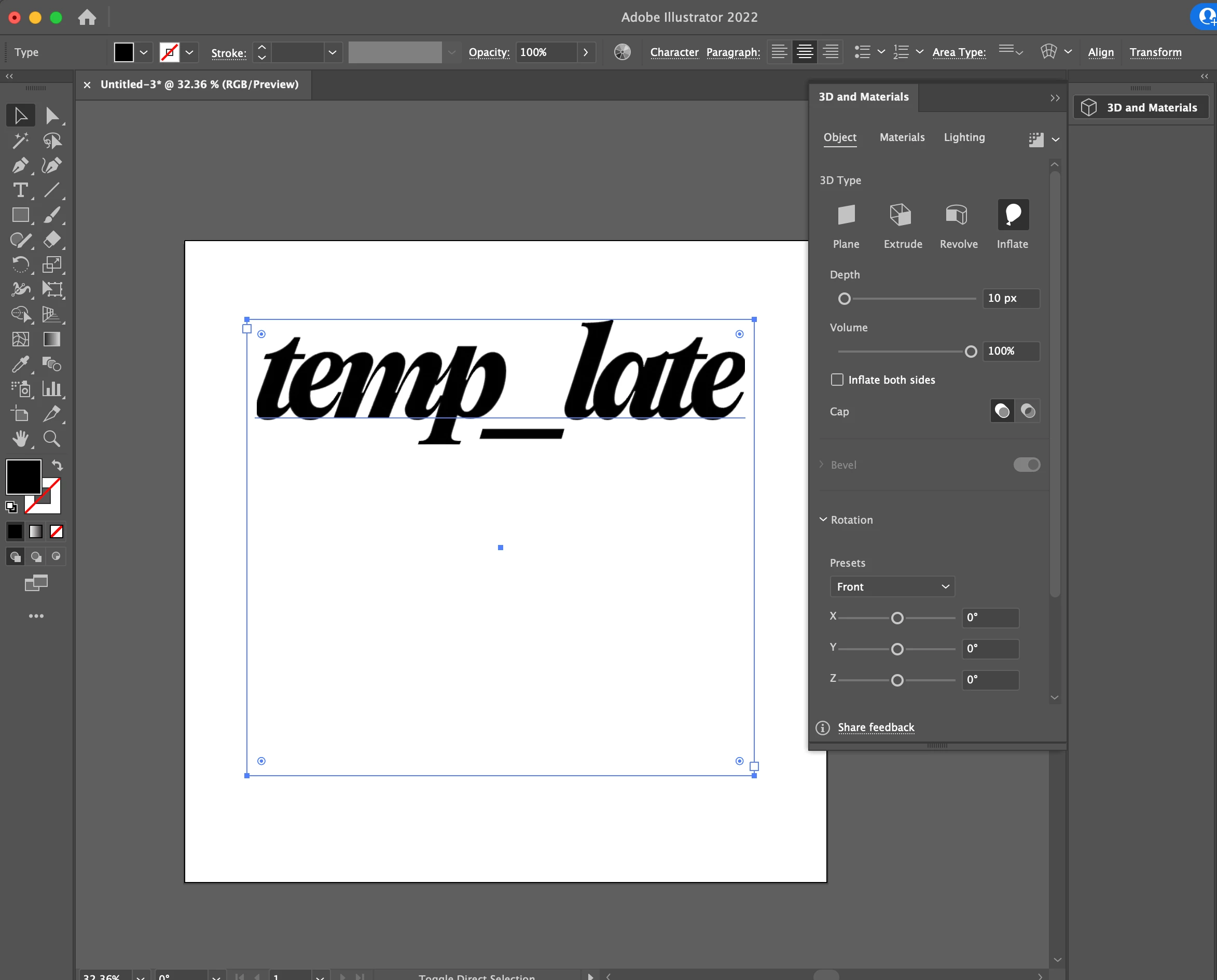
taper and twist missing from 3D and Materials Pannel

  • March 20, 2023
  • 2 replies
  • 782 views

I have been trying to follow a number of tutorials on how to recreate the balloon effect on text and none of them turned out like the tutorials, and it turns out that it's because I can't seem to find the "taper" option under my 3D and Materials Pannel. Any help on how to activate the "taper" and "twist" options, please let me know. Thank you in advance!
This topic has been closed for replies.
Correct answer Anubhav M

Hello @vanessaslv,


We understand that encountering technical issues can be frustrating. Would you mind updating Illustrator to the latest version (27.4) as suggested by Ton, and resetting Illustrator's preferences as described in this article (https://helpx.adobe.com/illustrator/kb/troubleshoot-preference-issues.html) and checking if it helps?

Disclaimer: Please note that renaming preferences folders will remove all the custom settings, and Illustrator will launch with default settings. You can also save a backup of the folders in case you want to. The location is mentioned above.


Looking forward to hearing from you.


Thanks,

Anubhav


Note: Marking correct for visibility.

2 replies

Anubhav M
Community Manager
Anubhav MCommunity ManagerCorrect answer
Community Manager
March 30, 2023

Hello @vanessaslv,


We understand that encountering technical issues can be frustrating. Would you mind updating Illustrator to the latest version (27.4) as suggested by Ton, and resetting Illustrator's preferences as described in this article (https://helpx.adobe.com/illustrator/kb/troubleshoot-preference-issues.html) and checking if it helps?

Disclaimer: Please note that renaming preferences folders will remove all the custom settings, and Illustrator will launch with default settings. You can also save a backup of the folders in case you want to. The location is mentioned above.


Looking forward to hearing from you.


Thanks,

Anubhav


Note: Marking correct for visibility.

Ton Frederiks
Community Expert
Community Expert
March 20, 2023

Did you update Illustrator recently? Which version do you have?