
Participant
July 4, 2019
Question

Tear-off Toolbar will not save with workspace in Illustrator 2019 on MAC

  • July 4, 2019
  • 1 reply
  • 763 views

Hello,

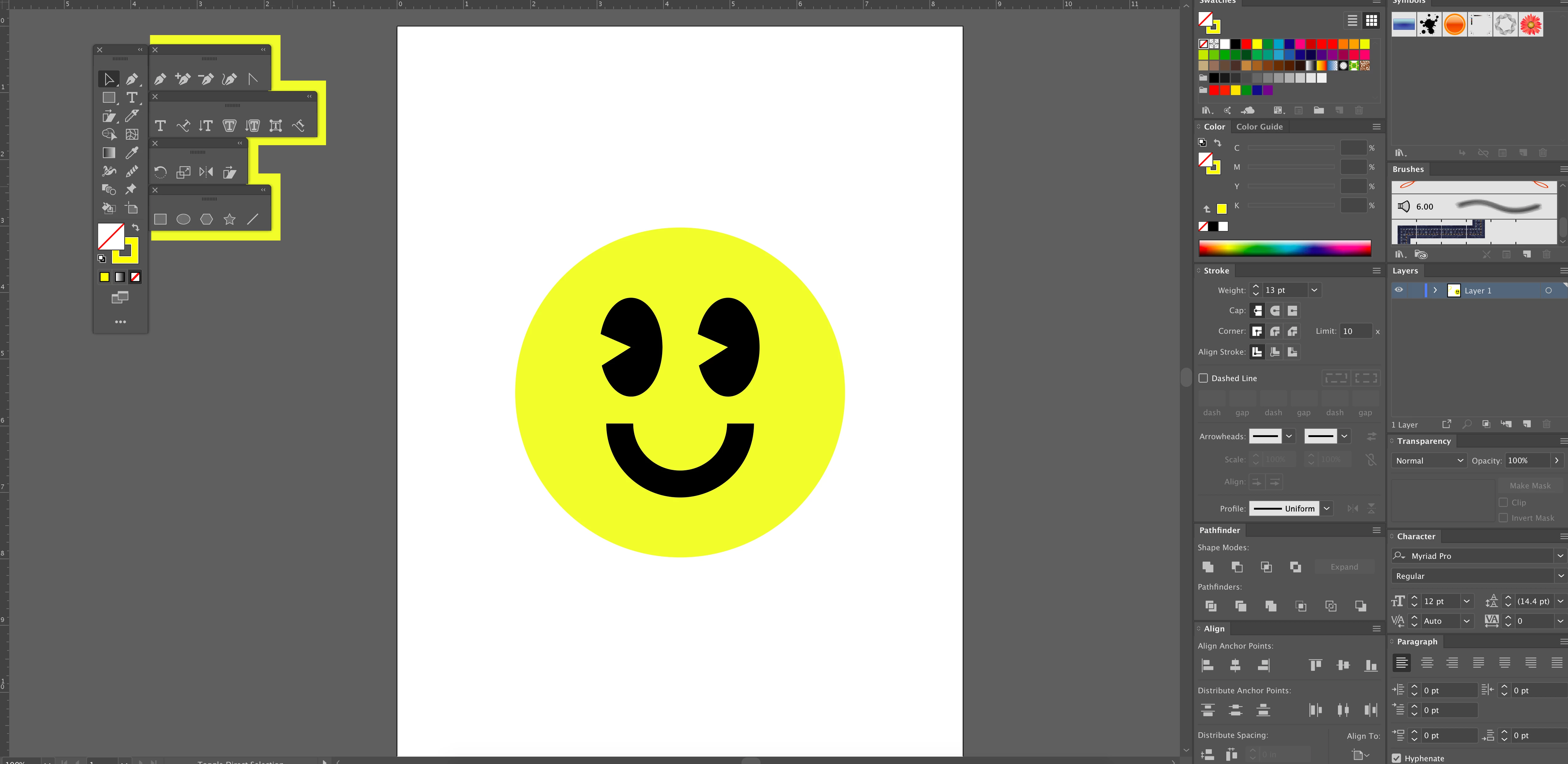
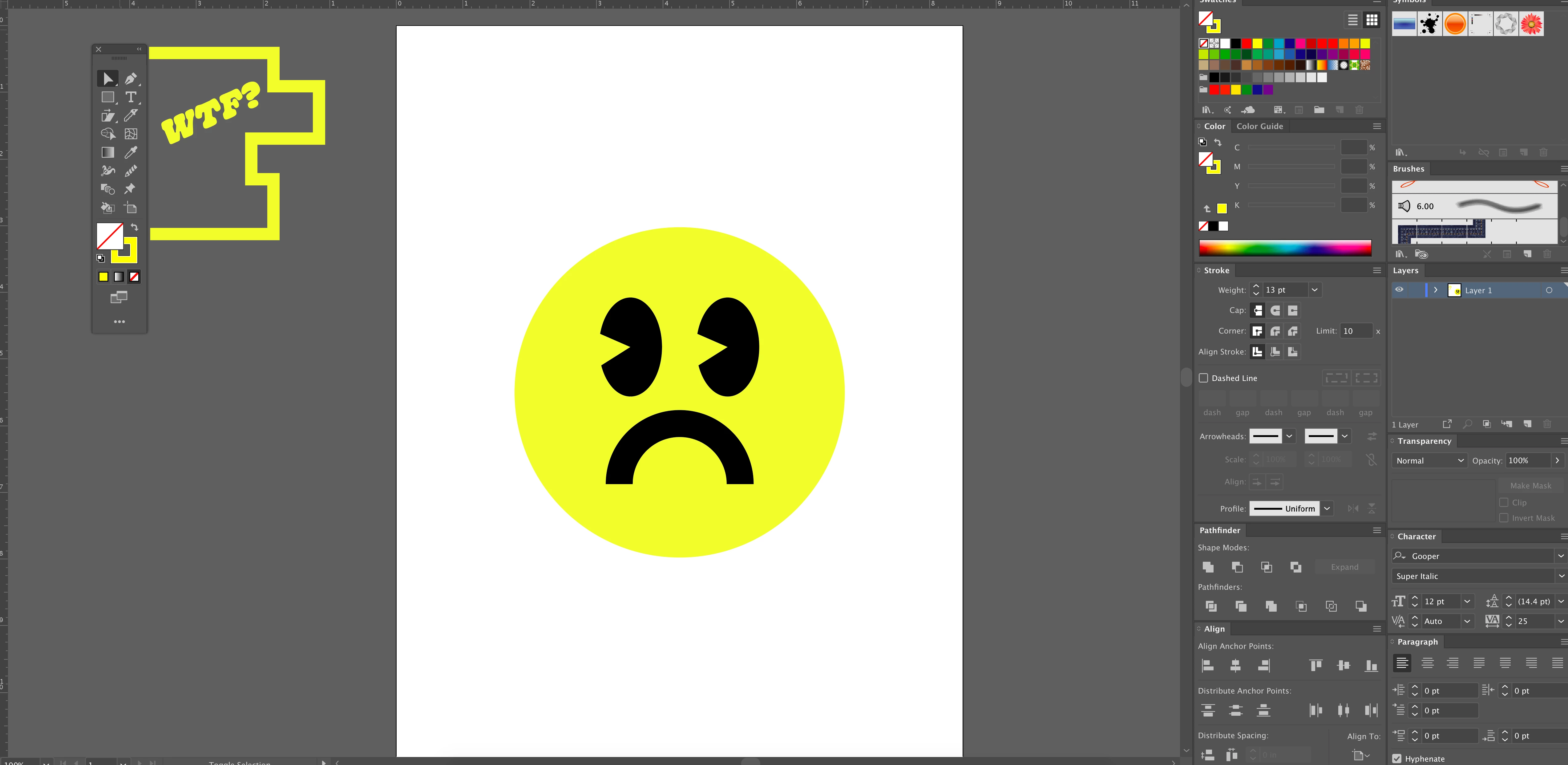
In the past I was able to save my workspace with toolbar tear-offs (shapes, pen, etc.). When I re-open Illustrator and select my custom workspace, my tear-off tabs are not present. Why won't they save with my workspace? (see below for more detail)
Thank you!

{Renamed by MOD}

This topic has been closed for replies.

1 reply

sishamIAGD
Community Expert
Community Expert
July 4, 2019

What version are you using..?

I have just tested on 23.03 and works just fine?

Have you tried resetting your workspace?

peter333Author
Participant
July 4, 2019

I am on 23.0.4.

I've re-installed illustrator multiple times and have reset and created multiple workspaces to no avail.

For some reason the workspace will only save the panels (on the right) just fine (swatches, stroke, etc.). However, when I start up Illustrator and select my workspace, it did not save the tear-offs (shapes, pens, etc.) from my toolbar.

Maybe a bug? In the past they would not disappear.

Thanks for the response!

sishamIAGD
Community Expert
Community Expert
July 5, 2019

Ok, so your on a Mac. Hopefully someone with a Mac may be able to shed some light on this (even though there should be no difference). It may also be worth submitting a bug report here: Adobe Illustrator Feedback