Terrible Problems Exporting/Opening/Using SVGs
Hello! After spending hours and hours on chat & the phone with Adobe Customer Support, I've gotten nowhere trying to solve a significant problem with trying to export/open/use SVGs of any form. Files that worked perfectly fine as of a week ago are now suddenly not reading properly. What's more, this is happening on my PC, on my Mac, AND on my assistant's computer on the opposite side of the country. So it can't just be a problem with my computer.
I first noticed it trying to export this image, which I've exported a thousand times before over the past year. Here's how it looks in Illustrator:
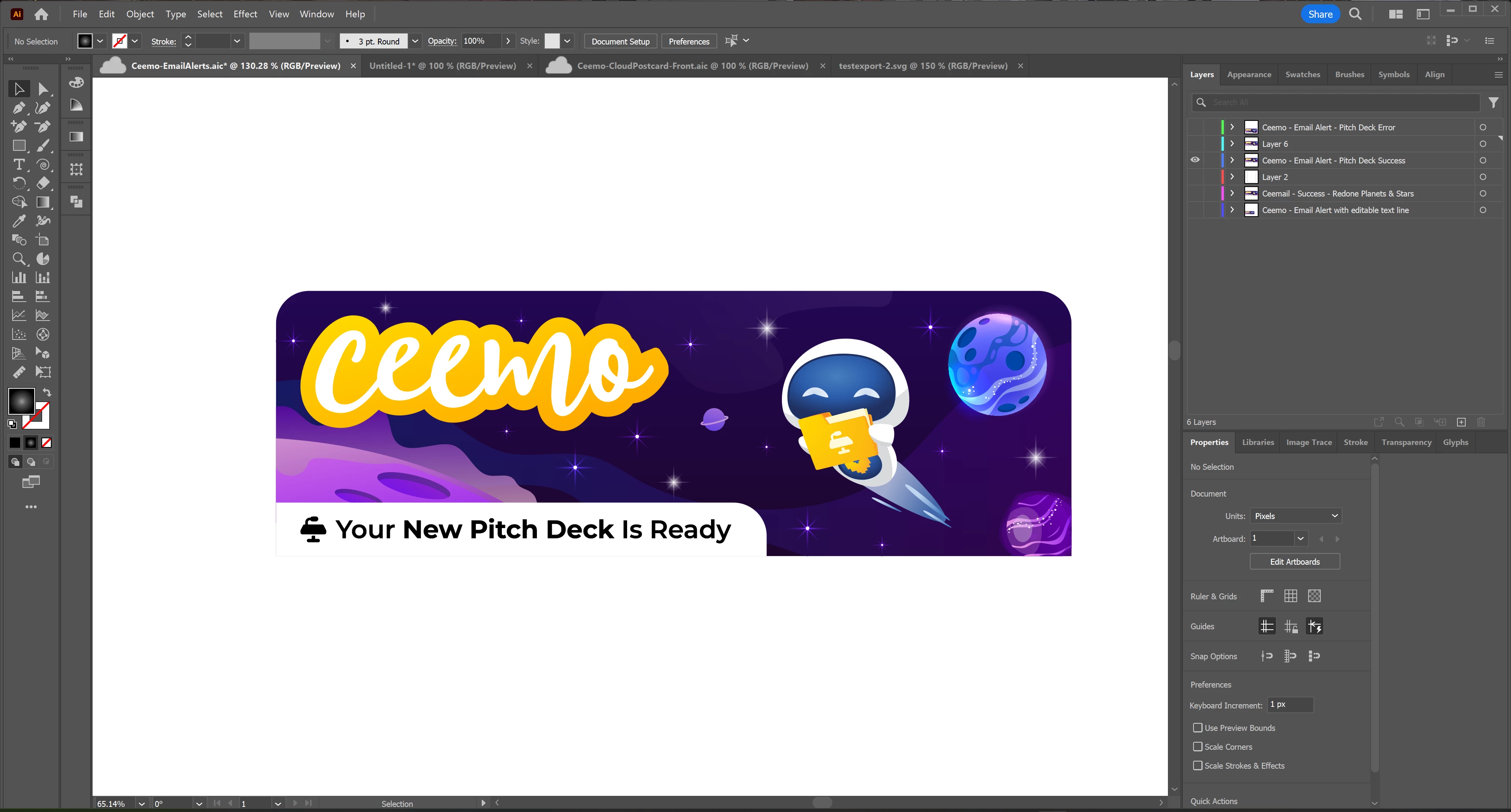
And then here's what happens when I export it as an SVG, regardless of which exporting or saving method I use:
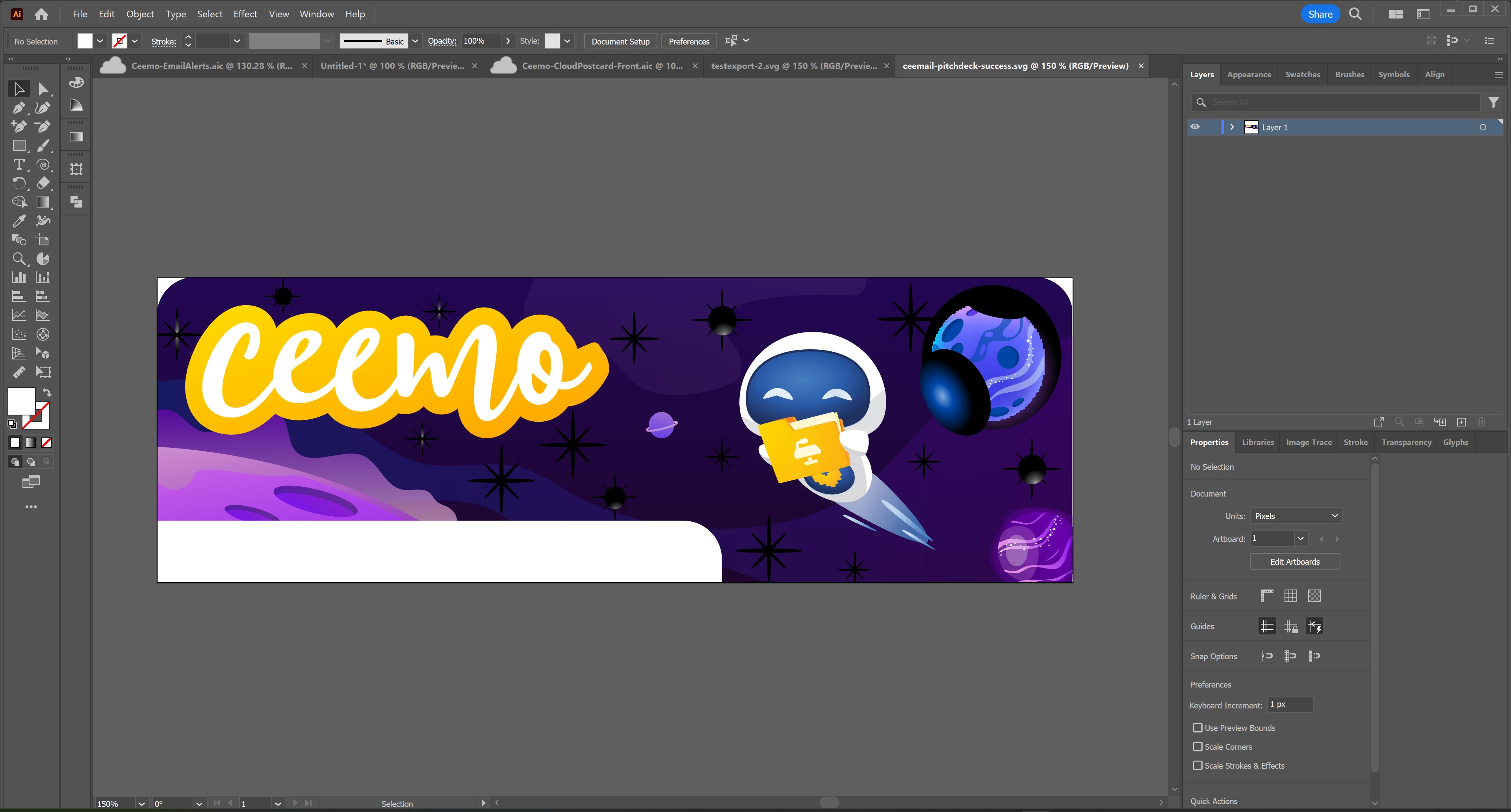
It's rasterizing some elements randomly, randomly changing colors of other elements, and treating some transparent/gradient elements as solids with black backgrounds. But the weird thing is, there doesn't seem to be any rhyme or reason to why some things are fine, while others get messed up. Why some things get rasterized and others don't. Why some are suddenly solid, while other transparencies are fine. Heck, even the text was randomly changed from black to white, making it disappear.
Another example: see the purple planet in the lower right? It has EXACTLY the same settings as the blue planet at the upper right. Yet the blue planet's all messed up, and the purple one is exporting just fine, like they all used to as of one week ago.
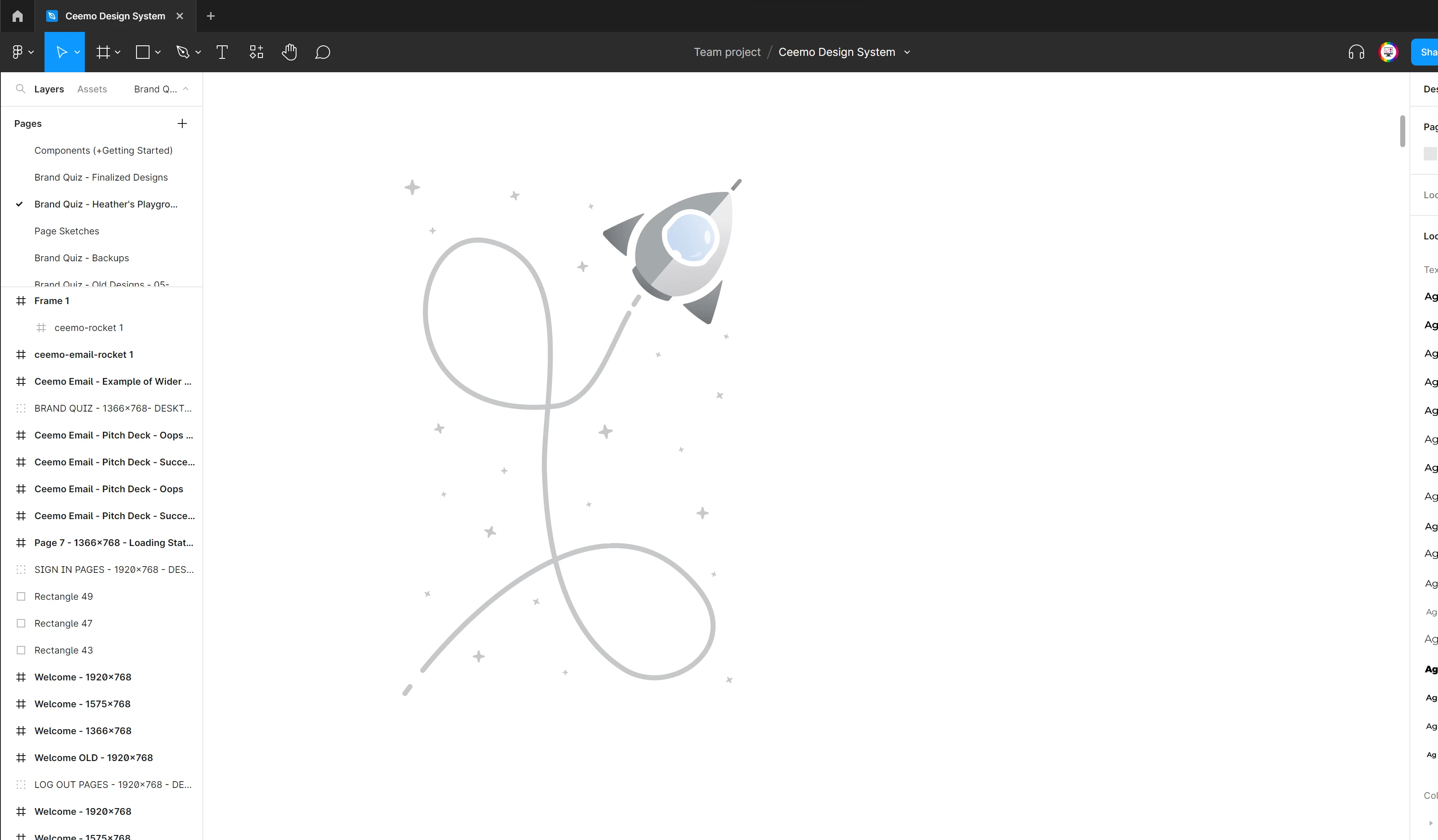
Then, as of day before yesterday, another weird SVG issue cropped up. I tried to create a simple dashed line; something I've done a million times over. It exports just fine as a PNG, but when I export it as a SVG? It's suddenly solid... mostly. Except for the ends. I even made sure I sized it to the same exact size & aspect ratio as the original art board, thinking huh, maybe the math on the dashes was just getting messed up because of a size difference. But nope. It's messed up no matter what size I set it to. Here's what the original looks like in Illustrator: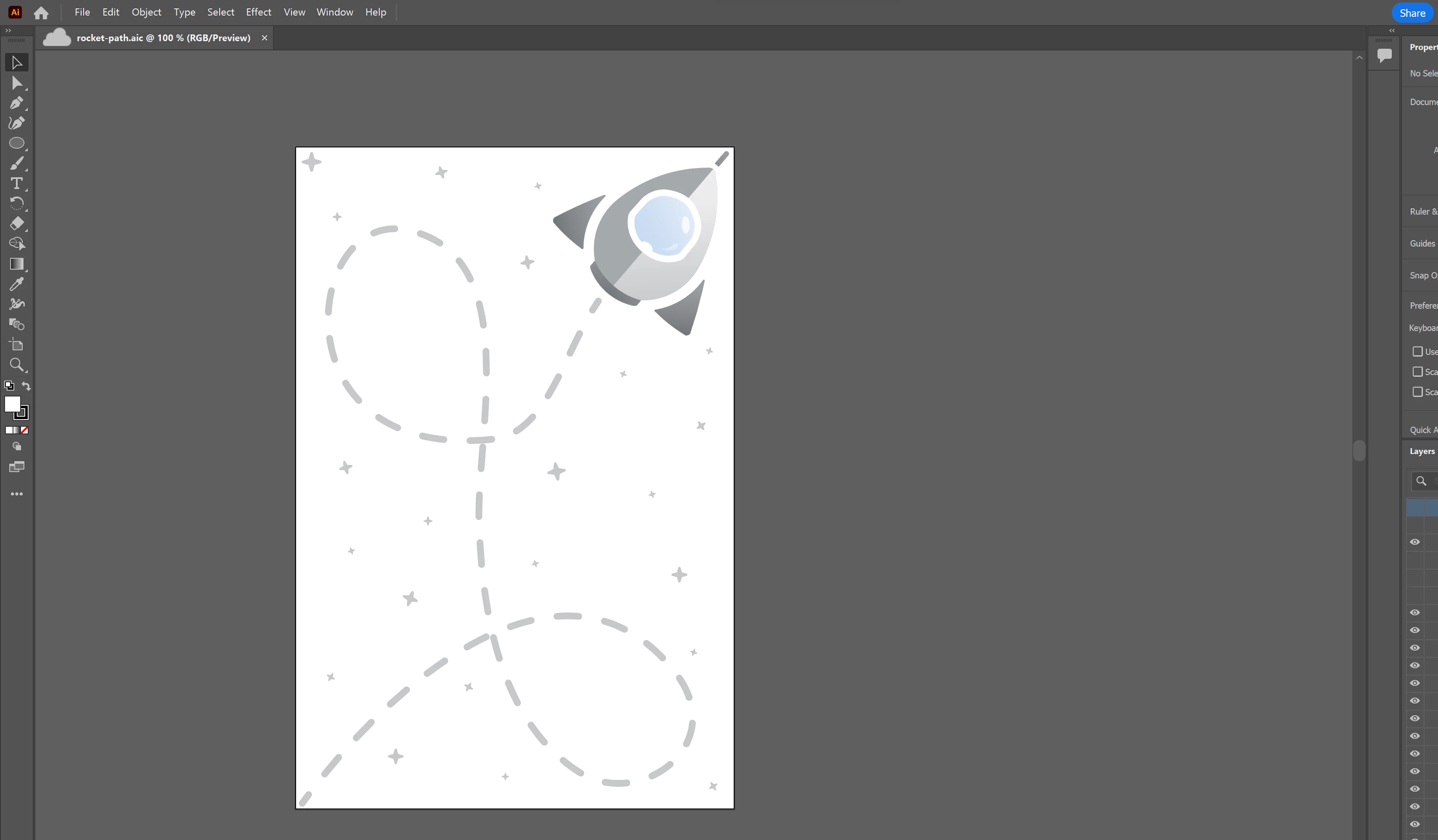
Now here's what it looks like when I try to use the exported SVG in Figma:
This is truly endlessly frustrating. I'm developing a software startup right now that heavily relies on SVGs in order to do what we do. If I can't get this resolved, it could jeopardize our upcoming launch date.
I've gone through all the basics with Customer Support; I'm using the latest version. We tried rolling back to previous versions. We cleared out my preferences and cache. Tried multiple exporting/saving methods. Nothing fixed it. Last I heard they were going to do more research and call me back, but they never did.
If someone could help, I'd really, really, really appreciate it!
Thank you!!
 AdChoices